


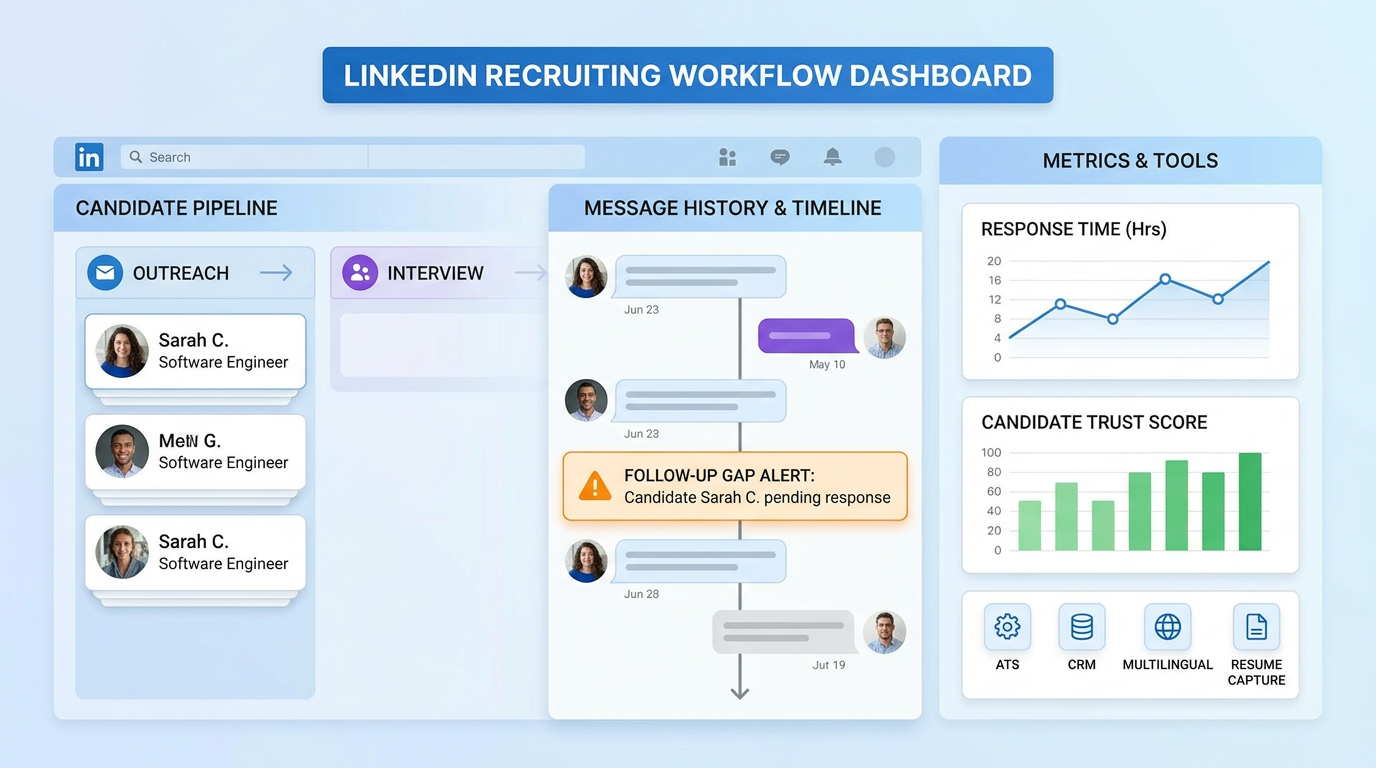
This article shows agency leaders how to evaluate recruitment online for recruiters and avoid trust-breaking follow-up gaps.
When that foundation is weak, the damage is not limited to admin time. Recruiters miss follow-up windows, hiring managers respond late, candidate confidence drops, and internal teams start blaming each other instead of fixing the workflow. For small agency owners, that means slower placements and more avoidable rework. For solo headhunters, it means losing control of outreach history and shortlist quality. For in-house talent teams, it can become a brand problem fast, because candidates remember confusion, silence, and disrespect more than polished career pages.
In my own sourcing workflow, I have found that StrategyBrain AI Recruiter is most useful when recruiter responsiveness starts slipping under message volume. Its always-on candidate communication, multilingual outreach support, and automatic capture of resumes and contact details can reduce the kind of delay that makes candidates feel ignored or mishandled. What matters is that the recruiter still owns the final review, resume judgment, and next-step decision; the tool helps with repetitive front-end communication, not the hiring call itself.
That matters because workplace behavior shapes recruiting outcomes long before an offer is signed. A manager who publicly shames employees, constantly compares them unfavorably, or reacts to mistakes with humiliation does more than damage morale. The immediate target loses confidence, but the wider team also sees it, talks about it, and adjusts behavior around it. People stop taking initiative, creativity narrows, and the mood around the company starts to harden. In recruiting terms, that kind of environment is difficult to hide for long.
Once employees begin quietly looking elsewhere, the hiring team inherits the operational fallout. Recruiters must answer late-night candidate questions, re-open old searches, track who heard what from whom, and manage a growing gap between what the employer says and what the market senses. If a workflow cannot log communication clearly, surface history quickly, and support respectful follow-up at scale, the process starts to reflect the same disorder that caused the attrition.
That is why the best recruiting software is not just a feature checklist. For anyone handling recruitment online for recruiters, the real test is whether the system helps your team preserve trust, maintain consistency, and keep candidate relationships organized when business pressure is high. It also helps clarify a common confusion in search intent: employer-side recruiting software is different from recruiting companies, and both are different from companies that find jobs for you on the candidate side.
Quick takeaway: The best recruiting software gives recruiters a clean operating system for candidate communication, pipeline control, sourcing follow-up, and hiring manager accountability. The right choice depends on whether you hire internally, recruit for multiple clients, or manage high-volume outbound workflows.
Table of Contents
- Why software choice now feels higher-stakes
- What best recruiting software actually includes
- Who needs what: in-house teams, agencies, and independent recruiters
- Features that protect workflow, trust, and speed
- Advantages of applicant tracking system adoption
- Recruiting software vs recruiting companies vs candidate-facing services
- How to choose the right system
- Implementation advice from a recruiter workflow view
- Common buying mistakes
- FAQ
Why software choice now feels higher-stakes
Recruiting software decisions used to be framed mostly around efficiency. That is still important, but the more practical issue today is operational credibility. When candidates are dealing with multiple employers, public employer reviews, social channels, and instant peer feedback, every delay or clumsy interaction creates a wider signal.
The lesson from poor management environments is useful here: bad behavior rarely stays contained. In the same way, poor recruiting process rarely stays invisible. If a candidate is ghosted after an interview, gets contradictory messages from two recruiters, or sees no record of prior conversations, that experience travels. In-house teams feel it as employer-brand drag. Agency teams feel it as lower response rates and weaker client confidence.
That is why modern recruitment online for recruiters needs more than a database. It needs a system that lets recruiters respond on time, re-open old conversations intelligently, and avoid creating candidate frustration through avoidable process mistakes.
What best recruiting software actually includes
The phrase best recruiting software usually describes a stack, not a single product type. In most evaluations, recruiters are comparing some combination of an ATS, a recruiting CRM, sourcing workflow support, scheduling tools, analytics, and automation.
An applicant tracking system for recruiters is typically responsible for active requisitions, applications, interview stages, notes, hiring-team collaboration, and disposition tracking. A recruiting CRM is usually more useful when the team depends on outbound outreach, passive candidate pipelines, and re-engagement over time. Broader talent relationship tools go further by tying long-term nurturing and event-driven pipelines into the same workflow.
In practical terms, the difference comes down to where your recruiting effort begins. If you mostly process inbound applicants, ATS structure matters most. If your work depends on direct outreach, repeated follow-up, and resume collection before formal application, then front-end communication support becomes much more important.
That is one reason I keep communication workflow separate during evaluation. In some searches, I have used AI-supported LinkedIn outreach to keep initial candidate conversations moving after hours and across time zones, while relying on the core ATS for stage control and recruiter review. Used that way, the software stack becomes cleaner: outreach support handles repetitive contact and resume capture, while the ATS remains the source of truth for decisions.
Who needs what: in-house teams, agencies, and independent recruiters
In-house talent acquisition teams
Internal teams usually need disciplined process management: requisition approvals, interviewer coordination, structured feedback, and reliable reporting. They also need software that helps them protect candidate experience when internal management behavior is inconsistent. If the business has retention issues, a messy hiring process will amplify them.
For these teams, the best recruiting software should make it easy to move candidates, collect feedback, and show hiring managers where delays sit. The main applicant tracking system benefits here are visibility, accountability, and consistency.
Staffing firms and recruiting companies
Many recruiting companies need stronger search, outreach tracking, and ownership controls than internal teams do. They recruit across multiple clients, juggle submissions, and often maintain candidate relationships over long periods. A weak system creates duplicate outreach, ownership disputes, and poor re-engagement discipline.
Agency buyers should focus on searchability, candidate history, communication logging, duplicate management, and client-specific pipeline views. If the recruiter cannot instantly tell when a candidate was contacted, by whom, and for which client, the workflow will eventually break.
Independent recruiters and solo operators
Independent recruiters usually need flexibility more than scale theatre. A lightweight but disciplined workflow can outperform a bloated system if it supports sourcing, outreach, reminders, notes, and shortlist control. The best recruiting software for solo operators is often the one that reduces switching between inboxes, spreadsheets, and browser tabs.
For independent search work, I have found value in pairing a simple ATS with StrategyBrain AI Recruiter for repetitive first-contact messaging, multilingual replies, and resume collection. The gain is not that it replaces recruiting judgment. The gain is that it helps maintain candidate responsiveness without forcing the recruiter to be online every time a prospect replies.
Features that protect workflow, trust, and speed
The most useful buying lens is to ask which features reduce the same kinds of breakdowns that damage morale and reputation inside a company: confusion, delay, inconsistency, and poor visibility.
| Feature area | Why it matters | What to test |
|---|---|---|
| Pipeline stage control | Prevents candidates from disappearing between steps | Can recruiters update status in seconds and see clear ownership? |
| Communication history | Reduces duplicate outreach and contradictory messaging | Can the full candidate conversation be found quickly? |
| Sourcing and rediscovery | Keeps old talent pools usable | How easily can recruiters tag, search, and re-contact profiles? |
| Interview scheduling | Limits delays that frustrate candidates and managers | Is it actually simple in day-to-day use? |
| Reporting | Shows where the process is slowing down | Do reports answer operating questions rather than decorate dashboards? |
| Automation | Removes repetitive tasks without hiding decision points | Can rules be edited when the team changes process? |
| Resume and contact capture | Supports outbound workflows before formal application | Can interested candidates share details with minimal friction? |
If your team does heavy outbound recruiting, candidate communication is not a side feature. It is a core operating layer. Slow responses, missed replies, and scattered notes create the recruiting equivalent of public embarrassment: candidates feel mishandled, and that feeling spreads.
That is where I see practical value in AI Recruiter workflow support. In my experience, its strongest use case is not replacing sourcing strategy. It is keeping early-stage conversations active, especially after hours, across languages, or during high-volume outreach bursts, while the recruiter stays responsible for qualification and shortlist decisions.
Advantages of applicant tracking system adoption
The advantages of applicant tracking system adoption become clear as soon as a team grows beyond inbox-based hiring. A proper system creates one shared record for jobs, candidates, notes, and decisions.
1. Better candidate visibility
One of the strongest applicant tracking system benefits is that it reduces uncertainty. Recruiters, coordinators, and hiring managers can all see where a candidate stands, which limits dropped handoffs and duplicated work.
2. More consistent recruiter behavior
When candidate handling depends on memory, every stressed recruiter develops different habits. An ATS introduces enough structure to keep messaging, follow-up, and stage movement consistent.
3. Lower reputational risk
Just as poor managers can damage morale beyond the immediate interaction, poor recruiting process can damage perception beyond one candidate. An ATS cannot fix bad culture, but it can reduce the operational sloppiness that exposes it faster.
4. Stronger collaboration with hiring managers
If hiring managers cannot review candidates easily, the recruiter becomes a manual traffic controller again. The best recruiting software gives managers a simple path to review, comment, and act.
5. Better process diagnosis
Reporting is useful when it helps answer real questions: where candidates stall, which roles slow down, and whether the real issue is sourcing, manager delay, or interview bottlenecks.
When I explain ATS value internally, I avoid selling it as a modernization project. The practical message is simpler: fewer lost conversations, cleaner ownership, faster follow-up, and less room for avoidable candidate frustration.
Recruiting software vs recruiting companies vs candidate-facing services
Search intent around this topic often overlaps, so it helps to separate three different needs.
| Option | Best for | What it does | What it does not do |
|---|---|---|---|
| Recruiting software | Employer-side or recruiter-side workflow management | Organizes hiring activity, sourcing follow-up, communication, and reporting | Does not replace recruiter judgment or external market coverage by itself |
| Recruiting agencies / recruiting companies | Organizations that need outside recruiting capacity | Provide search support, sourcing, screening, and candidate presentation | Do not automatically fix your internal hiring process |
| Companies that find jobs for you | Candidates looking for job-search help or placement support | May help job seekers access roles and recruiter networks | Not the same as employer-side recruiting technology |
If you are comparing software, you are choosing how to run the process. If you are hiring recruiting companies, you are buying service capacity. If you are a candidate looking for companies that find jobs for you, you are in a different market altogether.
Teams make expensive mistakes when they expect software to solve a staffing shortage, or expect an agency to solve weak internal process discipline. Those are different problems.
How to choose the right system
Choosing the best recruiting software starts with workflow diagnosis, not a vendor demo. I recommend evaluating in this order:
- Define your recruiting model. Internal hiring, agency recruiting, executive search, and high-volume outreach all require different strengths.
- Map your candidate journey. Include sourcing, first response, resume capture, screening, interviews, submissions, offers, and handoff.
- Identify where trust breaks. Do candidates wait too long, receive mixed messages, or disappear because your team cannot respond quickly?
- Test live recruiter tasks. Search, tag, move, note, re-contact, and submit a candidate during the trial.
- Check hiring manager usability. If they dislike the interface, recruiter admin work returns immediately.
- Separate automation from judgment. Tools can support outreach and intake, but recruiters still need clear control over qualification and decisions.
That last point matters more than most buyers admit. In outbound-heavy recruiting, automation is useful only when it reduces repetitive effort without blurring accountability. For example, AI Recruiter can keep candidate conversations moving and collect resumes from interested prospects, but the recruiter still has to assess fit, decide who enters the pipeline, and manage the final process.
Best-fit lens by recruiter type
- In-house HR and TA: prioritize approvals, interview coordination, reporting, and onboarding handoff.
- Agency recruiters: prioritize search, candidate ownership, outreach logging, and multi-client visibility.
- Headhunters: prioritize discreet communication, relationship history, and market mapping discipline.
- Solo recruiters: prioritize speed, simplicity, and low-friction communication support.
Implementation advice from a recruiter workflow view
Implementation fails when software is treated as an IT project instead of a behavior project. The opening lesson from bad-management environments applies here too: process quality is felt through daily interactions, not policy statements.
Start with a simple stage design
Keep stage names clean and shared. If every recruiter defines “screened,” “shortlisted,” or “submitted” differently, reporting becomes fiction.
Standardize the fields that matter
Track only what improves decisions: source, role type, location, ownership, and disposition reason. Too much required data entry creates quiet resistance.
Train recruiters and hiring managers differently
Recruiters need depth. Hiring managers need speed. If you train both groups the same way, neither gets what they need.
Audit the workarounds
After launch, look for where users still fall back to spreadsheets, side inboxes, or unlogged messages. Those workarounds reveal what the configured process failed to support.
Use AI support where timing matters most
In my own process, the cleanest use of StrategyBrain AI Recruiter conversations has been in the gap between sourcing and recruiter review. It helps keep early communication active, especially outside business hours, while preserving recruiter control over who is actually advanced.
Common buying mistakes
- Buying for demo polish instead of recruiter motion: a beautiful dashboard does not compensate for slow search or awkward notes.
- Confusing outbound tools with core ATS value: messaging support matters, but it does not replace stage control.
- Ignoring the reputational side of workflow: slow, inconsistent process affects employer perception, not just efficiency.
- Overbuying for solo or small-team use: complexity often kills adoption faster than missing edge-case features.
- Assuming all recruiting companies work the same way: staffing, retained search, and corporate TA have different workflow physics.
- Blurring employer-side and candidate-side intent: readers searching for companies that find jobs for you are usually solving a different problem from recruiter software buyers.
FAQ
What is the best recruiting software for recruiters?
The best recruiting software is the one that fits your recruiting model and daily workflow. In-house teams often need stronger ATS structure and hiring manager collaboration. Agencies and headhunters may need more sourcing, CRM depth, and communication support.
What is an applicant tracking system for recruiters?
An applicant tracking system for recruiters is software that manages jobs, applications, stages, notes, feedback, and hiring workflow in one place.
What are the main applicant tracking system benefits?
The main applicant tracking system benefits are better visibility, cleaner ownership, more consistent candidate handling, stronger collaboration, and better reporting on pipeline performance.
How is recruiting software different from recruiting companies?
Recruiting software helps your team run the process. Recruiting companies provide external recruiting services such as sourcing, screening, and candidate presentation.
Are companies that find jobs for you the same as recruiting software?
No. Companies that find jobs for you are generally candidate-facing services or staffing intermediaries. Recruiting software is usually bought by employers, agencies, or recruiters to manage hiring operations.
Can AI tools replace recruiter judgment?
No. They can reduce repetitive outreach and help capture candidate information, but recruiters still need to evaluate resumes, decide fit, and manage hiring decisions.
Is candidate data in recruiting software confidential?
It should be handled with strict permissions and clear internal rules. Recruiters should make sure any tool in the workflow supports responsible data handling and access control.
Should staffing firms choose ATS, CRM, or both?
Many staffing firms need both. ATS structure supports active jobs and submissions, while CRM capability supports long-term relationship management and re-engagement.
Conclusion
The best recruiting software is the system that helps recruiters stay responsive, organized, and credible under pressure. In modern recruitment online for recruiters, that means more than storing resumes. It means controlling communication, preserving candidate trust, tracking ownership, and giving recruiters clear judgment points instead of more noise.
If you are evaluating options, start with the real workflow problem. Are you fixing internal process gaps, supporting agency delivery, or trying to improve outbound responsiveness? Once that is clear, it becomes much easier to choose software that actually supports the way your team recruits.














