


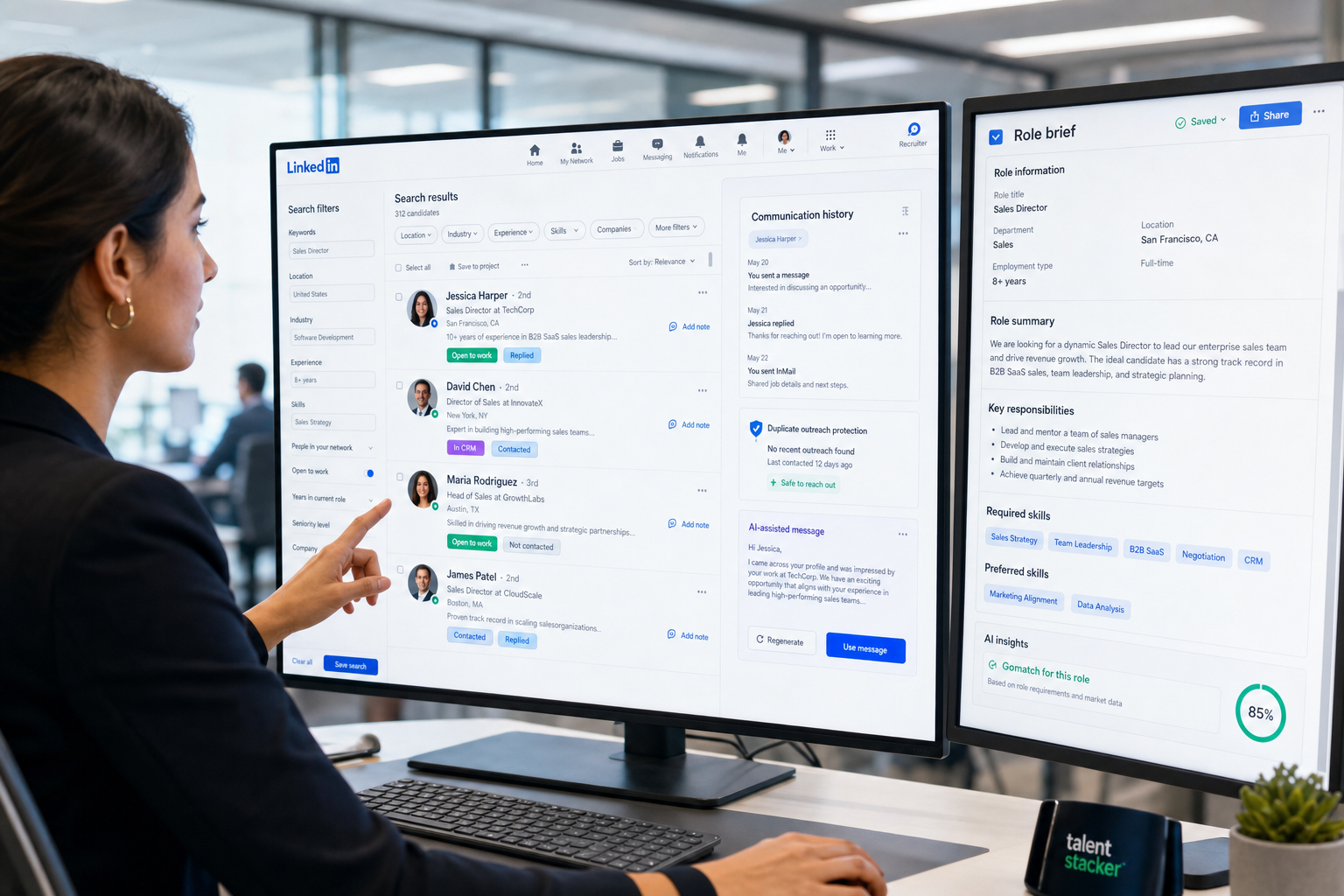
When recruitment database records start with weak role briefs, this article helps hiring leaders spot the causes of bad search and avoid costly repeat sourcing.
When that does not happen, the cost shows up quickly. Small agency owners lose billable recruiter time to duplicate sourcing and manual follow-up. Desk recruiters lose credibility when they cannot tell whether a candidate was already approached, shortlisted, or ruled out for a specific brief. In-house talent teams feel a different version of the same problem: weak search, thin notes, and disconnected communication turn routine hiring into avoidable delay, poor stakeholder alignment, and a candidate experience that feels improvised rather than managed.
In my own workflow, I have found that StrategyBrain AI Recruiter is most useful when the issue is not final selection but front-end recruiting drag. It can automate initial LinkedIn outreach, keep candidate conversations moving after hours, and collect resumes and contact details from interested people, which reduces the admin pile that often prevents a recruitment database from staying current. The recruiter still makes the real judgment calls: reviewing the resume, deciding fit, and choosing the next step.
A useful way to think about this starts earlier than software demos. In finance and accounting hiring, a role is often lost before the first shortlist because the brief itself is vague, overstuffed, or written without enough precision about the work, the team, and the story of the opportunity. The original hiring task is delicate: define the role clearly, structure the message well, and explain the opportunity in a way that attracts the right people instead of every available applicant. That is not just a job-description problem. It is the first data-quality problem in recruiting.
Once recruiters start posting, sourcing, and messaging from a weak brief, the damage spreads into the system. Candidate records get created around unclear criteria, notes become inconsistent, and later searches inside a us recruitment database or a us recruitment and information database return noise instead of useful talent. That is why the best recruiting software is not only about storing resumes; it needs to support the full chain from precise role definition to candidate rediscovery, communication history, and structured decision-making.
Table of Contents
- Why Role Definition Comes Before Software Selection
- What a Recruitment Database Should Actually Do
- ATS vs Recruitment CRM in Real Recruiter Work
- 10 Practical Principles Behind Better Recruiting Software Choice
- Best Recruiting Software by Use Case
- Three Software Types Recruiters Usually Compare
- Comparison Checklist for Buyers
- How US Teams Should Evaluate a Recruitment Database
- Common Buying Mistakes
- A Practical Selection Process
- FAQ
Why Role Definition Comes Before Software Selection
Experienced recruiters know that software quality shows up fastest at the point where a role brief becomes live recruiting activity. If the assignment is unclear, even excellent tooling will capture poor inputs more efficiently. That is why one of the most useful lessons from job-description work applies directly here: before you evaluate software, evaluate whether your team can consistently translate a hiring need into a structured, searchable, compelling record.
In practical terms, the strongest systems help recruiters preserve the real story of a role. Not only job title and salary band, but also reporting line, must-have skills, stakeholder expectations, likely objections, and what success looks like after someone joins. When that context is missing, database records become shallow, outreach becomes generic, and candidate rediscovery later becomes far less reliable.
Key insight: A recruitment database performs best when it captures the role narrative with the same care recruiters should use when writing a strong job description.
That is also where I found AI Recruiter useful in day-to-day sourcing. If the brief is clear, automation can carry the repetitive first-contact workload without losing momentum. If the brief is weak, automation simply scales confusion. So the right order is role clarity first, workflow support second, automation third.
What a Recruitment Database Should Actually Do
A recruitment database is the structured environment where a recruiting team stores candidate, job, and process information in a way that can be searched, reused, and acted on. In modern software, that usually includes resumes, contact information, communication history, sourcing source, tags, notes, stage movement, feedback, tasks, and reporting fields.
But recruiters do not benefit from data storage alone. A useful database should help them move from information to action. That means capturing applicants cleanly, parsing resumes into structured records, surfacing prior interactions, supporting outreach, and making it easy to bring strong past candidates back into play when the next relevant role opens.
For teams evaluating a us recruitment database, the expectation is usually broader than simple candidate storage. They need a system that supports recruiter collaboration, clearer documentation, faster rediscovery, and practical process discipline in a market where openings move fast and hiring managers expect immediate answers.
For those searching for a us recruitment and information database, the real requirement is often not a separate category of tool but a higher standard of record quality. Buyers want a system that centralizes information while making it useful across the life of the search.
ATS vs Recruitment CRM in Real Recruiter Work
One reason software evaluations go sideways is that teams use “recruitment database” to describe several different systems at once. That makes shortlists messy and demos less meaningful. The distinction between ATS and recruitment CRM matters because they solve different operational problems.
ATS: designed for live requisitions
An ATS is built to manage active openings, incoming applications, stage progression, interview coordination, approvals, and offers. If your pain is workflow control, hiring-manager visibility, and process consistency, ATS structure is usually where the value appears first.
Recruitment CRM: designed for memory and re-engagement
A recruitment CRM matters most when your team works from talent pools over time. It helps recruiters segment candidates, revisit silver medalists, see prior conversations, and maintain relationships before a role is formally open. For agencies and specialist search teams, this long-term memory is often what turns old effort into new placements.
Combined systems: often the best fit
Many teams need both. If your desk handles inbound applicants and proactive sourcing, the best recruiting software usually combines ATS discipline with CRM-style candidate memory. That creates one recruitment database that supports both immediate hiring action and future reuse of past sourcing work.
10 Practical Principles Behind Better Recruiting Software Choice
The strongest buying process starts with recruiter reality, not feature theater. Below is a practical framework shaped by the same logic that makes job descriptions effective: clear structure, stronger story, better fit, and fewer wasted responses.
1. Start with the hiring story, not the feature list
Before comparing tools, ask whether your team can capture the real shape of a role. If software cannot hold the business context behind a search, recruiters will compensate with side notes, inbox memory, and spreadsheets.
2. Judge structure as carefully as content
Good job descriptions are not just well written; they are well organized. The same applies to software. Candidate records should be easy to scan, search, and update without forcing recruiters through clumsy data entry.
3. Look for tools that support compelling outreach
Recruiters do not only need storage. They need systems that help them tell the opportunity clearly. Communication history, templates, notes, and role context all shape whether outreach sounds informed or generic.
4. Test whether the software preserves nuance
In finance, accounting, and other specialist hiring, nuance matters. Seniority, reporting complexity, systems exposure, and business stage often make the difference between a usable shortlist and an irrelevant one. Your recruitment database should preserve that nuance.
5. Evaluate search by real recruiter queries
Do not ask whether search exists. Ask whether it works with actual recruiter logic: combinations of title, skill, location, client, prior stage, engagement history, and recruiter notes. That is where weak systems fail.
6. Measure candidate rediscovery, not just applicant intake
A platform that only handles new applicants is not enough for many teams. The best software should help you recover value from historical sourcing work and past finalist pipelines.
7. Check how the system handles collaboration
When hiring managers, coordinators, recruiters, and leadership all touch the process, poor handoffs create delay and confusion. Shared notes, visible stage movement, and role-level context matter more than glossy dashboards.
8. Use automation where repetition is highest
Automation is most helpful when it handles repetitive front-end tasks such as follow-up, reminders, and initial candidate communication. In that part of the funnel, tools such as StrategyBrain AI Recruiter can support LinkedIn outreach and keep candidate conversations moving while the recruiter focuses on review and judgment.
9. Keep recruiter control over qualification
No serious team should outsource final fit decisions to automation. The software should accelerate contact, capture information, and organize records, but the recruiter should still decide whether the candidate actually matches the brief.
10. Buy for repeatability, not excitement
The right system is the one your team will still use consistently after the launch phase. That usually means intuitive workflows, reliable search, and data structures that match how recruiters really work.
Best Recruiting Software by Use Case
The best recruiting software depends heavily on operating model. Agency desks, in-house teams, and specialist search functions all need a recruitment database, but not with the same emphasis.
| Use Case | Top Priority | What the Database Must Do Well | Why It Matters |
|---|---|---|---|
| Staffing or agency recruiting | Speed and rediscovery | Deep search, ownership visibility, outreach history | Agency recruiters balance live jobs with reusable talent pools |
| In-house talent acquisition | Process consistency | Stage control, hiring manager collaboration, approvals | Internal hiring depends on stakeholder alignment and documentation |
| High-volume recruiting | Efficiency at scale | Bulk actions, filtering, automation, clear stage logic | Large applicant volumes quickly break manual workflows |
| Specialist or executive search | Long-term relationship memory | Detailed notes, niche search, re-engagement support | Past conversations often become future hires |
| US-focused recruiting operation | Searchable records and discipline | Documentation, collaboration, reporting, reusable data | A strong us recruitment database supports consistent execution |
Three Software Types Recruiters Usually Compare
Without naming individual vendors, most recruiting teams end up comparing three broad software types.
1. Traditional ATS platforms
Pros: Usually strongest for requisition control, interview stages, compliance-minded documentation, and manager visibility.
Cons: Can feel rigid for agency desks or sourcing-heavy teams, especially when candidate rediscovery is weak.
Best for: In-house teams, process-heavy hiring functions, and organizations with consistent requisition volume.
Where they work with StrategyBrain AI Recruiter: They pair well when the ATS is the system of record and AI Recruiter is used to handle first-contact LinkedIn outreach and resume collection before recruiter review.
2. CRM-led recruiting platforms
Pros: Better for relationship tracking, long-term talent pooling, and outreach context.
Cons: May require more process discipline when managing structured internal hiring workflows.
Best for: Search firms, agency teams, and specialist recruiters who revisit candidate pools over time.
Where they work with StrategyBrain AI Recruiter: Useful when recruiters need conversations to keep moving outside office hours while still preserving the relationship history inside the database.
3. Combined ATS plus sourcing workflow systems
Pros: Better balance between active hiring control and candidate relationship management.
Cons: Can become complex if setup is not aligned with the team’s real workflow.
Best for: Mixed-model recruiting teams that need both inbound applicant handling and proactive search.
Where they work with StrategyBrain AI Recruiter: Strong fit for teams that want the main system to hold records while AI-supported outreach handles repetitive LinkedIn messaging at the top of funnel.
Comparison Checklist for Buyers
When you shortlist tools, do not ask for a generic product tour. Ask each vendor to show the same recruiter sequence.
| Buyer Criterion | What to Test | Why It Matters |
|---|---|---|
| Role capture quality | Can the system hold the real story behind a search? | Weak role structure creates weak database records |
| Searchability | Can you search by title, skill, location, note, stage, and prior contact? | Search is what turns stored data into hiring action |
| Resume parsing | Does unstructured resume data become usable fields? | Parsing quality affects rediscovery and reporting |
| Communication history | Can recruiters see who contacted whom, when, and why? | Prevents duplicate outreach and lost context |
| Workflow support | How easy is stage movement, task assignment, and coordination? | Reduces admin load and process drift |
| Re-engagement | Can you reliably bring back past candidates? | Historical talent value is a major ROI driver |
| Automation | What repetitive steps can be reduced without losing control? | Good automation removes drag, not judgment |
| US suitability | Does it support practical documentation and team visibility? | Important for any us recruitment and information database evaluation |
A good live test is simple: import a finance or accounting resume, parse it, tag it, link it to a role, search it later with a realistic query, re-contact the candidate, collect feedback, and report stage movement. That tells you more than a broad feature walkthrough.
How US Teams Should Evaluate a Recruitment Database
If your search specifically involves a us recruitment database, evaluate software against the operating reality of US recruiting. Roles often move fast, hiring managers expect transparency, and recruiters need a record that supports both speed and accountability.
- Prioritize searchable history. Past sourcing work should become future pipeline leverage.
- Insist on clear role context. Candidate records are only as good as the original brief behind them.
- Check collaboration design. Recruiters, HR, and managers should work from the same record without inbox dependency.
- Look for practical documentation. The system should support disciplined hiring without forcing unnecessary admin.
- Test response workflow. If outreach happens on LinkedIn, delayed replies can stall momentum; that is one area where AI-supported messaging can help.
For a us recruitment and information database, the standard should be higher than “all data lives in one place.” The question is whether your team can find, trust, and reuse that data under real hiring pressure.
Common Buying Mistakes
- Choosing software before fixing role-definition habits. Poor briefs create poor data no matter what platform you buy.
- Confusing storage with usability. A large database is not valuable if recruiters cannot search it effectively.
- Ignoring candidate communication workflow. Slow follow-up damages both conversion and brand perception.
- Over-automating qualification. Recruiters should keep control over fit assessment and final next-step decisions.
- Buying for category labels instead of use case. The best recruiting software for agency search is not always the best for internal TA.
A Practical Selection Process
If you are evaluating software this quarter, use a workflow-first process.
- Map your real hiring motion. Start with role intake, job description quality, sourcing, outreach, screening, interviews, and re-engagement.
- Audit where your current database fails. Look at lost notes, duplicate outreach, weak search, and poor role context.
- Separate judgment work from repetitive work. Recruiters should own assessment; software should reduce admin.
- Test LinkedIn response flow if relevant. In my own use, StrategyBrain AI Recruiter helped most when candidate replies arrived outside working hours and initial momentum would otherwise have been lost.
- Run a use-case demo. Ask vendors to show one complete workflow, not isolated features.
- Score likely adoption. If recruiters will not trust the search, notes, or communication record, the tool will not stick.
The teams that get the most value from a recruitment database usually treat it as a working memory system for the whole search, from role story to candidate history. That mindset leads to better software choices than chasing the longest feature matrix.
FAQ
What is a recruitment database?
A recruitment database is the system where recruiters store and organize candidate, job, and process data so it can be searched, updated, and reused in future hiring activity.
Why does job-description quality matter when choosing recruiting software?
Because the first record in the system is usually the role itself. If the brief is vague or poorly structured, candidate data, outreach, and later search quality all suffer.
What is the difference between an ATS and a recruitment CRM?
An ATS is mainly built for active requisitions and applicants, while a recruitment CRM focuses on long-term candidate relationships and rediscovery. Many teams benefit most from a system that combines both.
How should a US team evaluate the best recruiting software?
Start with searchability, collaboration, documentation quality, role-context capture, and candidate re-engagement. A strong us recruitment database should help the team move quickly without losing process clarity.
Where does StrategyBrain AI Recruiter fit?
It is most useful for repetitive LinkedIn outreach and early candidate communication. It can keep conversations moving and collect resumes or contact details, while the recruiter still handles fit assessment and final decisions.
Conclusion
The best recruiting software is not the one with the loudest positioning. It is the one that helps recruiters carry a role from clear definition to clean data, targeted outreach, structured workflow, and reliable candidate rediscovery. In that sense, a strong recruitment database begins with the same discipline that creates a strong job description: precision, structure, and a credible story about the opportunity.
For teams comparing a us recruitment database or a us recruitment and information database, the winning choice is usually the platform that preserves role context, makes historical candidate data truly searchable, and supports communication without replacing recruiter judgment. If you evaluate software through actual recruiter work rather than abstract feature claims, you are much more likely to choose a system your team will still trust six months from now.














