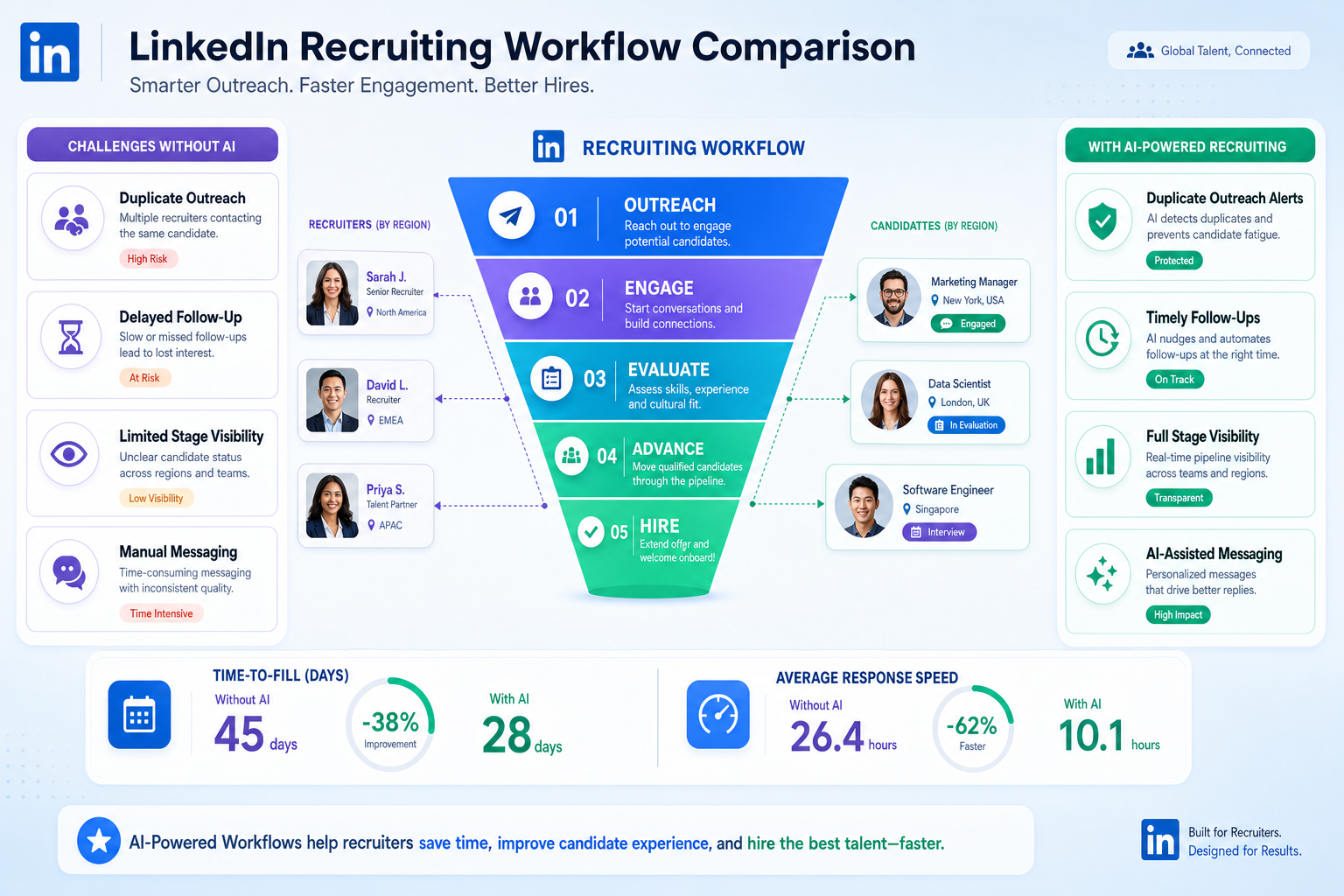
This article helps recruiting leaders judge which hire platform prevents delays, duplicate outreach, and lost candidates.
That sounds basic until hiring volume shifts faster than the team can react. When more roles open across regions, when candidates weigh relocation or contract tradeoffs, or when in-demand trades disappear from the market in days, recruiters lose time in familiar ways: scattered notes, slow follow-up, duplicate outreach, weak stage visibility, and hiring managers who cannot see where urgency is building. For smaller search firms and lean internal TA teams, that is not just an admin problem. It affects fill rates, candidate trust, and the cost of every delayed decision.
In my own workflow, one useful support layer for that pressure has been StrategyBrain AI Recruiter. I do not treat it as a substitute for recruiter judgment, because final qualification, resume review, and shortlist decisions still sit with the human recruiter. What it can do well is take repetitive outreach off the desk, keep candidate conversations moving after hours, and help collect resumes and contact details from interested people before momentum fades. In markets where response speed matters, that kind of AI-supported recruiting workflow can reduce the backlog that often makes a good job hiring platform feel weaker than it really is.
A useful way to see the problem is through a market like Canada in early 2011, when job creation was running hotter than many expected. January alone added 69,200 jobs there versus 36,000 in the US, and over the prior year full-time higher-paying jobs had risen by 236,000. Recruiters covering Ontario, Alberta, Nova Scotia, Newfoundland, Manitoba, and Prince Edward Island were not dealing with abstract growth. They were dealing with open reqs that suddenly became urgent, candidates willing to move hundreds of kilometers to finish apprenticeships, and parents accepting fly-in camp work because the opportunity was strong enough to justify the sacrifice.
Once demand tightened further in areas like Alberta, and specialist trades such as heavy equipment technicians were drawing hundreds of advertised opportunities nationwide, the recruiting work became operationally fragile. Someone had to review which requisitions were actually priority roles, reply to late candidate messages, track who was open to relocation, update stages after every conversation, and keep hiring teams aligned before competitors got there first. That is exactly where the software question changes from “what is the best recruiting software?” to “what kind of hire platform, candidate experience platform, and broader recruiting stack can keep a team organized when labor-market urgency becomes real?”
Table of Contents
- Why Fast Job Markets Expose Weak Recruiting Systems
- What the Best Recruiting Software Really Means
- The Main Categories Buyers Compare
- Applicant Tracking System for Recruiters: Core Functions and Benefits
- Why a Candidate Experience Platform Matters
- All-in-One Hire Platform vs Point Solutions
- How to Evaluate the Best Job Hiring Platform
- Where AI Support Helps Without Replacing Recruiter Judgment
- What Different Teams Usually Need
- Common Buying Mistakes
- FAQ
Why Fast Job Markets Expose Weak Recruiting Systems
Recruiting software tends to look similar when hiring is stable. The differences become obvious when labor demand accelerates, candidate flexibility matters, and recruiters are managing roles across locations or trade types. The Canadian job-growth example above is useful because it shows how market conditions change recruiter behavior. A team is no longer just processing inbound applicants. It is tracking mobility, handling uneven regional demand, prioritizing hard-to-fill roles, and trying to keep communication timely enough that interested candidates do not disappear.
That is why many software evaluations go wrong at the start. Buyers compare systems during a calm period, but the system has to perform during the messy period: sudden expansion, hard-to-find skills, multi-location recruiting, delayed manager feedback, or candidate decisions driven by pay, travel, family logistics, and timing. In those moments, the best recruiting software is the one that helps the team act clearly under pressure.
Key insight: When the labor market tightens, software quality shows up in response speed, workflow visibility, and candidate communication much more than in headline feature counts.
What the Best Recruiting Software Really Means
The phrase best recruiting software is broad enough to hide three different buying intentions. Some teams want the best applicant tracking system for recruiters. Others are looking for a stronger candidate communication layer and really mean a candidate experience platform. Others want a broader job hiring platform that can support requisitions, applications, workflow, communication, and reporting in one place.
A modern hire platform is usually the operating layer for hiring. It should help teams manage requisitions, publish jobs, collect and review applications, route candidates, coordinate interview steps, gather feedback, and move approved hires toward onboarding. The best options may also support AI-assisted drafting, screening support, workflow automation, and communication handling, but those capabilities only matter if they fit the actual work of the recruiting team.
From an operator’s perspective, strong recruiting software does three things well. It keeps the team organized, protects speed during periods of market pressure, and reduces unnecessary friction for candidates and hiring managers. That is the overlap point between ATS discipline and candidate experience design.
The Main Categories Buyers Compare
Teams often compare tools from different categories as if they were direct substitutes. That creates noisy demos and weak shortlists. A better method is to separate the categories first, then decide whether your core need is process control, pipeline building, candidate communication, or a combination.
| Category | Main Purpose | Common Users | What to Test |
|---|---|---|---|
| Applicant tracking system | Manage requisitions, applications, stages, and approvals | Recruiters, HR, hiring managers | Can it handle workflow, screening logic, collaboration, and reporting? |
| Candidate relationship management | Build and engage talent pipelines before application | Sourcers, agency recruiters, TA teams | Can it segment talent pools and support follow-up over time? |
| Recruitment marketing platform | Improve job promotion and career site visibility | Employer brand and TA ops | Does it strengthen job reach and application quality? |
| Scheduling software | Coordinate interviews and reminders | Recruiters and coordinators | Does it reduce back-and-forth and missed interviews? |
| Video interviewing | Support remote screening and interview consistency | Recruiters and hiring teams | Is it easy for candidates and structured for reviewers? |
| Onboarding software | Move approved hires into pre-start tasks and documents | HR ops and managers | Does handoff from recruiting stay clean and visible? |
For buyers searching terms like best recruitment platform or best job hiring platform, this distinction matters. A low-volume team may only need a solid ATS. A high-growth team covering multiple regions or specialist roles may need a broader hire platform plus specialist tools for outreach, scheduling, or candidate communications.
Applicant Tracking System for Recruiters: Core Functions and Benefits
An applicant tracking system for recruiters is usually the foundation of the stack. It is where open roles, applicants, interview stages, manager feedback, and hiring decisions are organized. If your software cannot keep that core clean, the rest of the stack will feel fragmented no matter how polished the add-ons look.
The classic applicant tracking system benefits still hold up. A good ATS standardizes the hiring workflow, centralizes records, improves team alignment, and gives visibility into time-to-fill and conversion points. In tight labor markets, that operational discipline matters even more because recruiters need to know which roles are stalled, which managers are slowing the process, and which candidates are cooling off.
What recruiters should expect from a strong ATS
- Requisition management: clear job requests, approvals, and ownership.
- Application workflow: stages that match the real recruiting process.
- Screener and knockout questions: practical filtering without excessive candidate drop-off.
- Hiring team collaboration: scorecards, reminders, and visible accountability.
- Reporting: source quality, time-to-fill, conversion by stage, and bottlenecks.
- Career site support: reliable desktop and mobile application experience.
When recruiters ask about the advantages of applicant tracking system adoption, my answer is usually simple: it gives the team a common operating rhythm. In the kind of market described earlier, where candidates may relocate quickly or weigh multiple offers, that rhythm is what stops good prospects from vanishing into inbox chaos.
Why a Candidate Experience Platform Matters
A candidate experience platform focuses on what applicants and prospects actually experience as they move through hiring. That includes application ease, mobile usability, communication timing, reminders, transparency about next steps, and the basic feeling that the employer or agency is organized.
That matters more than some teams expect. In stronger job markets, candidates have options. If a heavy-duty mechanic, field technician, or relocation-ready tradesperson is considering several paths at once, poor communication can lose the candidate before the recruiter even realizes interest was real. In practice, candidate experience software often emphasizes automation around updates, mobile-friendly workflows, conversational interactions, and clearer process visibility.
Signals that candidate experience needs work
- Candidates stop before finishing the application.
- Recruiters spend too much time on manual follow-up.
- Hiring managers delay feedback and candidates go quiet.
- The career site performs poorly on mobile.
- Interview scheduling creates confusion.
- Candidates do not understand the next step or timeline.
The best candidate experience platform is not just visually clean. It creates trust by making the process feel responsive and understandable. In real recruiting terms, that can improve conversion, responsiveness, and acceptance readiness.
All-in-One Hire Platform vs Point Solutions
Many buyers start by assuming the best recruiting software must be an all-in-one suite. Sometimes that is correct. Sometimes it produces a broad system with weak depth in the areas that matter most. The better question is whether one platform can carry the operational core without creating gaps in sourcing, communication, or candidate experience.
| Approach | Best For | Strengths | Watchouts |
|---|---|---|---|
| All-in-one hire platform | Teams wanting fewer systems and simpler administration | Unified workflows, shared data, easier governance | Some modules may be shallow |
| ATS plus specialist tools | Teams with advanced sourcing or communication needs | Stronger fit for complex workflows | Integration quality becomes critical |
| Recruitment platform with layered CRM | Organizations building long-term talent pools | Better pipeline nurturing and outreach | Needs process discipline to avoid duplication |
Current market reality is that few teams can cover every hiring need in a single product without compromise. If your core hire platform handles requisitions and applicant tracking well, you may still need an additional candidate experience layer or sourcing support to keep pace in a faster market.
How to Evaluate the Best Job Hiring Platform
When teams compare the best job hiring platform options, they often spend too much time collecting feature lists and too little time testing actual workflow pressure. A stronger evaluation method is to score platforms against the moments where your team usually loses time or candidates.
1. Start with market reality, not the sales narrative
Ask what conditions your team is preparing for. Stable inbound volume? Expansion into new regions? Hard-to-fill trades? Higher relocation interest? Seasonal spikes? If the software is being chosen for a market that can move quickly, it needs to support urgent reprioritization and clear communication.
2. Map the full hiring workflow
Document requisition creation, approvals, job posting, application review, screening logic, interview scheduling, feedback collection, offer movement, and onboarding handoff. Then test whether the hire platform reduces manual intervention at each point.
3. Test recruiter usability under volume
The best recruiting software should make daily recruiter work faster. Check whether filters are practical, bulk actions are usable, stage movement is quick, and hiring manager scorecards are likely to be completed rather than ignored.
4. Review candidate experience live
Apply to a test role from desktop and mobile. Review form length, knockout questions, reminder cadence, and process clarity. A weak candidate experience platform usually reveals itself within minutes.
5. Validate reporting around urgency
Ask whether the system shows source quality, stage conversion, aging candidates, delayed manager feedback, and requisition bottlenecks. These are the signals that matter when the market is moving faster than your team would prefer.
6. Confirm integration priorities
Recruiting rarely happens in one tool. Most teams should validate integrations across HR systems, calendars, communication tools, onboarding workflows, and sourcing channels before deciding that one platform can do everything.
Quick comparison checklist
- Does the platform improve response speed in the workflows you actually use?
- Can recruiters and hiring managers use it without workarounds?
- Does it support both ATS control and candidate communication needs?
- Can it handle volume spikes without turning review into manual chaos?
- Does reporting show source quality, time-to-fill, and conversion clearly?
- Can it work with specialist tools if your hiring model changes?
Where AI Support Helps Without Replacing Recruiter Judgment
One lesson I have learned from sourcing-heavy work is that software categories now overlap more than they used to. A core ATS may keep the workflow organized, but if recruiters are still losing evenings to repetitive outreach, late replies, and resume collection, the hiring process remains fragile. That is where I have found AI Recruiter useful as a supporting layer rather than a replacement system.
In practice, I have used StrategyBrain AI Recruiter to keep candidate conversations moving when I could not personally respond in real time, especially across time zones or after standard work hours. The most practical gains were in three areas: consistent initial outreach, continued conversation with interested candidates, and capture of resumes or contact details before interest cooled. It is especially helpful when a recruiter is balancing multiple searches and does not want warm prospects sitting idle in a message queue. Just as important, it does not remove recruiter accountability. I still review resumes, judge fit, decide who moves forward, and manage the hiring conversation where nuance matters.
For teams evaluating the best recruiting software, the takeaway is not that AI replaces the ATS or the candidate experience platform. It is that the right AI-supported workflow can reinforce them. If your core job hiring platform is solid but your communication rhythm breaks under sourcing pressure, adding a layer like this can protect speed without forcing the recruiter to surrender final hiring judgment.
What Different Teams Usually Need
The best recruitment platform for one team may be the wrong choice for another. Hiring volume, role complexity, geography, and sourcing model all shape what a hire platform should prioritize.
Small teams and early-stage companies
Smaller teams usually need an ATS that is easy to administer, a simple career site, and enough automation to reduce manual coordination. The biggest gains are structure, visibility, and a cleaner candidate flow.
Mid-size organizations
Mid-size teams often outgrow basic tracking. They may need stronger candidate relationship management, better scheduling, and reporting that works across departments or locations. This is often where a broader hire platform or an ATS plus specialist tools becomes more practical.
High-volume hiring teams
Teams hiring at scale need workflow automation, strong screening logic, candidate communication support, and reporting by source and stage. A candidate experience platform matters more because friction compounds quickly when volume rises.
Executive and specialist hiring
Search firms and recruiters handling niche talent often need stronger CRM capability than a standard ATS provides. In those environments, the best recruiting software is often a combination of process control and relationship management rather than a single all-purpose suite.
Common Buying Mistakes
Most disappointing recruiting software purchases follow a familiar pattern. The team confuses categories, buys for a generic future state, or underestimates how fast candidate markets can force process breakdowns.
- Comparing unlike tools. An ATS, CRM, and candidate experience platform may overlap, but they are not interchangeable.
- Buying for features instead of workflow pressure. The real test is what happens when roles become urgent.
- Ignoring hiring manager behavior. Software cannot fix accountability by itself.
- Underestimating mobile application quality. Poor mobile flow weakens every sourcing channel.
- Assuming one system covers everything. Integration planning often matters more than module count.
- Using screening questions carelessly. Bad filters can remove viable candidates or create unnecessary drop-off.
The strongest recruiting teams treat software selection as a process design decision. They define what must be standardized, what should remain flexible, and where automation improves speed without reducing judgment quality.
FAQ
What is recruiting software?
Recruiting software is technology that helps teams manage hiring tasks such as requisitions, job posting, applicant review, interview coordination, feedback collection, and onboarding handoff. A hire platform may include one or several categories, including an ATS, CRM, recruitment marketing, and candidate communication tools.
How is recruiting software different from an applicant tracking system?
An applicant tracking system is one category within recruiting software. The ATS is usually the workflow core for managing applicants and hiring stages. Recruiting software is broader and may also include a candidate experience platform, CRM functions, scheduling, video interviewing, and onboarding support.
What does candidate relationship management mean in recruiting?
Candidate relationship management refers to how recruiting teams organize, segment, and engage talent before formal application. It is useful when teams build long-term pipelines, re-engage silver-medalist candidates, or run outreach across several sourcing channels.
What integrations matter most when choosing a hire platform?
The most important integrations usually involve HR systems, calendars, communication tools, onboarding workflows, analytics, and job distribution. The right priorities depend on where your recruiting process currently breaks.
How do labor-market conditions affect recruiting software needs?
When markets tighten or hiring expands quickly across regions, recruiters need stronger workflow visibility, faster candidate communication, better reporting, and cleaner prioritization. That is often when gaps in a weak job hiring platform become obvious.
Can AI help without replacing the recruiter?
Yes. AI can help with repetitive outreach, candidate communication, and resume collection while the recruiter remains responsible for fit assessment, shortlist decisions, and next-step judgment. That is often the most practical use of AI in recruiting operations.
What are the main applicant tracking system benefits for recruiters?
The main ATS benefits are structured workflow, centralized candidate records, faster collaboration, and better visibility into time-to-fill and time-to-hire. For recruiters, the practical value is reducing scattered manual work while keeping candidate movement visible.
Conclusion
The best recruiting software is rarely defined by the longest feature list. It is defined by how well the system supports the actual recruiting environment your team works in, especially when demand rises, candidates move quickly, and hiring cannot afford administrative drift.
If you are comparing a hire platform, a candidate experience platform, or a broader job hiring platform, start with the market pressure your team really faces. Then evaluate workflow control, communication quality, recruiter usability, and ecosystem fit. That is the clearest path to choosing software that helps your team hire well instead of simply adding another tool.