


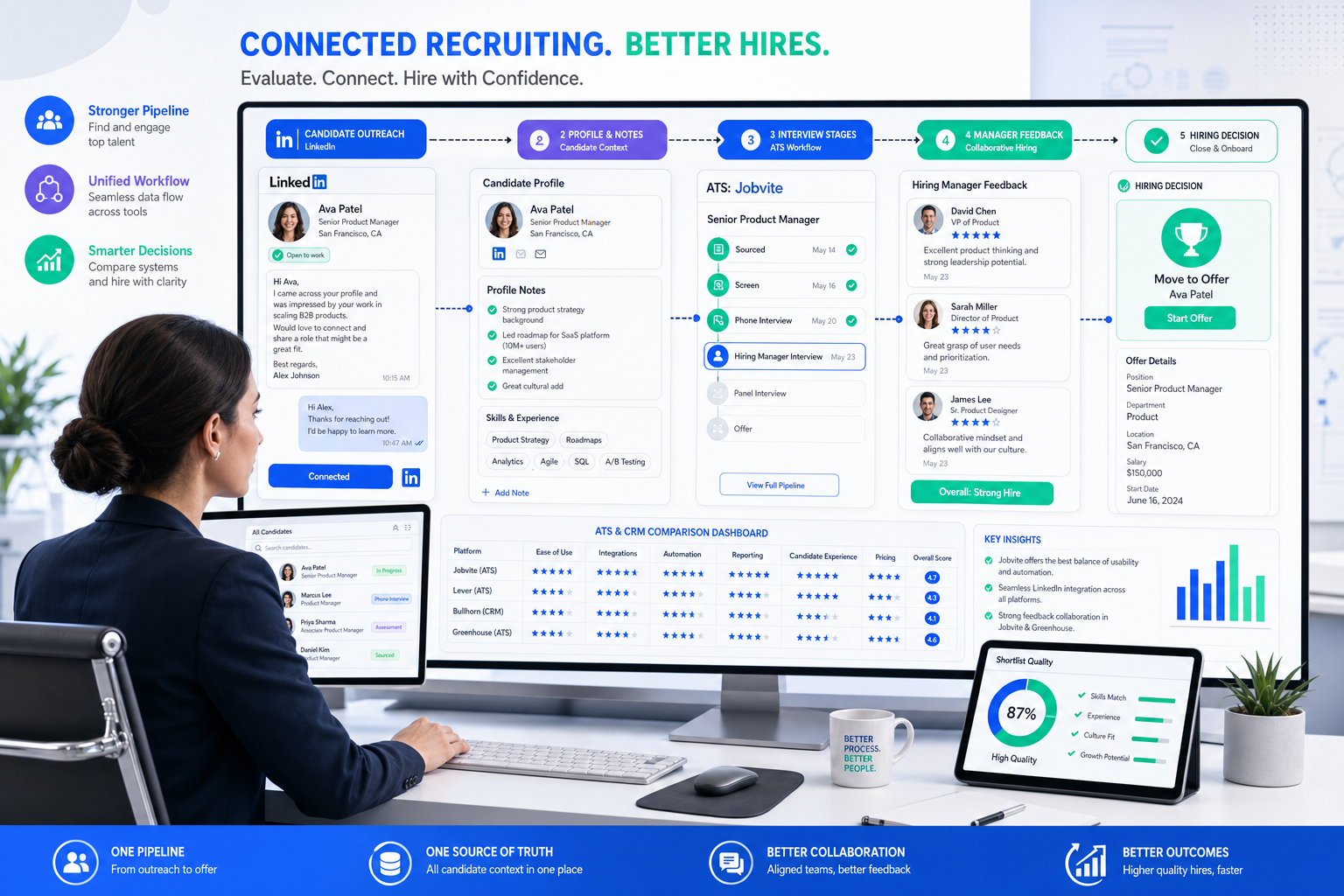
When business recruitment starts losing candidate context, this article helps hiring leaders judge ATS, CRM, or platform choices before shortlist quality slips.
Without that system, the damage shows up fast. Agency recruiters lose track of candidate replies, internal talent teams repeat the same questions in email and chat, and hiring managers make decisions without the full story behind a move, a layoff, or a career change. In a small recruitment business, that means slower shortlists, weaker candidate trust, and more time spent reconstructing conversations that should already be visible in one place.
I have found that StrategyBrain AI Recruiter is most useful when the real problem is not just sourcing volume but maintaining timely, consistent first-touch communication on LinkedIn. Its always-on messaging, multilingual candidate outreach, and automated collection of resumes and contact details can remove a lot of repetitive front-end work. The important boundary is that recruiters still make the final call on fit, resume quality, and whether a candidate should move forward.
You see the gap clearly when a candidate is asked why they left their last job. Sometimes the answer is simple, like a contract ending. More often, the explanation sits somewhere between career growth, a layoff after an acquisition, time away for family care, or a role that changed under new management. The recruiter has to ask follow-up questions, check whether the departure was amicable, understand what the candidate values, and decide whether the move signals strength, risk, or just context.
That is exactly where software choices start to matter in business recruitment. If your team cannot capture those early conversations, keep the reason-for-move attached to the candidate record, and surface it later for hiring managers, then the issue is bigger than inbox clutter. It becomes a recruiting workflow problem, which is why choosing the best recruiting software means understanding what does recruitment mean in practice for your team, and what a modern recruitment business actually needs from an ATS, a CRM, or a broader platform.
Table of Contents
- What recruitment means in software terms
- The “why did you leave” test for recruiting software
- ATS vs recruiting CRM vs all-in-one platform
- Features that matter most in business recruitment
- Where AI Recruiter helps in front-end workflows
- How to choose by business model and hiring volume
- A practical selection process
- Common mistakes when buying recruiting software
- FAQ
What Recruitment Means in Software Terms
People often ask what does recruitment mean as if it is just advertising a vacancy and booking interviews. In real hiring operations, recruitment is the full chain of attracting, engaging, screening, evaluating, selecting, and handing candidates into onboarding. That matters because software has to support the whole chain, not just one visible part of it.
In day-to-day business recruitment, the messy part is usually not the job posting itself. It is the movement of information between candidate outreach, recruiter conversations, hiring manager review, feedback collection, and final decisions. If a candidate says they are open to a move because they want stronger mentoring, more cross-functional exposure, or a better long-term fit, that context needs to stay attached to the process. Otherwise, the team ends up assessing resumes in a vacuum.
This is why labels like ATS, recruiting CRM, and recruitment platform create confusion. The better question is what part of the workflow each system covers and whether it preserves the decision context that recruiters gather early.
The “Why Did You Leave?” Test for Recruiting Software
One useful way to evaluate the best recruiting software is to ask whether it helps your team handle one of the most revealing parts of candidate assessment: understanding why someone is making a move.
Interviewers usually ask that question to learn several things at once:
- whether the candidate left voluntarily
- whether the departure was professional and amicable
- whether the transition was driven by a sensible career decision
- what the candidate values in work
For recruiters, that same logic becomes a software test. Can the system capture and organize those signals early enough to improve matching and handoff quality?
In practice, the strongest platforms support at least four common scenarios:
1. The candidate is employed and looking for a better opportunity
In this case, good software should let recruiters record what “better” means. It may be larger scope, stronger leadership, industry exposure, or more room to build. That context helps hiring managers understand whether the move is thoughtful and upward, rather than reactive.
2. The candidate stepped away by choice
Parents returning to work, professionals coming back from travel, or people who paused for compassionate care need context attached to their profile. A recruiter who captures that story once should not need to recreate it in every stakeholder conversation.
3. The candidate was downsized
Layoffs happen. A good system should make it easy to record that the change was tied to acquisition, restructuring, redundancy, or hiring order rather than performance. This is especially important in a recruitment business handling multiple clients, where context can otherwise disappear between recruiter notes and submission summaries.
4. The candidate was let go
This is where structured notes matter most. Recruiters need a place to document changed expectations, management shifts, lessons learned, and whether the person has developed stronger self-awareness since. Not every candidate in this scenario is a poor risk, but informal systems often make nuanced judgment almost impossible.
Practical takeaway: if software cannot keep the reason for a move visible from first outreach through final interview feedback, it will weaken candidate assessment no matter how polished the dashboard looks.
ATS vs Recruiting CRM vs All-in-One Platform
Once you view recruiting through that lens, the software categories become easier to separate. The best recruiting software is not the one with the most features. It is the one that supports the handoffs your team actually struggles with.
| Category | Primary Focus | Best For | Typical Strengths | Watchouts |
|---|---|---|---|---|
| ATS | Managing active applicants from application to offer | Internal HR teams, structured hiring, compliance-led processes | Workflow stages, interview scheduling, scorecards, feedback collection, offer tracking | Often weaker for long-term sourcing and passive candidate nurturing |
| Recruiting CRM | Managing candidate relationships before and between roles | Sourcing teams, agency recruiters, pipeline-heavy hiring | Outreach, segmentation, candidate history, follow-up tracking, talent pool management | May need an ATS alongside it for formal process control |
| All-in-one platform | Combining sourcing, CRM, ATS, analytics, and automation | Growing teams with fragmented recruiting stacks | Shared data, fewer handoffs, stronger visibility, broader reporting | Implementation quality matters more than headline breadth |
For many teams, the real difference comes down to where candidate information first enters the process and where it gets lost. If your recruiters are already having meaningful pre-application conversations, then CRM capability matters. If your problem begins after applicants enter review, ATS discipline may matter more. If the problem is both, a broader platform makes sense.
Features That Matter Most in Business Recruitment
The opening case about candidate departure reasons points to a larger truth: recruiting software succeeds when it preserves context, not just records status. Here are the capabilities worth reviewing closely.
1. Candidate history that survives handoffs
The system should keep outreach history, recruiter notes, resume versions, and move-motivation context in one searchable record. This is one of the most overlooked needs in business recruitment, especially when agency recruiters pass candidates to clients or internal recruiters hand off to hiring managers.
2. Applicant tracking and stage management
An applicant tracking system for recruiters should make candidate progression visible and consistent. Look for customizable stages, interview coordination, bulk movement, and clear ownership. If stage discipline is weak, your reporting and hiring manager adoption will collapse with it.
3. Structured evaluation and scorecards
If a candidate says they left because they wanted more growth, better leadership, or stronger alignment with their strengths, interviewers should test those points consistently. Scorecards help teams compare evidence instead of relying on memory or personal impressions.
4. Recruiting CRM and nurture workflows
In a recruitment business, not every strong candidate is right for the current role. CRM functionality makes it possible to keep silver-medalist candidates warm, segment talent pools, and revisit prior conversations without starting from zero.
5. Scheduling and workflow automation
Recruiting teams waste a surprising amount of time on repetitive follow-up, interview booking, reminder emails, and stage changes. The best recruiting software removes admin burden so recruiters can spend more time on judgment and candidate conversations.
6. Integrations
Look at calendars, email, HR systems, assessments, background screening, and reporting connections early. If your stack does not connect cleanly, recruiters will continue storing the real story in inboxes and side notes.
7. Reporting that reflects real funnel quality
Strong reporting should show more than time-to-fill. You want source-of-hire data, time-in-stage visibility, conversion by role type, and enough auditability to understand where candidate quality or process speed breaks down.
8. Workflow fit for agencies vs in-house teams
Agency recruiters often need client records, submissions, placements, and commercial workflow support. In-house teams usually need deeper hiring manager collaboration and governance. The best recruiting software for one model can be a poor fit for the other.
Where AI Recruiter Helps in Front-End Workflows
Although this article is mainly about choosing software categories, I would separate one useful layer that sits before formal applicant review: first-contact engagement and early candidate response handling on LinkedIn.
In my own workflow, AI Recruiter is most helpful when outbound recruiting starts generating replies at awkward times, across multiple languages, or at a volume that a small team cannot manage cleanly. It can introduce the role, ask whether someone is open to a move, answer common role and company questions, and collect resumes or contact details from interested candidates. That makes it easier to avoid losing promising people before they ever enter the ATS.
What I would not outsource is final qualification. The product description is clear that recruiters still review the resume and determine actual fit. That division of labor makes sense. Automation can handle repetitive LinkedIn contact work and help maintain candidate responsiveness, but deciding whether someone’s reasons for moving align with the role still requires recruiter judgment.
That makes this kind of tool particularly relevant for:
- agency recruiters doing high volumes of outbound sourcing
- in-house teams hiring across time zones
- headhunters managing after-hours candidate replies
- teams that need multilingual first-touch communication
If your current stack already includes an ATS or CRM, a front-end automation layer can support it rather than replace it. In other words, the software question is not always one system versus another. Sometimes it is how you reduce manual sourcing friction before candidates enter your core recruitment workflow. For readers who want to see how that communication layer is framed, the AI Recruiter overview and the public conversation examples are useful references.
How to Choose the Best Recruiting Software by Use Case
The best recruiting software depends less on marketing category labels and more on hiring motion, business model, and where your information breaks down.
SMB hiring teams
Small businesses usually need an ATS first. Their biggest problem is often process discipline: candidate tracking, hiring manager coordination, scheduling, and feedback collection. Start with ease of use and workflow consistency before chasing advanced features.
Mid-market organizations
Mid-market teams often need a balance of ATS structure and CRM depth. They hire across more functions, revisit talent pools more often, and need stronger reporting. If candidate move-context is getting lost between sourcing and interviewing, they likely need both process control and relationship history.
Enterprise environments
Enterprise teams require governance, integrations, permissions, reporting, and consistency across larger stakeholder groups. Here, preserving candidate context at scale matters because fragmented hiring teams can interpret the same profile very differently without structured notes and evaluation methods.
Staffing agencies and search firms
A staffing-focused recruitment business needs candidate relationship management as much as requisition tracking. Recruiters often revisit the same professionals across roles, clients, and timing changes. Systems that only handle active applicants rarely support that operating model well.
High-volume recruiting teams
For high-volume environments, speed and workflow discipline matter more than feature novelty. Bulk actions, automation, screening support, and reliable source reporting usually have the biggest operational impact.
A Practical Process for Choosing Recruiting Software
When I help teams think through software selection, I normally use a simple sequence that mirrors the opening problem.
- Map where candidate context first appears. Is it in LinkedIn messages, recruiter calls, application forms, or hiring manager screens?
- Identify where that context gets lost. Common break points are inboxes, spreadsheets, side notes, and incomplete handoffs.
- List must-have workflow outcomes. For example, visible candidate history, structured notes, stage discipline, and reporting.
- Decide whether the core gap is ATS, CRM, or pre-ATS sourcing support. This avoids buying the wrong category.
- Test real scenarios. Include candidates who are changing roles for growth, returning after time away, or coming through a layoff. These are the cases that expose weak systems.
- Review integrations before demos get persuasive. If the tool cannot connect with your existing systems, the same information gaps will remain.
- Check recruiter and hiring manager usability separately. Both sides need to complete their part of the process without friction.
This process is especially useful for any recruitment business trying to balance recruiter productivity with stronger submission quality.
Common Mistakes When Buying Recruiting Software
- Confusing activity volume with process quality: more outreach does not help if candidate context disappears after first contact.
- Buying for feature breadth instead of workflow fit: a bigger platform is not better if your team only needs stronger ATS discipline.
- Ignoring recruiter note quality: if your system does not make it easy to record why a candidate is moving, hiring quality suffers.
- Underestimating hiring manager adoption: the best recruiting software fails if managers cannot review and respond easily.
- Treating sourcing automation as full qualification: front-end tools help start conversations, but recruiters still need to assess resume fit and intent.
- Skipping agency-specific requirements: in a commercial recruitment business, client workflow matters as much as candidate workflow.
FAQ
What is the best recruiting software for business recruitment?
The best recruiting software depends on where your hiring process breaks. If you mainly need applicant organization and structured interviews, start with an ATS. If your team relies heavily on sourcing and talent pools, CRM functionality becomes essential. If your workflow is fragmented across multiple systems, an all-in-one platform may be the better fit.
What does recruitment mean in practical terms?
What does recruitment mean in practice? It means managing the full process of finding, attracting, engaging, screening, interviewing, selecting, and transitioning candidates into employment. Good software supports that end-to-end chain rather than just storing applications.
Should a recruitment business choose an ATS or CRM first?
A recruitment business that depends on outbound sourcing and repeat candidate relationships often needs CRM depth early. Internal teams with structured, applicant-led hiring usually need an ATS first. Many growing firms eventually need both.
Can LinkedIn outreach automation replace recruiter judgment?
No. It can help with repetitive first-touch communication, follow-up, multilingual messaging, and collecting resumes or contact details. Recruiters still need to evaluate whether the candidate actually fits the role and whether their reasons for moving make sense for the opportunity.
What are the main benefits of an applicant tracking system?
The biggest applicant tracking system benefits are cleaner workflow ownership, better hiring manager collaboration, more structured evaluation, improved reporting, and less manual admin work.
Why does candidate move-context matter so much?
Because it affects fit, motivation, retention risk, and how hiring managers interpret the profile. A resume alone rarely explains whether a candidate is moving for growth, recovering from a layoff, returning after time away, or correcting a poor role match.
Conclusion
If you are comparing the best recruiting software, start with a more practical question than feature count: where does your team lose the candidate story? In real business recruitment, that story often starts before an application exists, especially when a recruiter is trying to understand why someone left, what they want next, and whether the move is well considered.
That is why the strongest software decisions come from workflow diagnosis, not vendor categories alone. An ATS brings structure. A CRM protects relationship history. A broader platform reduces fragmented handoffs. And for LinkedIn-heavy sourcing teams, tools like StrategyBrain AI Recruiter can support the early communication layer so recruiters spend less time chasing replies and more time making sound hiring judgments.














