


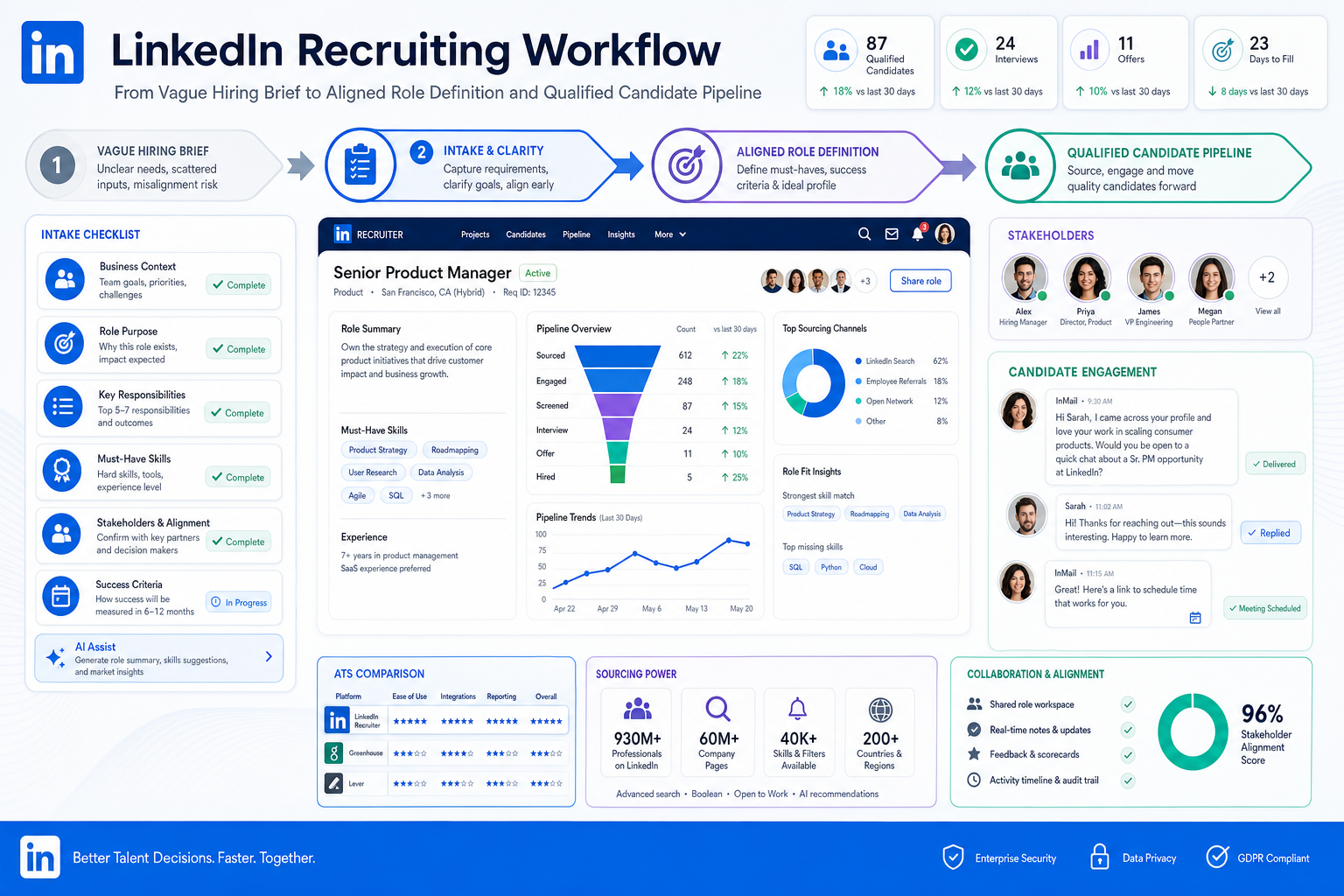
When vague briefs and misaligned managers slow hiring, this article helps recruiters judge hiring systems that reduce funnel noise.
When that alignment is missing, the damage shows up quickly: recruiters chase vague intake notes, hiring managers disagree on what good looks like, job ads attract the wrong people, and candidate conversations drift because nobody defined the role tightly enough to screen with confidence. For solo recruiters, small agency owners, and in-house teams alike, the cost is not only slower hiring but also weaker credibility with candidates and stakeholders.
In those situations, I have found that AI Recruiter is most useful when it supports the messy front end of hiring rather than pretending to replace recruiter judgment. It can keep candidate outreach moving, respond after hours, and collect resumes and contact details from interested prospects, which is especially helpful when role criteria are already clear and the recruiter still owns final qualification, resume review, and next-step decisions. If your workflow depends heavily on LinkedIn sourcing, the broader LinkedIn recruiting experience described here is close to what many busy desks actually need.
The deeper problem usually starts earlier, at the moment a role is being defined. A hiring team wants a finance hire, for example, and the first draft of the job description sounds acceptable until stakeholders begin to compare expectations. One person cares about technical depth, another wants better business partnering, and someone else assumes the new hire should deliver visible results within three months. The recruiter is left rewriting the brief, trimming unrealistic wish lists, and trying to turn competing opinions into a posting that speaks to the right candidate instead of everyone.
That scene explains why the best recruiting software is not just an applicant database. Strong hiring systems support the work that happens before and around the application: stakeholder alignment, clearer role requirements, better candidate messaging, and more structured follow-up once outreach begins. Whether you are comparing tools for employee recruiting or trying to simplify small business recruiting, the real question is how well the system supports this chain from intake to candidate response.
Choosing the best recruiting software is less about chasing the longest feature list and more about finding hiring systems that match how your team defines roles, attracts candidates, and makes decisions. In practice, that means looking at applicant tracking, candidate communication, workflow structure, reporting, and sourcing support as one connected process rather than separate boxes on a demo checklist.
If you are evaluating hiring systems for employee recruiting or building a cleaner process for small business recruiting, this article focuses on what experienced recruiters actually test: whether the system helps you clarify the role, keep stakeholders aligned, move candidates efficiently, and avoid avoidable noise in the funnel.
In this article, you will find:
- How role clarity affects software selection more than most teams expect
- A practical way to compare hiring systems by company size and hiring model
- A feature checklist tied to real recruiting work, not generic software claims
- A framework for choosing tools that support sourcing, screening, and collaboration
Table of Contents
- Why role clarity comes before software selection
- What recruiting software means today
- Quick comparison by hiring need
- Features that matter most in hiring systems
- Best recruiting software for small business recruiting needs
- What larger teams should prioritize
- Applicant tracking system benefits for recruiters
- How to choose the right system
- Common mistakes to avoid
- FAQ
Why role clarity comes before software selection
One of the most overlooked recruiting lessons is that software cannot fix a vague hiring brief. Before you compare hiring systems, you need agreement on what the role actually requires, what success should look like, and which skills are truly non-negotiable. That lesson shows up every time a team writes a weak job description, attracts the wrong applicants, and then blames sourcing volume or software quality.
In practice, I use a simple intake standard that mirrors what strong recruiters already know:
- Talk to stakeholders early so must-haves are defined before sourcing begins.
- Set near-term deliverables for the first three and six months, because responsibilities are easier to write and assess when outcomes are clear.
- Create a real candidate hook that speaks to the person you want, not a generic applicant pool.
- Reflect the team culture honestly so candidate fit is screened through context, not guesswork.
These are not only job-description principles. They are software selection principles too. If your hiring systems cannot store intake decisions cleanly, preserve role context, and help recruiters communicate a consistent message across stakeholders and channels, the platform will struggle where real recruiting starts.
Key insight: The best recruiting software supports a better hiring brief first, because bad role definition creates bad sourcing, bad screening, and bad hiring manager feedback downstream.
That is also where sourcing automation can help without taking over the recruiter's role. On searches where the intake is already solid, I have used StrategyBrain AI Recruiter to keep initial LinkedIn conversations moving, answer common candidate questions, and collect resumes from interested prospects while I focused on fit, deliverables, and stakeholder calibration. For teams working across time zones or after-hours candidate response windows, its multilingual and always-on messaging can remove avoidable delays, but the recruiter still has to judge whether the profile actually matches the brief.
What recruiting software means today
Modern recruiting software is broader than a basic ATS. Today, many teams use the terms hiring systems, recruiting software, applicant tracking, and talent acquisition platform almost interchangeably because the tools often combine several functions inside one workflow.
At minimum, an applicant tracking system helps collect applications, organize candidates, and move them through hiring stages. More complete hiring systems extend that foundation with sourcing support, resume filtering, scheduling, collaboration tools, analytics, and integrations with HR systems.
For employee recruiting, that broader scope matters because recruiters are not just logging applicants. They are translating intake meetings into market-facing job language, posting roles across channels, following up with passive candidates, coordinating feedback, and reducing friction between hiring managers and talent teams.
In my experience, this is where many buyers misread the category. A tool may look polished in a demo, but if it only stores applicants and does little to support communication, stakeholder alignment, and workflow consistency, it will feel narrow very quickly.
Practical takeaway: ask where the process slows down now. If your issue is mostly application organization, a simple ATS may be enough. If your issue starts at intake, candidate outreach, scheduling, or reporting visibility, you likely need a fuller recruiting system.
Quick comparison: the best recruiting software depends on hiring need
The best recruiting software is usually best for a specific hiring context, not universally best for every company. A lean startup, a growth-stage team, and a mature TA function will not prioritize the same things in hiring systems.
| Hiring situation | What the team usually needs | Best-fit hiring system focus |
|---|---|---|
| Small business recruiting | Fast setup, low admin burden, simple workflows | Ease of use, basic automation, clean job posting, simple collaboration |
| Growing company | More open roles, more stakeholders, process consistency | Pipeline visibility, feedback collection, scheduling, reporting |
| High-volume hiring | Speed, repeatable screening, candidate flow control | Automation, filtering, bulk communication, stage management |
| Specialized employee recruiting | Relationship-led sourcing and targeted outreach | Talent pools, message tracking, outreach workflow support |
| Enterprise recruiting | Governance, integrations, analytics, compliance | Advanced permissions, dashboards, integration depth, standardized process controls |
Teams often compare products based on familiarity rather than recruiting model. That is a mistake. A system built for application-heavy hiring can disappoint a desk that depends on stakeholder-heavy search work, while a sophisticated platform can overwhelm a small business recruiting team that just needs structure and speed.
Start by defining your dominant hiring pattern. Are you filling a handful of specialist roles, hiring steadily across departments, or managing recurring operational openings? The answer should shape the shortlist before you compare features.
Features that matter most in hiring systems
Whether you call it an ATS, recruiting platform, or hiring software, certain features matter because they directly affect recruiter execution. The best systems make it easier to turn a clear brief into a consistent hiring process.
1. Intake and job setup
This is not always listed as a headline feature, but it should be. Strong systems make it easier to capture role requirements, stakeholder notes, ideal candidate criteria, and early deliverables. That matters because vague setup produces noisy pipelines.
Advice: check whether the system supports structured role creation, reusable templates, approval flow, and clear ownership from the start.
2. Job posting distribution
A good platform should help your team publish openings efficiently and keep postings consistent across channels. For employee recruiting, this reduces manual work and improves message discipline.
Advice: look beyond reach. You want clean setup, editable templates, and clear visibility into where jobs are live.
3. Resume screening and candidate filtering
This remains one of the biggest applicant tracking system benefits, especially when volume rises. Good filtering helps recruiters focus their time where it matters instead of sorting manually.
Advice: test whether filters are usable by actual recruiters and hiring managers, not only impressive in a sales demo.
4. Candidate pipeline management
Pipeline visibility is one of the clearest advantages of mature hiring systems. Recruiters need to know where each candidate stands, why someone is stalled, and which roles are aging.
Advice: prioritize stage clarity, ownership visibility, and activity history. If you cannot quickly identify what happened next, the system is not really helping.
5. Interview scheduling and collaboration
Scheduling remains a hidden bottleneck in many teams. Good recruiting software reduces back-and-forth, centralizes feedback, and helps recruiters keep decisions moving.
Advice: test the full collaboration flow. If hiring managers still give feedback late or outside the system, the problem survives the software purchase.
6. Reporting and analytics
Hiring leaders need reporting to understand source performance, conversion rates, stage delays, and recruiter workload. That matters in both small business recruiting and enterprise hiring, even if the reporting depth differs.
Advice: focus first on practical visibility, such as time in stage, source quality, and drop-off points.
7. Sourcing and outreach support
For teams that rely on active outreach, sourcing support matters as much as applicant tracking. This is where specialized tools may complement core hiring systems. In my own workflow, when a search depends on LinkedIn response volume and fast follow-up, I may keep the ATS as the system of record but use AI Recruiter to handle repetitive outreach steps, candidate replies, and resume collection before I review fit. That setup works best when the role brief is already strong.
Advice: separate automation from qualification. Outreach automation can save time, but recruiters still need to assess resume quality, stakeholder fit, and next-step readiness.
8. Integrations, compliance, and process consistency
As hiring grows, clean integrations and structured records become more important. Even smaller teams benefit from documented workflows, access control, and consistent candidate handling.
Advice: review how the system supports documentation, HR handoff, permissions, and privacy expectations before implementation.
Best recruiting software for small business recruiting needs
In small business recruiting, the best recruiting software is usually the system that gets adopted quickly and removes manual work without demanding a dedicated admin. Smaller teams rarely need the deepest feature stack first. They need hiring systems that are easy to learn, practical to maintain, and strong enough to support growth.
From an operator perspective, small businesses usually care most about four things:
- Affordability: predictable cost and manageable complexity
- Fast setup: minimal implementation burden
- Ease of use: hiring managers can participate with little training
- Lean-team workflows: automation for posting, screening, and scheduling
For a small company doing occasional employee recruiting, a simple system may be enough if it handles candidate stages, communication, and role setup well. For a business hiring steadily across multiple positions, broader hiring systems are worth considering sooner because they impose much-needed structure.
| Priority for small business recruiting | Why it matters | What to check |
|---|---|---|
| Ease of setup | Small teams cannot absorb long rollouts | Templates, guided setup, role creation flow |
| Usability | Managers need to participate quickly | Simple feedback, clear stages, easy candidate review |
| Automation | Reduces recruiter admin time | Screening, reminders, scheduling support |
| Basic reporting | Helps improve hiring decisions | Source tracking, pipeline health, time-to-fill visibility |
| Scalability | Prevents switching too soon | Multi-role support, permissions, integrations |
Practical advice: buy for your current reality and near-term growth, not an imagined enterprise future. Small teams often get better results from software that is used consistently than from software with a larger feature set nobody adopts.
What larger teams should prioritize
As hiring volume and organizational complexity increase, the definition of the best recruiting software changes. Mid-market and enterprise teams need hiring systems that support coordination across recruiters, hiring managers, HR, and business leaders without losing process consistency.
The biggest priorities usually include governance, deeper reporting, role-based permissions, and stronger integration support. The system also needs to support multiple hiring motions at once, from specialist corporate hiring to recurring operational openings.
This is where the broader applicant tracking system benefits become more visible. A structured platform can standardize interview workflows, improve capacity planning, and reduce candidate loss caused by inconsistent follow-up.
Practical advice for recruiting leaders:
- Map approvals and intake steps before the demo stage.
- Test reporting against real business questions, not dashboard aesthetics.
- Check whether recruiters, coordinators, and hiring managers can all work efficiently in the same workflow.
- Review how the system balances speed with compliance and documentation.
If larger teams ignore workflow design and focus only on feature count, they often end up with software that looks complete but creates daily friction.
Applicant tracking system benefits for recruiters
Because many buyers still search ATS-specific terms, it helps to be direct: a modern ATS is often the core of a hiring system, but not always the whole system. When evaluating the best recruiting software, it helps to understand both the traditional and modern value of applicant tracking.
Core applicant tracking system benefits
- Centralized candidate records: no more scattered resumes, notes, and email threads
- Structured stages: clearer handoffs and less confusion across stakeholders
- Faster screening: less manual sorting
- Improved collaboration: interviewers can review and comment in one workflow
- Better visibility: recruiting leaders can spot bottlenecks earlier
Broader benefits in modern hiring systems
- Automation support: reminders, status changes, and communication triggers
- Scheduling efficiency: less coordinator burden and fewer delays
- Analytics: better decisions on source mix and funnel performance
- Integration value: smoother handoff from candidate to employee
- Compliance support: better documentation and process consistency
For day-to-day employee recruiting, the biggest value is reduced friction. The best hiring systems let recruiters spend more time on fit, persuasion, and decision quality, and less time chasing updates or rebuilding context that should already live in the process.
How to choose the right hiring systems for your team
If you are deciding between several options, use a workflow-led selection process instead of a feature-led one. The best recruiting software is the one that supports your actual hiring motion, gets used by hiring managers, and improves consistency without slowing recruiters down.
Step 1: Define the hiring environment
Clarify whether your main use case is small business recruiting, growth-stage hiring, specialized search, or high-volume employee recruiting. This shapes feature priorities from the start.
Step 2: Fix role-definition gaps first
Before comparing tools, confirm how your team defines must-have skills, hiring goals, and early deliverables. If the intake process is weak, software selection will be distorted by the wrong problem.
Step 3: Identify the bottleneck
Ask where the process breaks now. Common answers include unclear job briefs, weak sourcing response, slow scheduling, late feedback, poor reporting, or a messy handoff to HR.
Step 4: Rank features by operational value
Separate must-haves from nice-to-haves. Recruiters usually feel the difference most in workflow speed, manager participation, and candidate tracking accuracy.
Step 5: Evaluate usability with real scenarios
Do not assess the platform only through a polished demo. Test realistic tasks such as creating a role, posting a job, moving a candidate, collecting feedback, or generating a pipeline report.
Step 6: Review implementation effort
Even strong hiring systems fail if setup is too heavy for the team. This matters especially in small business recruiting, where lean HR teams cannot support long deployments.
Step 7: Consider complementary sourcing support
If your workflow depends on LinkedIn outreach, ask whether the core system should be paired with a sourcing tool rather than forced to do everything. I have found that AI Recruiter works best as a complement in this setup: it handles repetitive outreach and candidate reply flow, while the main hiring system remains the source of truth and the recruiter keeps control of qualification decisions.
| Evaluation question | Why it matters | Best for |
|---|---|---|
| Can recruiters use it with minimal admin burden? | Directly affects adoption | All teams |
| Can hiring managers participate easily? | Improves decision speed | Employee recruiting |
| Does it support automation beyond applicant storage? | Shows whether it is true recruiting software, not just a database | Growth and high-volume teams |
| Are reporting and integrations strong enough? | Supports scaling and HR handoff | Mid-market and enterprise |
| Is setup realistic for the current team? | Protects adoption and ROI | Small business recruiting |
Common mistakes to avoid when buying recruiting software
After enough system evaluations, the same pattern shows up repeatedly: teams blame software for problems that begin with unclear workflow design. Still, several mistakes are avoidable.
Buying based on features instead of workflow
A long list of capabilities does not guarantee recruiting efficiency. If the workflow is difficult to follow, adoption will suffer.
Skipping stakeholder alignment
If hiring managers never agreed on must-haves, deliverables, or fit criteria, even strong hiring systems will fill with inconsistent notes and poor screening logic.
Ignoring hiring manager usability
Recruiters may live in the system daily, but hiring managers still need to review candidates and provide timely feedback. If they avoid the platform, the process slows down.
Overbuying for a small team
In small business recruiting, too much complexity can be just as harmful as too little functionality. Simpler tools often perform better when the team actually uses them well.
Underestimating sourcing workflow needs
If your hiring model depends on outbound recruiting, make sure your system stack supports that reality. An ATS alone may not solve response-rate or follow-up issues, which is why some teams add sourcing automation separately.
Failing to define success before implementation
Before choosing among hiring systems, agree on what improvement should look like. Better alignment, faster scheduling, stronger source tracking, cleaner pipelines, and more consistent candidate communication are all valid goals, but priorities need to be explicit.
FAQ
What is recruiting software?
Recruiting software is a system that helps teams manage hiring workflows, from job posting and applicant collection to screening, scheduling, collaboration, and reporting. Many companies use the terms recruiting software, hiring systems, and ATS closely because modern tools often combine these functions.
How is recruiting software different from an ATS?
An ATS usually refers to the applicant tracking core: collecting applications, organizing candidates, and moving them through stages. Recruiting software can include that core plus sourcing support, automation, analytics, interview scheduling, integrations, and compliance workflows.
Do small businesses really need hiring systems?
Yes, especially once hiring becomes more frequent or more collaborative. For small business recruiting, even a simple system can reduce manual work, improve candidate follow-up, and give hiring managers a cleaner process.
What features matter most in the best recruiting software?
The most important features usually include structured role setup, job posting distribution, screening, candidate pipeline management, scheduling, reporting, integrations, and collaboration support. The right priority order depends on your hiring volume and workflow.
How much does recruiting software cost?
Costs vary widely based on company size, feature depth, user count, and implementation needs. Instead of focusing only on price, teams should weigh affordability against adoption, workflow fit, and recruiter time saved.
What is the best recruiting software for employee recruiting?
The best recruiting software for employee recruiting is the one that matches your hiring workflow and team structure. For some organizations, that means a streamlined ATS with good collaboration. For others, it means broader hiring systems with automation, analytics, and sourcing support.
Can sourcing automation work alongside hiring systems?
Yes. Many teams use a core ATS or recruiting platform as the system of record and add a sourcing tool for outbound workflows. The key is to keep recruiter ownership over qualification, resume review, and final decisions.
Conclusion
The best recruiting software is not simply the platform with the most features. It is the hiring system that helps your team define roles clearly, attract the right candidates, stay organized, and make better decisions without adding unnecessary friction.
If you are evaluating hiring systems for employee recruiting or refining small business recruiting, start with the real workflow: who defines the role, where alignment breaks down, where candidates stall, and where recruiters lose time. Once that is clear, software comparison becomes far more useful.
For most teams, the smartest next step is simple: document your current intake and hiring process, rank your must-have features, and evaluate each system against actual recruiting work. And if outbound LinkedIn sourcing is one of your choke points, adding AI Recruiter as a supporting workflow layer can help keep conversations moving while recruiters stay focused on judgment, fit, and hiring decisions.














