


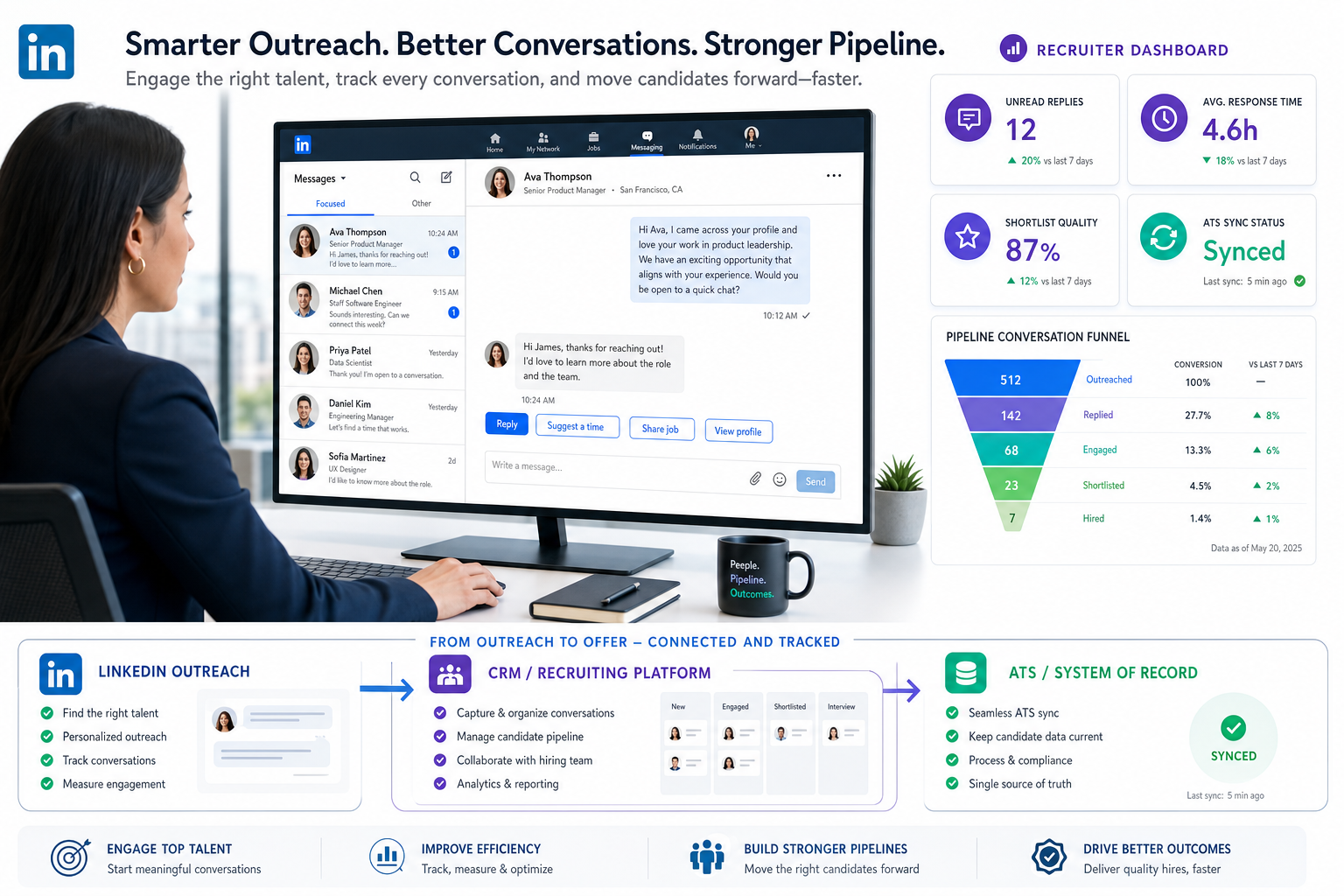
This article helps headhunters judge an ai recruiting tool by whether it prevents missed passive-candidate replies and weak shortlists.
That matters because executive and specialist hiring rarely fails at the job-post stage anymore. It fails when outreach happens in too many places, when promising replies sit unanswered after hours, when recruiter notes never make it back into the system of record, and when agency owners or in-house TA leaders cannot tell which channel is actually building trust with hard-to-reach talent. The result is slower shortlists, weaker candidate experience, messy reporting, and avoidable revenue or hiring delays.
In my own workflow, I have found that StrategyBrain AI Recruiter is most useful when LinkedIn outreach volume starts outrunning recruiter capacity. Its strengths are practical rather than theoretical: automated candidate messaging on LinkedIn, multilingual follow-up across time zones, and résumé/contact collection once a candidate signals real interest. Just as important, the recruiter still owns the final judgment on fit, résumé review, and whether the person should move forward.
The pressure shows up most clearly in executive social recruiting. Senior candidates are often not checking job boards at all, but they do notice professional visibility, thoughtful outreach, and whether a recruiter understands how to approach them respectfully. A recruiter may identify a strong leader through LinkedIn research, review the person’s profile activity, send an initial message, then wait while that candidate responds later from another time zone. If that reply is missed or handled awkwardly, the window closes fast.
That is why the search for the best recruiting software now overlaps with social outreach discipline, recruiting CRM habits, and ATS design. Teams comparing an ai recruiting tool, broader talent acquisition tools, or specialized ats for recruiting agencies are really asking the same question: how do we keep passive candidate engagement, recruiter judgment, and system visibility connected in one workable hiring process?
Key takeaway: The best recruiting software for modern recruiting is not the one with the most AI features; it is the one that keeps outreach, response handling, candidate records, and recruiter decisions aligned.
- Why social hiring changes software selection
- What best recruiting software means in practice
- The core categories buyers actually compare
- How social recruiting exposes workflow gaps
- AI-native tools vs. legacy ATS with AI added on
- Best recruiting software by use case
- Features that matter in daily recruiting work
- Agency systems vs. in-house talent acquisition tools
- Why ATS discipline still matters
- How to evaluate and shortlist recruiting software
- FAQ
Why social hiring changes software selection
Social recruitment changed the buying conversation because more high-value candidates, especially at executive and specialist levels, are passive rather than active applicants. They may not apply through a careers page, but they will notice employer visibility, recruiter credibility, and whether a message feels timely and informed. That makes social channels more than branding surfaces. They become sourcing channels, relationship channels, and early-stage qualification channels.
From a recruiting operations perspective, this creates a software problem. Once outreach, replies, candidate questions, and résumé handoff begin inside social platforms, teams need a way to keep records clean and next steps consistent. Otherwise, the recruiter builds momentum in one place while the ATS, CRM, or agency database stays incomplete somewhere else.
The reference point here is practical: social recruiting works best when there is a clear goal, a consistent voice, and regular follow-up. Those same principles are what separate useful recruiting software from cluttered software. If the system cannot support purposeful outreach, consistent communication, and measurement, it will struggle in executive search, staffing, and sourcing-led hiring.
What best recruiting software means in practice
The phrase best recruiting software sounds simple, but buyers often use it to describe very different needs. One team wants stronger requisition control and interview feedback. Another wants better candidate outreach and rediscovery. An agency may need client CRM, submissions, and placements. A sourcing-heavy firm may care most about search quality and passive engagement.
That is why an experienced operator starts with a process question, not a vendor question: where is the hiring workflow breaking down? If breakdown happens after application, ATS strength matters. If it happens before application, in LinkedIn outreach, passive engagement, or talent pool nurture, then the right ai recruiting tool or recruiting CRM may deliver more value than a full system replacement.
For recruiters, the practical test is whether software removes friction from real work: identifying prospects, starting conversations, capturing responses, updating stages, involving hiring managers, and preserving clean records. In other words, software should support execution, not create a second job of data cleanup.
The core categories buyers actually compare
Most buyers comparing the best recruiting software are really looking across four overlapping categories.
1. Applicant tracking systems
An ATS remains the operational backbone for job posting, candidate stages, interview feedback, approvals, and reporting. It is still the system of record for many teams, which is why governance, permissions, and auditability matter so much.
2. Recruiting CRM platforms
These systems are built for relationship management before formal application. For passive talent work, they support segmentation, nurture, rediscovery, and long-cycle engagement. In many modern stacks, recruiting CRM capabilities are as important as the ATS.
3. Social and AI sourcing tools
This category includes tools that help recruiters discover, contact, and re-engage prospects, often through social channels. A strong ai recruiting tool in this category can reduce manual outreach work, support response handling, and improve consistency without removing recruiter control.
4. End-to-end recruitment systems
These combine ATS, CRM, automation, analytics, and AI support inside one platform. They can reduce tool sprawl, but only when the platform is genuinely usable across the team’s real workflow.
Practical advice: Before you book demos, decide whether you are buying a system of record, a communication layer, a sourcing engine, or a combination. Many disappointing software evaluations happen because teams compare unlike categories.
How social recruiting exposes workflow gaps
Social media recruitment, especially for executive hiring, is useful because it reaches people who are not actively applying. But it also exposes every weakness in a recruiting workflow. If messages go unanswered, if recruiter tone is inconsistent, if candidate interest is not logged, or if profile-based research never turns into a structured pipeline, the channel becomes noisy instead of strategic.
That is one reason I now test software with a social outreach scenario before anything else. I want to see whether a recruiter can identify a prospect, start a respectful conversation, answer basic role questions, collect contact details or a résumé when interest appears, and write that information back into the hiring workflow without duplicate admin.
In that context, I have used AI Recruiter as a support layer rather than a replacement for recruiter judgment. The benefit is not that it magically decides who is qualified. It does not. The value is that it can keep first-contact communication moving, handle after-hours replies, and continue outreach in the candidate’s language when global searches are involved. Recruiters still make the final call on credibility, fit, and who gets shortlisted, but they stop losing momentum on repetitive outreach steps.
This same workflow issue is why executive search and agency recruiting often need different technology configurations from in-house HR teams. Passive outreach requires persistence, transparency, and record discipline. Without those three elements, even excellent recruiters end up relying on memory, inbox search, and spreadsheets.
AI-native tools vs. legacy ATS with AI added on
One of the most useful distinctions in the current market is whether the product was designed around AI-assisted workflow from the start or whether AI has been added later to an older ATS model.
| Evaluation Area | AI-Forward Workflow | Legacy ATS with AI Layered On |
|---|---|---|
| Outreach support | Often embedded into search, messaging, and follow-up | Often limited to add-on assistants or side modules |
| Recruiter experience | Can reduce manual sourcing and response handling | May preserve familiar ATS habits better |
| Data discipline | Strong if integrations are clean | Strong if the ATS already governs process well |
| Adoption risk | Higher if the team must change how it works | Lower for teams protecting current workflows |
| Best fit | Sourcing-heavy or socially active recruiting teams | Teams prioritizing continuity and system-of-record stability |
The right choice depends on where your team feels pain. If recruiters spend hours on outreach and basic candidate back-and-forth, a purpose-built ai recruiting tool may help quickly. If your pain is auditability, approvals, and hiring manager coordination, your ATS may still deserve priority.
Best recruiting software by use case
The best recruiting software changes depending on the hiring model.
Best for enterprise talent acquisition teams
Enterprise teams usually need standardized approvals, analytics, permissions, integrations, and strong hiring manager collaboration. Their ideal stack often combines an ATS with selected talent acquisition tools for sourcing, CRM, and scheduling.
Best-fit advice: Prioritize reporting quality, workflow consistency, and integration depth over flashy front-end AI claims.
Best for staffing and recruiting agencies
Generic HR software often falls short here. Strong ats for recruiting agencies need client records, job orders, submissions, placements, ownership rules, and usually some commercial tracking discipline as well.
Best-fit advice: Ask to see the full recruiter desk in action, not just candidate stages. Agencies need software that manages both clients and candidates.
Best for sourcing-heavy and executive search teams
These teams live on passive candidate engagement. Search quality, CRM structure, outreach follow-up, and social credibility matter more than application intake alone. A focused ai recruiting tool can help maintain response speed and candidate continuity, especially when recruiters operate across time zones or talent markets.
Best-fit advice: Evaluate whether the tool helps you start conversations, preserve context, and hand off interested prospects cleanly into the formal hiring workflow.
Best for high-volume hiring teams
High-volume operations need automation around screening, scheduling, stage movement, and queue management. Simplicity matters more than novelty because frontline adoption drops fast when workflows become click-heavy.
Best-fit advice: Test bulk actions, workflow rules, scheduling speed, and recruiter usability before advanced AI summaries.
Features that matter in daily recruiting work
Feature lists get inflated quickly, so it helps to separate operationally meaningful functions from demo-friendly extras.
- Social sourcing and outreach support: Useful when recruiters rely on passive talent channels.
- Candidate matching and search: Helps recruiters prioritize, provided the logic is understandable.
- Recruiting CRM structure: Critical for long-cycle talent relationship management.
- Automated follow-up: Valuable when candidate replies arrive outside recruiter working hours.
- Résumé and contact capture: Important if outreach starts off-platform or before formal application.
- Interview scheduling: Still one of the fastest ways to reduce admin friction.
- ATS integration: Essential if the AI layer is not the system of record.
- Analytics and reporting: Needed to understand response quality, bottlenecks, and recruiter workload.
One lesson from social recruiting is that responsiveness and professionalism matter as much as automation. In practice, that means your tools should help recruiters stay timely, transparent, and consistent rather than simply send more messages.
Agency systems vs. in-house talent acquisition tools
Agencies and in-house TA teams should not evaluate software the same way. Their workflows, commercial pressures, and collaboration models are different.
| Requirement | In-House TA Team | Agency Recruiting Team |
|---|---|---|
| Primary stakeholder | Hiring managers and HR leaders | Clients and candidates |
| Core workflow | Requisition to hire | Job order to submission to placement |
| CRM importance | Useful | Essential |
| Social outreach intensity | Varies by function | Often central to desk performance |
| Commercial tracking | Usually limited | Often required |
If you are buying ats for recruiting agencies, insist on live demonstrations of submissions, ownership control, duplicate prevention, and multi-client data handling. If you are buying for in-house hiring, focus more heavily on approvals, scorecards, reporting consistency, and collaboration with hiring managers.
Why ATS discipline still matters
Even in a market full of AI tools, ATS discipline remains essential. Social outreach can create the first conversation, but an ATS creates the record, process control, and reporting visibility needed to run a hiring function responsibly.
- Process control: Clear stages and ownership reduce confusion.
- Record quality: Candidate history becomes searchable and reviewable.
- Collaboration: Recruiters and hiring teams can work from one record.
- Compliance support: Structured workflows are easier to document and audit.
- Scalability: Teams can manage larger hiring loads without living in inboxes.
The best stacks use AI to reduce repetitive work while keeping the ATS clean enough to support decisions, reviews, and reporting. That balance is where the most reliable applicant tracking system benefits show up.
How to evaluate and shortlist recruiting software
A strong buying process is role-specific and grounded in live workflow testing.
1. Define the hiring motion
Document whether you are running enterprise TA, executive search, agency recruiting, or high-volume hiring. This determines which talent acquisition tools actually belong on the shortlist.
2. Identify where the process breaks
Is the issue sourcing, outreach, response handling, scheduling, approvals, or reporting? Start there rather than with a generic feature sheet.
3. Use a social recruiting demo scenario
Ask vendors to show a realistic workflow: identify a passive candidate, initiate contact, manage follow-up, capture interest, collect details, and update the system of record. Agencies should also test client-side workflow.
4. Review integration and data hygiene
Check duplicates, permissions, sync behavior, and whether recruiters must repeat work across systems.
5. Measure adoption risk
Watch for excessive clicks, weak search, disconnected inbox logic, or AI outputs recruiters cannot trust.
6. Evaluate ROI in workflow terms
Look at whether the software reduces admin, improves response handling, strengthens candidate records, and supports cleaner collaboration. Avoid relying on big marketing claims without process evidence.
Practical advice: Include recruiters, coordinators, operations staff, and hiring stakeholders in evaluation. Software succeeds when it supports the entire hiring chain, not just the demo user.
FAQ
What does an AI recruiting tool actually do?
An ai recruiting tool can support sourcing, outreach, follow-up, matching, screening, note capture, scheduling, or analytics. Buyers should confirm whether it acts as an ATS, a CRM layer, a sourcing engine, or a workflow assistant.
Why does social recruiting matter when choosing the best recruiting software?
Because passive candidates often engage first through social platforms, not job applications. That means recruiters need software that supports outreach, response handling, and record capture without losing control of candidate data.
Are talent acquisition tools different from recruiting software?
Usually the terms overlap. Talent acquisition tools often refers to the broader hiring stack, including sourcing, CRM, ATS, scheduling, and analytics, while recruiting software may refer to one product or the category overall.
How are ATS for recruiting agencies different from in-house systems?
ATS for recruiting agencies need stronger client-side workflow support, including job orders, submissions, placements, ownership controls, and multi-client separation. In-house systems focus more on requisitions, approvals, and hiring manager collaboration.
Can StrategyBrain AI Recruiter replace a recruiter?
No. It can help automate repetitive LinkedIn outreach, after-hours replies, and résumé or contact collection, but recruiters still need to assess fit, review the résumé, and decide whether the candidate should move forward. You can review more on its workflow at this product overview.
How should buyers evaluate ROI?
Measure ROI through workflow improvement: less manual admin, better follow-up coverage, cleaner records, stronger adoption, and faster movement from conversation to qualified shortlist.
Conclusion
The best recruiting software is not just about storing applicants or adding AI labels to old workflows. It is about supporting how recruiting actually happens now, especially when passive talent engagement starts on social channels and needs to flow back into a reliable process.
If your team is comparing an ATS, outreach layer, or broader set of talent acquisition tools, start with the workflow exposed by social recruiting: respectful outreach, timely replies, clean handoff, and system visibility. Once you evaluate software through that lens, it becomes much easier to decide whether you need a stronger ATS, a better CRM, a more focused ai recruiting tool, or more specialized ats for recruiting agencies.














