


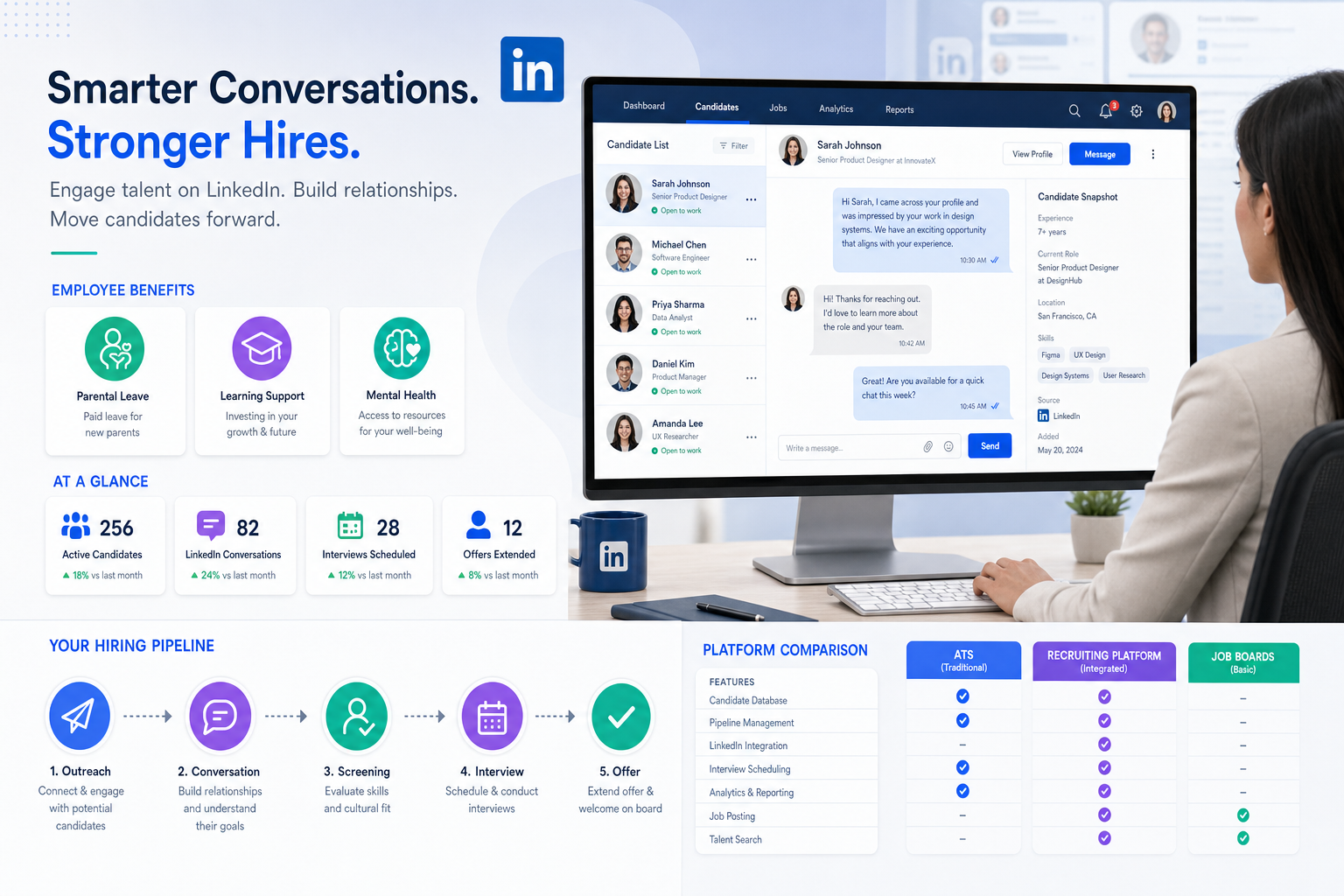
When candidate interest fades over slow follow-up and scattered benefits answers, this article helps recruiting teams judge the best recruitment platforms to keep context, responses, and conversion on track.
That matters more than ever because candidates are no longer weighing salary alone. Parental leave, learning support, mental health policies, and practical day-to-day perks now shape whether a conversation continues, whether a shortlist stays warm, and whether a hiring manager loses a strong prospect to a better organized employer. For solo recruiters, small search firms, and in-house talent teams, the damage shows up quickly: slower response times, repeated questions about benefits, weaker candidate trust, and preventable drop-off between outreach and interview scheduling.
In my own sourcing workflow, I have used StrategyBrain AI Recruiter to reduce that early-stage drag when LinkedIn conversations start piling up after hours or across time zones. What helped most was not handing over recruiter judgment, but using it to keep outreach moving, answer recurring role and benefits questions in the candidate's language, and collect resumes and contact details before interest went cold. The recruiter still has to review the profile, assess the resume, and decide whether the candidate should advance, but that support can make the top of funnel far more manageable.
A candidate deciding whether to explore a role often starts with a practical question, not a software one: what does this employer actually offer beyond pay? If the role involves hourly work, shift coverage, or a life-stage change like a new child, parental leave policy can matter immediately. If the person is trying to finish a degree, change careers, or avoid burnout, tuition support and mental health resources become part of the decision. Recruiters then find themselves pulling details from benefits documents, prior email threads, and hiring manager notes while also trying to keep the process moving.
That is where the software question begins. Once benefits, employer positioning, sourcing, and candidate follow-up all affect conversion, the best recruiting software is no longer just a database for applicants. The best website to hire employees may help you attract attention, but the best recruiting platforms help your team capture context, respond consistently, and move interested people through the pipeline without losing the very details that made them engage in the first place.
Table of Contents
- Why hiring software choices changed
- ATS vs recruiting platform vs hiring website
- What candidates evaluate before they engage
- Quick comparison table
- Best recruitment platforms by use case
- Must-have features to evaluate
- Using AI recruiter support in real workflow
- Advantages of applicant tracking system tools
- Pricing and cost considerations
- Implementation mistakes to avoid
- A simple decision rubric
- FAQ
Why Hiring Software Choices Changed
Recruiting teams used to separate compensation conversations from process conversations more neatly than they can today. In practice, candidates now judge employers on a broader package: flexibility, leave, education support, wellbeing resources, and practical perks tied to daily life. That shift changes how recruiters work. It is no longer enough to publish a role and wait for applications. Teams need a system that keeps employer value, candidate questions, and workflow execution connected.
The evolution of workplace perks helps explain why. Employers have steadily expanded benefits from the traditional baseline into more differentiated offers: longer parental leave, support for higher education, mental health initiatives, and role-relevant extras that fit the employer's business or culture. Those offers influence attraction and retention, but they also create operational pressure on recruiters, because candidates expect quick, accurate answers early in the funnel.
That is why many buyers searching for the best recruitment platforms are really comparing two separate needs at once. First, they need reach: a job board, network, or channel that functions like the best website to hire employees for a given role. Second, they need control: a recruiting system that tracks every conversation, stores benefit and role context, coordinates stakeholders, and makes sure nobody has to reconstruct the same answer five times.
ATS vs Recruiting Platform vs Hiring Website
This distinction is where many software decisions improve immediately.
Applicant Tracking System
An applicant tracking system manages candidates after they enter your funnel. It stores records, tracks stages, logs communication, centralizes feedback, and supports reporting. If your current problem is that recruiters and hiring managers keep losing the thread of who said what and when, an ATS is the operational fix.
Recruiting Platform
A recruiting platform is broader. It may include ATS functions plus sourcing workflows, scheduling, automations, analytics, and onboarding handoff. In many real buying scenarios, the best recruiting platforms are simply ATS-centered systems with a stronger end-to-end workflow layer.
Hiring Website or Job Board
A hiring website helps you attract candidates, promote openings, and build top-of-funnel visibility. It can absolutely be the best website to hire employees for a particular labor market or role type, but it usually will not solve collaboration, follow-up discipline, or reporting once applications start arriving.
Practical takeaway: If candidates are not finding you, improve channels. If candidates are finding you but dropping because details, timing, or follow-up are inconsistent, improve software and process.
What Candidates Evaluate Before They Engage
One reason software evaluation gets messy is that recruiters often focus only on internal features while candidates are making external tradeoffs. The candidate does not care whether your team calls a tool an ATS, CRM, or recruiting suite. They care whether the employer looks credible, responsive, and worth exploring.
Parental Leave and Life-Stage Support
When a role change intersects with family planning or caregiving, leave policy can affect response rates and offer acceptance. Recruiters need a repeatable way to answer those questions accurately and consistently, especially in high-volume or multi-recruiter environments.
Learning and Career Mobility
Tuition support, reskilling opportunities, and education benefits matter more in markets where candidates are trying to future-proof their careers. If your employer brand includes growth, your recruiting system should make that information easy to surface during outreach and screening.
Mental Health and Burnout Concerns
Mental health initiatives are no longer fringe talking points. Candidates increasingly look for signs that a company takes workload, support, and culture seriously. Recruiters need more than good intent here. They need message consistency and handoff discipline so that candidate expectations are not set one way in outreach and contradicted later in process.
Practical and Brand-Fit Perks
Some employers stand out through perks tied directly to their business or employee lifestyle. Travel, product access, schedule flexibility, wellness support, or daily convenience benefits can all help. But if those differentiators live only in scattered recruiter notes or manager memory, they do not consistently help hiring outcomes.
This is exactly why the best recruitment platforms matter. They do not create a better employer value proposition on their own, but they help recruiters present that value cleanly, repeatedly, and at the right moment.
Quick Comparison Table
| Category | Primary Purpose | Best For | Limits to Watch |
|---|---|---|---|
| Applicant Tracking System | Manage applicants and hiring stages | Teams needing order, documentation, and visibility | May need separate sourcing support |
| Recruiting Platform | Run broader hiring workflows | Teams wanting sourcing, tracking, scheduling, and reporting together | Can require more setup discipline |
| Job Board or Hiring Website | Attract candidates | Teams focused on top-of-funnel reach | Usually weak for end-to-end process control |
| Sourcing Automation Tool | Scale outreach and early engagement | Headhunters, agency recruiters, and passive candidate searches | Needs recruiter oversight and ATS connection |
| Onboarding Tool | Support post-offer transition | Teams improving handoff to HR operations | Often not a substitute for core recruiting workflow |
Best Recruitment Platforms by Use Case
No serious recruiting team should look for one universal winner. The right choice depends on hiring volume, candidate market, recruiter capacity, and how much of the process breaks before interviews even happen.
For Small Businesses
Small companies usually need simplicity: posting, screening, scheduling, and clean communication. The best recruiting software here is usually the system people actually use. If founders and hiring managers ignore it, even good features go to waste.
For Search Firms and Solo Headhunters
Agency-side recruiters and independent headhunters often need the best recruiting platforms to do two jobs at once: keep active searches organized and prevent passive candidate conversations from fading. In this model, sourcing speed and message continuity matter almost as much as applicant tracking.
That is also where I found AI Recruiter most useful. It helped maintain LinkedIn outreach momentum, respond when candidates replied outside my working hours, and gather resumes from people who were interested but would have gone cold if I waited until the next day. I still handled shortlist decisions myself, but the workflow became more consistent.
For Enterprise Recruiting
Larger organizations need process control: permissions, reporting, standardized scorecards, and cross-team visibility. They also need a better way to keep employer-value details aligned across recruiters, coordinators, and managers. When candidates ask about leave, learning support, or wellbeing policies, the answer cannot change by recruiter.
For High-Volume Hiring
In high-volume environments, speed is everything. Screening queues, interview coordination, message templates, and self-scheduling options matter because even small delays magnify quickly. The best recruitment platforms in this setting remove friction without making the process feel robotic.
For Global Hiring
Global hiring adds language and time-zone complexity. A candidate may respond when your local team is offline, and that delay alone can cost you momentum. This is a strong use case for multilingual communication support and always-on early engagement, provided recruiters still control evaluation and advancement.
Must-Have Features to Evaluate
When comparing the best recruitment platforms, assess them through the daily work they remove or improve.
1. Job Distribution Across Channels
Your ideal mix of channels depends on role type, geography, and seniority. The best website to hire employees may vary by search, so software should support flexible posting and source tracking rather than assume one channel works for every opening.
2. Candidate Record Quality
A good system stores not only resumes and stages, but also the context that moved a candidate forward: compensation range discussed, benefits questions raised, scheduling notes, and stakeholder comments.
3. Communication Support
Recruiters lose time answering the same early questions repeatedly. Strong workflow tools help standardize outreach, preserve conversation history, and keep communication timely without removing human control.
4. Interview Coordination
Scheduling remains one of the biggest hidden productivity drains in recruiting. Any platform that reduces calendar friction earns real operational value fast.
5. Structured Collaboration
Hiring managers, coordinators, and recruiters need one place to leave feedback, review candidates, and see next steps. Otherwise, the team spends more time reconstructing decisions than making them.
6. Reporting That Matches Hiring Reality
Look for reporting on source quality, stage conversion, response speed, and bottlenecks. If your employer brand includes strong benefits or culture positioning, you should also be able to connect that messaging to where candidates engage or drop.
7. Integration With Outreach and Sourcing Work
The strongest systems fit into how recruiters actually source. If your team lives in LinkedIn, email, calendars, and interview tools, your recruiting platform should support that ecosystem instead of forcing manual re-entry everywhere.
Using AI Recruiter Support in Real Workflow
There is a useful middle ground between fully manual outreach and over-automated recruiting. Early-stage sourcing and follow-up can be supported by AI without removing recruiter accountability.
In my own process, the best fit for AI Recruiter was the repetitive front end of LinkedIn recruiting: connecting with targeted candidates, introducing the opportunity, handling straightforward role questions, and collecting resumes from people who wanted to continue. That is especially helpful when candidates care about details such as compensation, location, or benefits before agreeing to a call.
Two things matter if you use that kind of support well. First, keep the workflow narrow and concrete: outreach, response handling, and resume collection. Second, keep final qualification human. The tool can confirm interest and maintain communication, but the recruiter still has to judge fit, review the resume, and decide whether to schedule an interview.
For teams evaluating the best recruiting platforms, this creates an important selection question: can your core recruiting system work alongside sourcing automation, or will candidates and conversation records end up stranded outside the pipeline?
Advantages of Applicant Tracking System Tools
For most structured hiring teams, the core of the best recruiting software is still a strong ATS.
- Centralized records: resumes, notes, communication, and stage history stay in one place.
- Cleaner collaboration: recruiters and managers stop chasing feedback across email and chat.
- More consistent communication: candidate-facing information is easier to standardize.
- Better visibility: teams can see where candidates stall, convert, or disappear.
- Stronger documentation: structured records support compliance and internal review.
- Less administrative waste: fewer duplicated messages, searches, and scheduling loops.
The more your team discusses employer value beyond base pay, the more these ATS benefits matter. Once candidate questions touch leave, education support, wellbeing resources, or role-specific perks, scattered process becomes expensive. Recruiters cannot afford to improvise from memory every time.
Pricing and Cost Considerations
Cost depends on scope. A lightweight ATS costs differently from a broader platform that includes sourcing workflows, advanced reporting, or onboarding support. But in recruiting operations, price alone is usually the wrong first filter.
Ask instead:
- How much recruiter time is being spent on repeat outreach, manual scheduling, and duplicate data entry?
- How often are candidates dropping because responses are slow or inconsistent?
- How many people need access: recruiters, coordinators, hiring managers, or leadership?
- Do you need only applicant tracking, or also stronger sourcing support?
- Will your team actually use the reporting and workflow controls you are paying for?
For many teams, the hidden cost is not software spend. It is the combination of lost candidate attention, messy handoffs, and recruiter hours drained by preventable admin work.
Implementation Mistakes to Avoid
Even the best recruitment platforms disappoint when the workflow decision is wrong.
Confusing attraction with process
The best website to hire employees may increase visibility, but it does not guarantee disciplined follow-up, better screening, or faster feedback.
Ignoring what candidates now ask about
If benefits, flexibility, and career development are central to candidate decision-making in your market, your system should help recruiters answer those questions consistently.
Buying around edge cases
Do not let one unusual requisition dictate the entire platform choice. Start with the hiring motion your team repeats most often.
Letting automation outrun judgment
AI can support top-of-funnel efficiency, but recruiter review still determines quality. If your team treats automation as a replacement for evaluation, problems move downstream instead of disappearing.
Skipping manager adoption
If hiring managers refuse to use scorecards, review notes, or stage updates, a strong platform still turns into an expensive filing cabinet.
A Simple Decision Rubric for Choosing the Best Recruiting Software
| Question | If Yes | If No |
|---|---|---|
| Do candidates ask detailed questions before agreeing to speak? | Prioritize communication history and context visibility | Basic tracking may be enough |
| Is your team losing passive candidates during outreach? | Consider sourcing automation plus ATS discipline | Focus on core applicant workflow first |
| Do multiple recruiters or managers touch the same search? | Prioritize collaboration and reporting | A lighter system may work |
| Are scheduling and follow-up slowing decisions? | Choose stronger workflow automation | Invest more in sourcing quality |
| Does employer value beyond salary affect conversion? | Use software that preserves candidate-facing context | Basic process control may be sufficient |
The right answer is rarely the most feature-heavy product. It is the system that matches how your team sources, communicates, evaluates, and closes.
FAQ
What is the best website to hire employees?
It depends on the role and labor market. A job board or network may be the best website to hire employees for attracting applicants, but it is usually not enough to manage the full hiring process. Most teams need both sourcing channels and recruiting software.
What is the difference between an ATS and a recruiting platform?
An ATS focuses on tracking applicants and managing workflow. A recruiting platform often includes ATS features plus sourcing, scheduling, analytics, and broader collaboration tools.
Why do benefits and perks matter when choosing recruiting software?
Because candidates increasingly ask about them early. If recruiters cannot answer consistently or keep those conversations visible across the team, conversion suffers. Software should support that communication, not force it into side notes and inboxes.
Are the best recruiting platforms the same as job boards?
No. Job boards attract candidates. The best recruiting platforms help organize, evaluate, communicate with, and move candidates through the hiring funnel.
Can AI help with LinkedIn recruiting without replacing recruiters?
Yes. Tools such as AI Recruiter can support repetitive early-stage outreach, candidate replies, and resume collection, while recruiters keep control over qualification, shortlist decisions, and interviews.
What are the main applicant tracking system benefits?
The biggest ATS benefits are centralized data, cleaner collaboration, faster follow-up, better reporting, and less manual coordination across the hiring team.
Final Takeaway
If you are comparing the best recruitment platforms, start with a simple reality: candidates are evaluating more than salary, and recruiters are managing more context than they used to. That means the best recruiting software has to do more than hold resumes. It has to support sourcing, preserve candidate-facing details, coordinate people, and keep the process moving.
The best website to hire employees can help you get attention. The best recruiting platforms help you convert that attention into an organized hiring result. For most teams, especially headhunters and lean talent functions, that is the difference between a busy pipeline and a controlled one.














