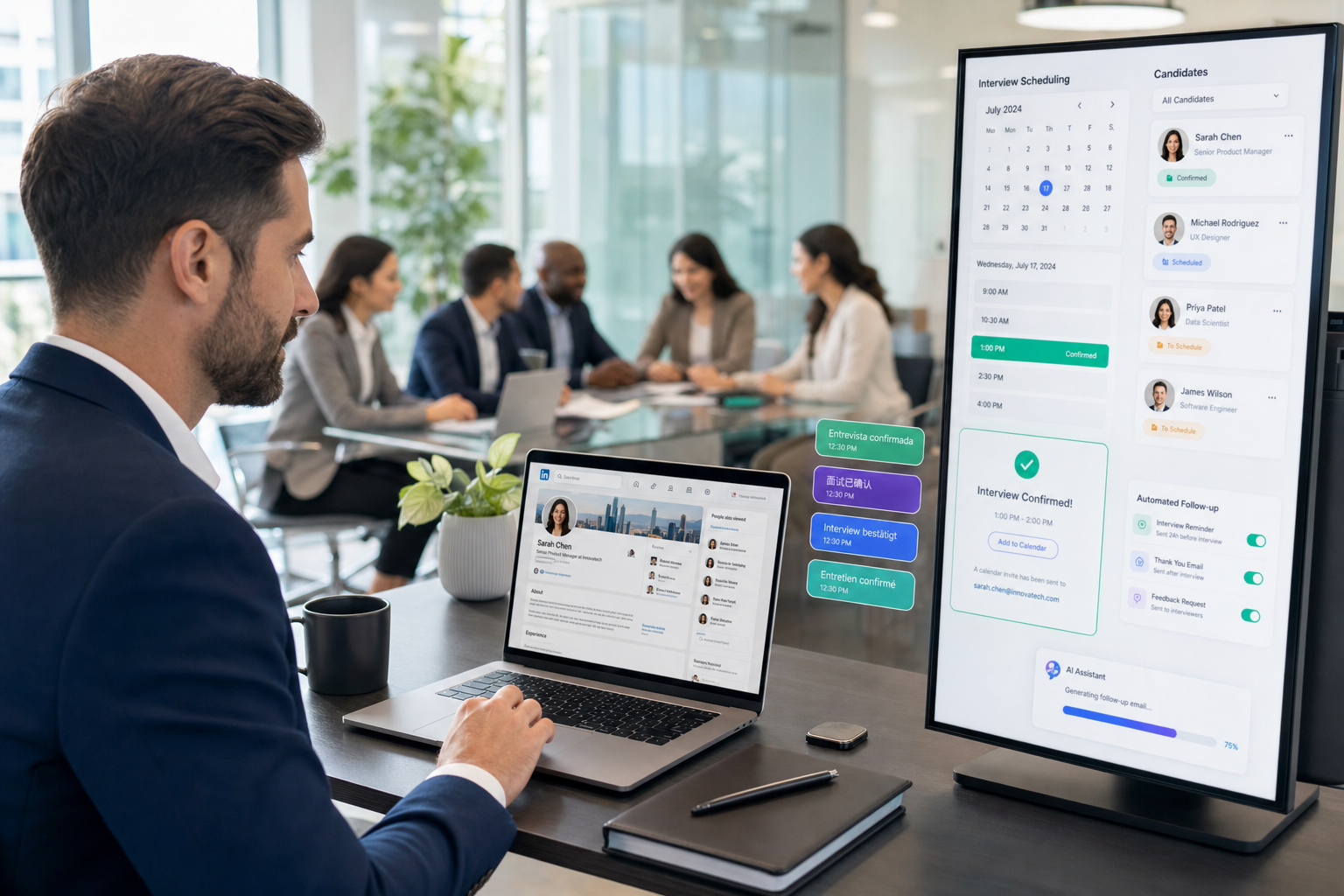
This article helps headhunters judge whether an interview scheduling app will prevent candidate drop-off and coordination delays.
That conclusion matters because scheduling failure is rarely just an admin annoyance. In small agencies, owner-led search firms, and lean in-house teams, every extra email thread slows shortlist momentum, creates more chances for interviewer confusion, and makes candidates feel like the process is less organized than the role itself. The visible symptom is often a polite message asking when can we meet, but the underlying cost shows up in lost response windows, duplicated coordination, damaged recruiter credibility, and preventable drop-off when strong applicants are interviewing elsewhere.
In my own workflow, I have found that tools such as StrategyBrain AI Recruiter help most when they are used to remove the repetitive communication that surrounds interview scheduling rather than replace recruiter judgment. Its always-on candidate messaging, multilingual follow-up, and automated capture of candidate replies can keep momentum moving before and after the scheduling step, especially when replies come in after hours or across time zones. The recruiter still has to review the resume, decide who advances, and set the right interview sequence, but that support layer reduces the lag that usually turns simple coordination into a hiring bottleneck.
A useful way to see the problem is through volunteer recruitment rather than corporate hiring. In the source scenario behind this article, the work did not begin with software selection at all. It began with people trying to serve others consistently: a single parent traveling with two children, a disabled veteran moving through airports with an assistance dog, and overworked staff across transportation and hospitality helping them at each step. That observation led into nonprofit board work, where leaders spent three years repairing governance, improving communication, building multiple funding streams, and moving basic operations onto cloud platforms so the organization could become stable and transparent enough to support its mission.
From there, recruitment became the next operational test. Volunteer intake was tracked in a simple sheet, information sessions were organized as recurring education lunches, applicants completed long forms before attending, and only genuinely committed people continued through the process. The lesson was not that every organization needs the same events or forms. The lesson was that progress had to be tracked, the process had to be repeatable, demand had to be managed, and candidates or volunteers had to be treated generously. That is exactly where an interview scheduling app earns its place in hiring today: not as a calendar toy, but as infrastructure for a repeatable recruiting process that works for agencies, employers, and teams evaluating scheduling software for small business.
- An interview scheduling app should remove coordination waste, not simply move email chains into another screen.
- The strongest hiring workflows borrow from good nonprofit and volunteer operations: track progress, make steps repeatable, and respect the people moving through the process.
- Small teams usually benefit most from reliable calendar sync, self-scheduling, reminders, and simple rescheduling.
- Candidate communication support before and after booking can matter as much as the booking link itself.
- Why interview scheduling breaks in real recruiting workflows
- What automated interview scheduling should actually do
- Four process lessons that improve scheduling
- Core features to look for in an interview scheduling app
- How scheduling software for small business fits hiring
- Comparing scheduling software options
- A practical workflow for implementation
- FAQ
Why interview scheduling breaks in real recruiting workflows
Recruiters often describe scheduling as a calendar problem, but in practice it is a process design problem. When interview booking stalls, the failure usually sits upstream: unclear stages, inconsistent ownership, weak follow-up discipline, or no shared rule for how long a candidate should wait between steps.
The nonprofit recruitment example above is useful because it shows the same operating truth in a different setting. Progress improved only after the team made communication more transparent, moved essential work into shared systems, and stopped relying on ad hoc effort. Hiring teams face the same challenge. If recruiter screens, manager interviews, and panel rounds are all handled differently, then the scheduling layer becomes fragile even if everyone is working hard.
For headhunters, this fragility is especially expensive. A search consultant may be juggling client calendars, candidate availability, and after-hours replies from passive talent. For in-house teams, the risk is more internal: hiring managers delay confirmations, interviewers overlook invites, and candidates wait too long for next steps. In both cases, the message thread eventually circles back to the same inefficient question: when can we meet.
What automated interview scheduling should actually do
Automated interview scheduling should create a controlled path from interest to booked conversation. That includes matching availability, sending confirmed options, handling changes cleanly, and making sure everyone receives the right details at the right time.
A good interview scheduling app helps recruiters do four things better:
- Track progress: know exactly where each candidate sits between outreach, screening, manager review, and booked interview.
- Make the process repeatable: use standard stages, durations, reminders, and buffers instead of reinventing scheduling each time.
- Manage demand: avoid opening unlimited availability that overwhelms interviewers or creates false urgency.
- Be generous to candidates: give clear options, timely replies, and enough context to help people say yes with confidence.
That framework comes directly from how disciplined volunteer recruitment worked in the reference scenario. The medium was different, but the operating principles transfer cleanly to hiring. Recruitment improves when each step is visible, repeatable, and respectful.
Key insight: The best scheduling workflow does not start with a booking link. It starts with a process your team can run the same way every time.
Four process lessons that improve scheduling
1. Track progress visibly
In the nonprofit example, the team used a simple shared sheet much like a lightweight ATS or CRM. That matters because scheduling breaks when nobody has a single source of truth. Recruiters need to know who is awaiting outreach, who was invited, who booked, who asked to reschedule, and who is stalled pending manager feedback.
If your team cannot answer those questions quickly, your scheduling problem is partly a tracking problem.
2. Make recurring steps repeatable
The volunteer program did not try to onboard people one by one in a completely custom way. It created recurring information sessions, a standard commitment signal, and a repeatable intake path. Hiring teams can do the same by standardizing recruiter screens, hiring manager calls, and panel rounds.
That is where an interview scheduling app creates real value. Templates, round rules, and structured reminders make repeatability practical rather than theoretical.
3. Create healthy demand, not chaos
One subtle lesson from the reference material is that demand was shaped intentionally. Not everyone moved forward at once, and intake happened in cycles. In hiring, this translates into controlled scheduling windows, interviewer capacity planning, and not flooding managers with loosely qualified conversations.
Automation should help you pace interviews intelligently, not create a free-for-all where every open slot is exposed without context.
4. Treat candidates generously
The original scenario emphasized commitment from both sides, including something as simple as providing a good lunch at an education session. The modern hiring equivalent is not a meal. It is clarity, responsiveness, and respect. Candidates should know what the interview is for, how long it will take, who they are meeting, and what happens next.
Good scheduling is part of candidate care. It signals seriousness and reduces friction before evaluation even begins.
Core features to look for in an interview scheduling app
Not every scheduler is built for recruiting. Basic appointment tools can handle one-on-one meetings, but hiring usually needs more structure. When evaluating an interview scheduling app, these are the features that matter most in practice.
Two-way calendar sync
This is the baseline requirement. The system should read real availability, block booked times correctly, and update changes without duplicate invites or manual cleanup.
Candidate self-scheduling
Self-service booking removes the slowest part of the process. Instead of sending another note asking when can we meet, recruiters can send approved options and let the candidate choose.
Panel and multi-interviewer coordination
For hiring managers, founders, or technical panels, a recruiting-specific tool should coordinate multiple calendars without turning every round into a manual puzzle.
Automated reminders and confirmations
Clear reminders help reduce confusion about date, time zone, format, and joining details. They also lower avoidable no-shows.
Rescheduling without restarting
Strong rescheduling flows matter because interview plans change constantly. A candidate, manager, or panel member should be able to move a meeting without forcing the recruiter to rebuild the entire thread.
Templates for recurring interview stages
Templates support the repeatable process lesson from the nonprofit example. If your recruiter screen is always 30 minutes with a buffer and a reminder, that should be set once and reused.
ATS or CRM integration
Scheduling should fit the rest of your hiring workflow. If notes, stages, and communication live elsewhere, integration reduces duplicate effort and missed updates.
Communication support around scheduling
This is the feature area many teams underestimate. Booking is only one moment in the process. Candidates still ask questions, reply after hours, and confirm logistics asynchronously. In my experience, that is where AI Recruiter can work alongside a scheduling system effectively. I have used it to keep candidate conversations moving, answer basic role or process questions, and collect the details needed before I personally decide whether to advance someone to interview. That support is particularly useful when sourcing on LinkedIn across time zones, because momentum often gets lost before a scheduling link is ever sent.
How scheduling software for small business fits hiring
The buying logic behind scheduling software for small business is usually different from enterprise HR software. Smaller teams are not looking for complexity for its own sake. They need a tool that works with limited admin capacity, mixed interviewer discipline, and hiring processes that may still be evolving.
In many small businesses, recruiting is handled by a founder, office lead, solo recruiter, or agency partner rather than a large operations team. That makes simplicity a real requirement.
| Evaluation area | What small teams usually need | Why it matters |
|---|---|---|
| Setup | Quick configuration | There is rarely a dedicated systems owner |
| Availability | Reliable calendar sync | Manual checking creates delays and errors |
| Booking flow | Simple self-scheduling | Candidates can act without back-and-forth |
| Rescheduling | Clean change handling | Small teams need to recover quickly from conflicts |
| Multi-person rounds | Basic panel support | Founders and managers often join key interviews |
| Communication | Clear reminders and follow-up | Prevents confusion and protects employer brand |
For these teams, the right interview scheduling app should feel light but dependable. It should reduce coordinator work without demanding enterprise-level maintenance.
Comparing scheduling software options
For teams evaluating software rather than just process, three well-known options often come up in the US market: Calendly, GoodTime, and Cronofy-powered scheduling tools used inside recruiting workflows. Each serves a different level of complexity.
Calendly
- Experience: very easy for recruiters and candidates to understand.
- Effectiveness: strong for one-on-one booking and simple flows.
- Cost posture: generally accessible for small teams.
- Best fit: solo recruiters, small agencies, and lean businesses.
- How it works with AI Recruiter: useful when recruiter conversations and sourcing momentum are handled elsewhere, including LinkedIn follow-up assisted by AI Recruiter.
GoodTime
- Experience: more recruiting-focused than generic schedulers, especially for interview coordination.
- Effectiveness: stronger for panel interviews and larger hiring teams.
- Cost posture: usually better suited to organizations with higher hiring volume.
- Best fit: mid-market and enterprise recruiting functions.
- How it works with AI Recruiter: can complement sourcing and pre-screen communication, while the recruiter keeps final decision authority.
Cronofy-based scheduling layers
- Experience: often embedded or used behind the scenes in other HR workflows.
- Effectiveness: strong calendar infrastructure, but the recruiter experience depends on the front-end product using it.
- Cost posture: varies by implementation and vendor.
- Best fit: teams that need custom integrations or scheduling inside a broader tech stack.
- How it works with AI Recruiter: useful when communication automation and scheduling need to stay loosely coupled rather than forced into a single tool.
No single option wins for every hiring team. The right choice depends on whether your biggest problem is simple booking, panel coordination, or keeping candidate conversations alive until the interview is actually booked.
A practical workflow for implementation
If you are introducing automated interview scheduling, use a phased workflow rather than trying to solve every edge case immediately.
Step 1: Map your real interview path
Document the stages you actually run, who joins them, how long they last, and where delays usually happen.
Step 2: Standardize repeatable interview types
Create default templates for screens, hiring manager calls, and common panels. Borrow the repeatability lesson from the volunteer recruitment model.
Step 3: Connect calendars and test conflict rules
Automation depends on real availability. If calendars are inaccurate, the system will scale confusion instead of reducing it.
Step 4: Improve communication before the booking link
This is the stage many teams miss. In my own process, I have used StrategyBrain AI Recruiter to keep candidate replies moving on LinkedIn, clarify whether someone is interested, and gather resume or contact details before I personally step in to review fit. That has been most helpful when candidates respond outside office hours, because it prevents the lag that often causes scheduling momentum to die.
Step 5: Design reminders and rescheduling rules
Decide how confirmations, reminders, and change options will work. Candidates should never be unsure about next steps.
Step 6: Review exceptions manually
Executive searches, confidential replacements, and unusual panel sequences still need recruiter oversight. Automation should remove repetitive work, not remove professional judgment.
FAQ
What is an interview scheduling app?
An interview scheduling app is software that helps recruiters coordinate interview availability, send booking options, create calendar invites, trigger reminders, and handle rescheduling with less manual effort.
How does automated interview scheduling help candidate experience?
It reduces waiting time, removes repetitive email chains, and gives candidates clearer control over selecting a suitable slot.
Is scheduling software for small business enough for hiring?
Often, yes. If a small team needs reliable calendar sync, self-scheduling, reminders, and basic multi-person coordination, simpler tools can be enough. The key is matching the software to the actual hiring process.
Why do recruiters still end up asking when can we meet?
Usually because the process behind scheduling is not standardized. Without templates, approved interviewer availability, and clear ownership, teams fall back to manual email coordination.
Can AI support interview scheduling without replacing recruiter decisions?
Yes. Communication automation can keep sourcing and candidate follow-up active before scheduling, but the recruiter should still make the final call on fit, interview progression, and hiring decisions.
Conclusion
The strongest lesson from the reference story is simple: stable recruitment systems are built, not improvised. Whether the context is volunteer intake or executive hiring, progress improves when teams track movement, repeat what works, and treat people with respect.
That is why an effective interview scheduling app matters. It helps turn a fragile exchange of calendar emails into a dependable hiring process. And for teams comparing scheduling software for small business options, the best choice is usually the one that supports real workflow discipline, not the one with the longest feature list.
If your hiring process still depends on repeated emails asking when can we meet, there is a good chance the real need is not just faster booking. It is a more repeatable recruiting system from first reply to confirmed interview.