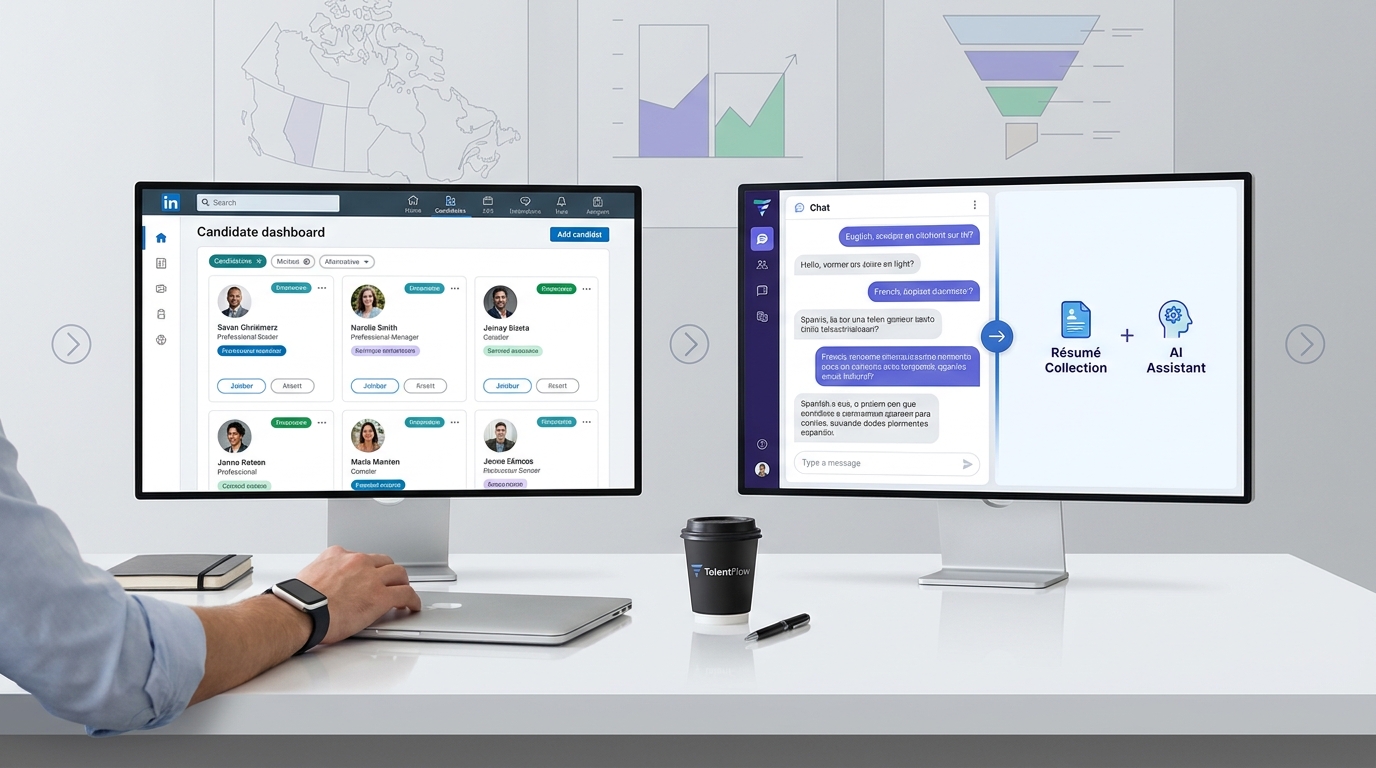
See where LinkedIn recruiting automation helps headhunters protect shortlist quality, avoid generic outreach, and keep candidate records usable.
That distinction matters more than most teams admit. Recruiters lose time in three places at once: building searches from vague briefs, chasing replies after hours, and trying to remember which candidates belong in the live shortlist versus the long-term pipeline. For a solo headhunter, that means missed conversations and weaker placement momentum. For a small agency owner, it means consultants spending prime hours on repetitive admin instead of client development. For an in-house recruiter, it often turns into inconsistent follow-up, duplicated outreach, and hiring managers asking for updates from a pipeline nobody has documented cleanly.
In my own LinkedIn-heavy sourcing work, I have found that StrategyBrain AI Recruiter is most useful when it handles the repetitive front-end communication that normally slows recruiters down, especially initial candidate outreach, after-hours replies, and résumé collection from interested prospects. Its multilingual response capability and always-on follow-up can reduce the dead time between first contact and real interest, but the recruiter still has to review the conversation, assess the résumé, and decide who should move forward.
A good way to understand the problem is to start with a market where recruiter choice still matters. In Edmonton, recruiters serve not only the city itself but also a wider Northern Alberta footprint that reaches places such as Fort McMurray, Jasper, Hinton, Grande Prairie, and Cold Lake. The local hiring mix is broad: energy, oil and gas, agriculture, manufacturing, and also newer demand across technology, health sciences, and education. In that kind of market, recruiters do not win because they send the most messages. They win because they know which searches deserve immediate attention, which employers need temporary versus permanent coverage, and which candidates belong in a relationship pipeline rather than a rushed sequence.
That is why lists of respected firms in Edmonton are revealing. Agencies are often valued for deep networks, temporary and permanent staffing capability, advisory strength, long-term matching, and personalized service rather than for blind outreach volume alone. When a recruiter is moving between contract staffing, permanent searches, and candidate relationship building across several industries, the real operational question becomes clear: what parts of the workflow can be safely automated without flattening all that judgment into generic activity?
The answer sits at the center of this topic. LinkedIn recruiting automation should help recruiters organize search work, maintain candidate communication, and keep records clean without turning recruiting into a copy of linkedin marketing automation or linkedin sales automation. Those adjacent categories also use lists, outreach, cadence, and reporting, but recruiting has a tighter requirement for fit, timing, and employer-brand credibility. The sections below break down what experienced recruiters can automate safely, what still requires human review, and where an AI-supported LinkedIn workflow fits beside an ATS.
- LinkedIn recruiting automation works best as workflow support, not as a substitute for recruiter judgment.
- The safest automation usually starts with search assistance, candidate organization, reminder logic, and recruiter-reviewed outreach support.
- Recruiting intent is different from linkedin marketing automation and linkedin sales automation, even when the mechanics look similar.
- Markets with broad industry coverage, like Edmonton and Northern Alberta, show why personalized service and long-term matching still matter.
- AI-supported messaging can help with response speed and résumé capture, but final qualification and next-step decisions still belong to the recruiter.
Table of Contents
- Why the best recruiters do not automate everything
- What is LinkedIn recruiting automation?
- What can recruiters automate safely on LinkedIn?
- Using AI Recruiter in real LinkedIn work
- What should not be automated?
- Recruiting vs linkedin marketing automation vs linkedin sales automation
- How to build a practical workflow
- Why ATS discipline still matters
- Best practices and common mistakes
- FAQ
Why the best recruiters do not automate everything
When recruiters talk about automation, the temptation is to think in volume. But the firms that earn a durable reputation in regional markets usually stand out for something else: they understand client context, they build the right shortlist for the right hiring model, and they keep communication personal enough that candidates respond like they are dealing with a real recruiter rather than a sequence machine.
The Edmonton example is useful because it reflects a mixed economy and mixed recruiting demands. A recruiter may be filling a temporary assignment for one client, a permanent specialist role for another, and future pipeline roles in an adjacent industry at the same time. That looks simple from the outside, but operationally it means different urgency levels, different messaging styles, and different handoff expectations. Automation can help, but only if it respects those differences.
In practice, that is the standard I use to evaluate any LinkedIn workflow. If the system helps me keep candidate conversations moving, capture intent cleanly, and protect my time for real assessment, it is useful. If it imitates recruiter behavior without preserving judgment, it creates noise faster than it creates hires.
What is LinkedIn recruiting automation?
LinkedIn recruiting automation is the use of approved tools, structured workflows, and AI-assisted support to reduce manual work in sourcing and outreach. The most valuable forms of automation help with candidate discovery, project organization, first-draft communication, follow-up timing, and résumé collection from interested prospects.
For experienced recruiters, the useful definition is narrow. Automation should assist the workflow, not impersonate the recruiter. That distinction is especially important in markets where relationship quality matters. If a recruiter is serving employers across energy, manufacturing, education, and health sciences, the challenge is not simply finding profiles. It is keeping the search logic, communication style, and recordkeeping aligned with each assignment.
In most mature teams, this also sits beside an applicant tracking system. LinkedIn supports discovery and engagement. The ATS supports process control, collaboration, notes, and reporting. That division of labor is still one of the clearest advantages of applicant tracking system adoption for recruiters who source heavily on LinkedIn.
What can recruiters automate safely on LinkedIn?
The safest form of linkedin recruiting automation improves speed and consistency without removing human review. In my experience, the best gains come from the preparation layer and the response-management layer, not from handing candidate-facing decisions to a black box.
1. Turning intake notes into a sourcing search
Recruiters are often given rough hiring briefs, overloaded job descriptions, or client wish lists that mix must-haves with preferences. AI-assisted search support can help translate those notes into a more useful LinkedIn search, especially for blended roles or hard-to-define skills.
That matters in broad labor markets. A recruiter covering both industrial and professional hiring cannot afford to run vague searches all day. Use automation to create a first pass, then tighten it manually around location, seniority, exclusions, and transferable backgrounds.
2. Candidate organization into live and future pipelines
One lesson from established recruiting firms is that not every good candidate belongs in the same bucket. Some are immediate interview prospects. Some are better suited for future openings. Some are temporary-placement options. Some belong in a long-term relationship pool.
Automation can help by routing candidates into projects, lists, or folders based on recruiter-defined logic. That saves time and keeps the team aligned, but the recruiter still has to decide what each list means and when someone should move into the formal process.
3. Outreach drafting and response handling
Personalized outreach is one of the hardest things to maintain at scale. A useful system can draft role-relevant messaging, answer basic questions, and maintain momentum when candidates reply outside working hours. That is where many recruiters feel the pressure most sharply, especially when handling searches across time zones or trying to keep warm candidates from going cold overnight.
The right rule is simple: automate the first layer of communication support, not the final judgment. A recruiter should still review message quality, fit logic, and next-step decisions.
4. Follow-up timing and reminder logic
Follow-up is often where good sourcing quietly fails. Candidates reply late, recruiters get pulled into client calls, and by the time somebody circles back, the prospect has already moved on. Structured reminders, stage-based follow-ups, and response tracking are low-risk, high-value uses of automation.
These are especially helpful in agency environments where one recruiter may be balancing retained searches, contingency roles, and temporary staffing requests at the same time.
5. Résumé and contact detail capture
Once a candidate shows genuine interest, the workflow often slows down on practical steps: asking for a résumé, confirming contact details, and making sure the information lands somewhere the team can use. This is a surprisingly good place for structured automation because it reduces admin friction while preserving the recruiter’s role in qualification.
Done well, this turns a chat thread into an actual pipeline asset rather than another message someone forgets to process later.
Using AI Recruiter in real LinkedIn work
I have seen the most practical value from AI Recruiter when a search has already been defined and the bottleneck is no longer finding names, but keeping initial conversations active. In that situation, the tool can automatically introduce roles, continue candidate conversations, ask about interest level, and request résumés or contact details from people who want to proceed. For recruiters handling high message volume or after-hours replies, that can remove a lot of dead time.
What I would not outsource is final qualification. Even the product’s own workflow logic points in that direction: it can identify willingness to talk and gather documents, but résumé review and fit assessment still need recruiter judgment. That aligns with how experienced headhunters actually work. Interest is not the same as suitability.
Another useful strength is multilingual communication. If you source across regions or support international hiring, candidates often respond in the hours when your team is offline. A system that can keep the conversation moving in the candidate’s own language can preserve response momentum, especially before interest fades. For recruiters who want to understand more about those workflows, the setup overview and the broader headhunter usage notes are worth reviewing.
Practical takeaway: AI-supported LinkedIn messaging is most defensible when it shortens response gaps, captures candidate intent, and hands the recruiter a cleaner next action.
That is also why this kind of support fits naturally beside an ATS instead of replacing one. The conversation layer may be automated in parts, but the decision layer still belongs to the recruiter and the hiring team.
What should not be automated?
The highest-risk category is any unofficial workflow that tries to mimic human platform behavior at scale without real recruiter oversight. That includes mass auto-actions, generic message blasts, or any process that makes it difficult to explain why a candidate was contacted and what happened next.
There are several reasons experienced recruiters should avoid that route:
- Policy risk: platform enforcement and acceptable-use expectations can change.
- Brand risk: candidates recognize generic outreach quickly, and recruiters rarely get a second first impression.
- Quality risk: too much automation can fill the pipeline with weak or mistimed conversations.
- Data risk: candidate information copied into uncontrolled tools creates governance problems.
In mixed markets like Edmonton, where recruiters may rely on long-term reputation, these risks are not theoretical. A poor automation habit can damage both current response rates and future credibility with the same talent pools.
Recruiting vs linkedin marketing automation vs linkedin sales automation
Searchers often compare these categories because they all involve outreach, segmentation, cadence, and reporting. But their intent is different, and that difference matters operationally.
| Area | Primary goal | Typical workflow | Main risk | Best advice |
|---|---|---|---|---|
| LinkedIn recruiting automation | Find and engage candidates | Sourcing, talent pools, recruiter-reviewed outreach, follow-up, ATS coordination | Inauthentic contact and weak qualification records | Keep candidate-facing decisions under recruiter control |
| LinkedIn marketing automation | Reach and measure audiences | Audience activation, campaign operations, privacy-aware measurement | Data-use governance and audience rules | Do not copy campaign logic into candidate outreach |
| LinkedIn sales automation | Prospect and manage accounts | List building, cadence planning, CRM sync, pipeline reporting | Scale overriding relevance | Use only the discipline, not the tone, from sales workflows |
How linkedin marketing automation differs
Linkedin marketing automation is usually built around campaigns, audience segments, and performance measurement. Recruiting can learn from that discipline, especially around segmentation and documentation, but candidate outreach needs a more individual fit hypothesis.
A candidate is not an ad audience. Even when the role is straightforward, the recruiter still has to connect the opportunity to a real career decision.
How linkedin sales automation differs
Linkedin sales automation often focuses on accounts, prospecting rhythm, and revenue pipeline. Some agency recruiters borrow language from sales because the work includes business development and relationship management. But candidate outreach is still more sensitive to timing, role relevance, and trust.
Sales-style cadence can be useful as a planning framework, but if recruiters copy it too literally, the messaging starts to feel transactional. That usually hurts response quality.
How to build a practical workflow
The best workflow is usually recruiter-led, AI-supported, and ATS-documented. It should help a recruiter move from intake to conversation without losing context along the way.
- Start with the business context. Define what the role is solving, not just the title. In mixed economies and multi-industry markets, this matters more than keyword matching alone.
- Translate the brief into a search. Use AI assistance to get started, then refine around skills, geography, seniority, and adjacent backgrounds.
- Split candidates by purpose. Separate live shortlist profiles from long-term pipeline names, temporary staffing possibilities, and future-fit specialists.
- Use supported outreach. Let automation help open the conversation and maintain reply speed, but review quality before any serious next step.
- Capture résumés and contact details cleanly. Make sure interested candidates move from chat thread to usable record.
- Move qualified prospects into the ATS. This is where the formal process begins.
- Review outcomes weekly. Track response quality, shortlist strength, and stalled conversations instead of watching volume alone.
This workflow also explains why respected recruiters are still judged on tailored service. Tools can shorten repetitive steps, but they do not remove the need to understand the client’s long-term goal, hiring model, and preferred type of fit.
Why ATS discipline still matters
LinkedIn is powerful for discovery and engagement, but it is not enough on its own if multiple recruiters, coordinators, or hiring managers need visibility. Once a search gains momentum, an ATS becomes the system that keeps everyone aligned.
Where the ATS fits for recruiters
An applicant tracking system for recruiters creates the record of status, ownership, notes, stage movement, and interview progression. Without it, LinkedIn activity turns into memory-based recruiting, which rarely scales well.
Advantages of applicant tracking system use
- Centralized candidate records
- Cleaner handoffs between sourcing and interviewing
- Better visibility for hiring managers
- Less duplicate outreach
- Stronger documentation for follow-up and retrospectives
These advantages become even more obvious when candidate conversations start through automation support. If a system helps generate interest and collect documents, the ATS is what ensures the resulting information is usable by the whole team.
Best recruiting software: what to look for
The best recruiting software is not the one that automates the most visible actions. It is the one that supports sourcing precision, preserves judgment, keeps data organized, and reduces wasted recruiter time.
Questions worth asking:
- Does it improve search quality or only increase outreach volume?
- Does it help with candidate response speed?
- Can it capture résumés and contact details cleanly?
- Does it work alongside ATS discipline instead of fragmenting the workflow?
- Does it still leave final fit assessment to the recruiter?
Best practices and common mistakes
If you want linkedin recruiting automation to hold up over time, build it around quality controls rather than novelty.
Best practices
- Use automation where delay hurts most. After-hours response gaps and résumé collection are usually better targets than final qualification.
- Segment pipelines clearly. Immediate shortlist, future-fit, temporary staffing, and relationship pool candidates should not be mixed together.
- Keep message relevance high. Personalization should be anchored in role logic, not generic flattery.
- Document every real next step. Candidate interest without usable records is not pipeline strength.
- Review workflow by market type. A broad regional market needs more nuance than a single-volume campaign approach.
Common mistakes
- Borrowing sales cadence without recruiting context
- Treating all sourced candidates as if they belong in the same funnel
- Automating candidate-facing actions without review
- Letting LinkedIn chats replace structured records
- Measuring message count instead of conversion quality
From experience, the strongest recruiters are usually not the loudest users of automation. They are the ones who know which parts of the process deserve speed and which parts still require a real recruiting conversation.
FAQ
Is LinkedIn automation allowed for recruiters?
Some workflow assistance is appropriate when it supports search creation, organization, drafting, follow-up, and recruiter-reviewed communication. The risky area is automation that imitates human actions or removes oversight from candidate-facing steps.
What parts of recruiting can be automated safely on LinkedIn?
Safe areas usually include search support, project organization, reminder logic, first-draft outreach help, after-hours reply handling, and résumé or contact-detail capture from interested candidates.
Can AI handle candidate qualification on its own?
It can help identify willingness to engage and keep communication moving, but final qualification still requires recruiter review. Interest and fit are not the same thing.
How does linkedin marketing automation relate to recruiting?
It overlaps in the language of segmentation and workflow, but marketing focuses on campaigns and audiences. Recruiting requires individual fit assessment and more personalized communication.
How does linkedin sales automation compare?
Sales automation can teach recruiters something about cadence discipline and pipeline visibility, but candidate outreach needs tighter relevance and a lighter touch.
Do I still need an ATS if I recruit mostly on LinkedIn?
Yes. LinkedIn is excellent for discovery and conversation, but an ATS provides the process control, documentation, and collaboration layer that turns sourcing activity into a managed hiring workflow.
Conclusion
LinkedIn recruiting automation works when it protects the parts of recruiting that make good recruiters valuable: judgment, context, timing, and credibility. The best systems reduce repetitive work, keep candidate conversations active, and help recruiters move interested people into a documented process without losing control of fit decisions.
If you recruit in a market with mixed industries, variable assignment types, or long-term relationship hiring, that distinction becomes even more important. Borrow useful structure from automation, but do not let automation flatten the craft of recruiting. That is the standard that keeps both your pipeline and your reputation healthy.