


This article helps headhunters judge linkedin recruiting automation, avoid risky workflows, and stop candidates slipping away.
That sounds simple until hiring demand shifts faster than the recruiting desk can keep up. When new role clusters appear, when niche operations leaders suddenly need lean process knowledge, IoT literacy, or exposure to emerging production environments, recruiters feel the strain in very practical ways: candidate replies get buried, sourcing notes live in too many places, hiring managers lose visibility, and promising prospects cool off before anyone follows through. For small agencies, that means wasted billable time. For in-house teams, it means slower hiring and weaker stakeholder trust.
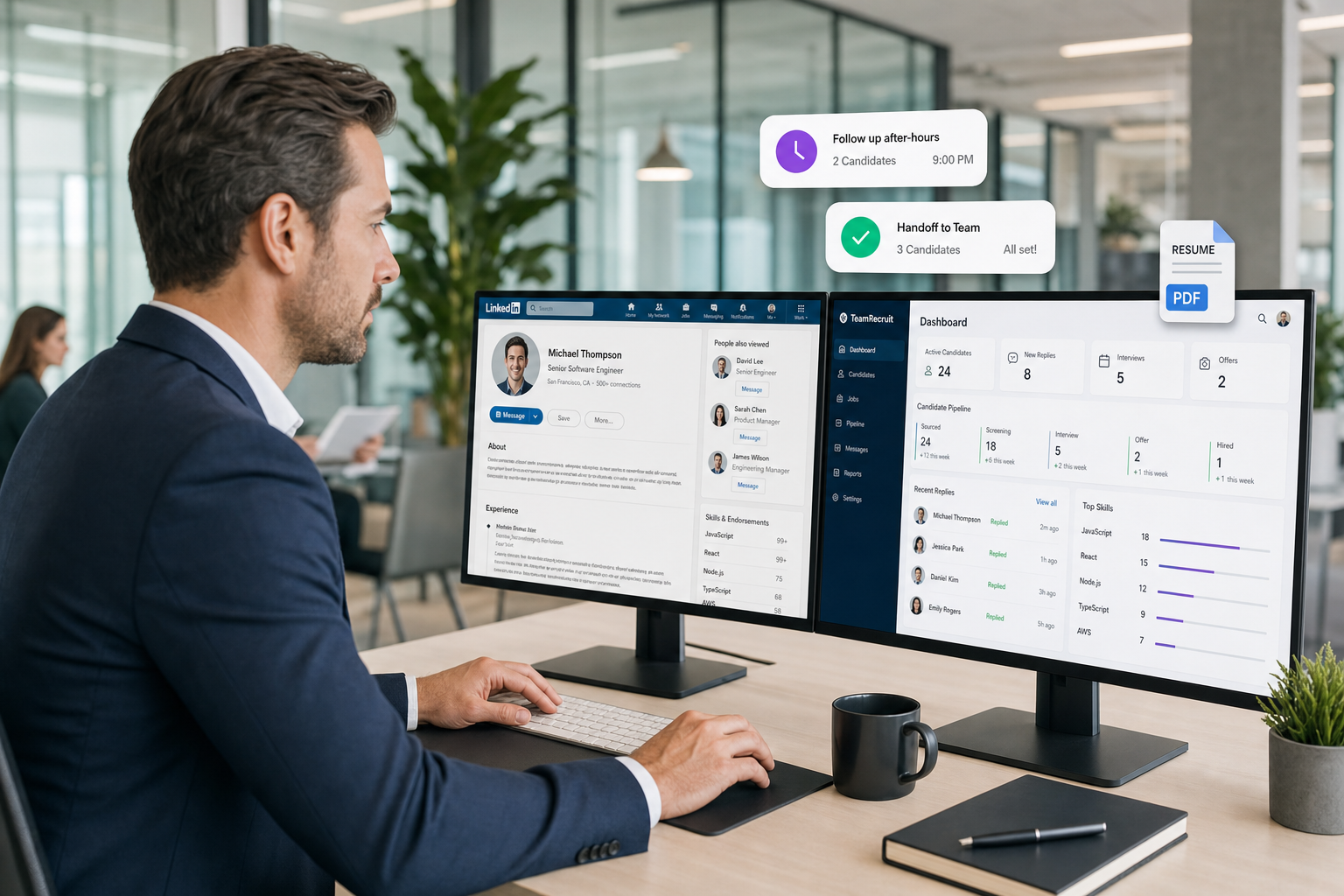
In my own workflow, one reason I started paying closer attention to AI Recruiter was not to hand over final recruiting decisions, but to reduce the messy middle between outreach and recruiter review. For roles where response timing matters, the tool can keep candidate conversations moving, handle after-hours follow-up, and collect resumes or contact details from interested people before momentum fades. The recruiter still has to evaluate the resume, decide fit, and choose the next step, but the handoff becomes much cleaner than trying to reconstruct everything from scattered LinkedIn threads.
A useful way to understand the real value of automation is to look at how recruiting pressure builds when operations trends change. A few years ago, many operations-focused hiring conversations started shifting around four themes: lean manufacturing, the rise of cannabis facilities, the spread of IoT in production, and more visible use of 3D printing. None of those trends simply created "more jobs." They changed what employers expected from operations managers and what recruiters had to track when opening a search.
Once those requirements started stacking up, the bottleneck was not just finding profiles on LinkedIn. It was documenting who had relevant supply-chain discipline, who had touched fast-moving regulated environments, who understood connected equipment, and who could discuss new production methods credibly with a client. That is the bridge to this article: linkedin recruiting automation works best when it supports trend-sensitive recruiting operations, and when teams understand how that differs from linkedin marketing automation or generic linkedin marketing software.
Table of Contents
- Why recruiting trends change automation needs
- What linkedin recruiting automation actually means
- Safe workflows vs risky LinkedIn automation
- Trend-driven workflows recruiters should automate
- ATS vs CRM vs recruitment automation platform
- Software categories and practical tradeoffs
- How to measure recruiting outcomes
- Common mistakes teams make
- FAQ
Why Recruiting Trends Change Automation Needs
Experienced recruiters know that automation decisions rarely start with software. They start with market movement. When employers begin emphasizing new operational priorities, the workload behind each search changes first. The operations management hiring patterns tied to lean manufacturing, tightly controlled logistics, connected equipment, and newer production models are a good example.
Lean environments demand more than broad operations experience. Employers often want evidence of waste reduction, throughput discipline, layout efficiency, inventory control, and better use of labor hours. In regulated or newly scaled production sectors, they also want leaders who can satisfy both output goals and compliance expectations. Add IoT exposure or familiarity with 3D printing and the recruiting task becomes less about volume and more about accurate tracking of specialist signals.
That is where automation helps in the right places. Not by pretending to be a recruiter inside LinkedIn, but by giving recruiters a system for tracking replies, tagging candidate backgrounds, routing records, maintaining outreach continuity, and preserving context as requirements evolve.
Practical takeaway: The more specialized and trend-driven the search, the more valuable workflow automation becomes—and the less useful risky in-platform automation looks.
What LinkedIn Recruiting Automation Actually Means
LinkedIn recruiting automation is the use of systems, rules, and connected workflows to reduce manual work around sourcing, response handling, applicant capture, pipeline movement, and reporting without relying on prohibited automated activity on LinkedIn itself.
That distinction matters because many buyers still lump together recruiting use cases and marketing use cases. In reality, recruiting teams usually need operational control, not social growth mechanics. The overlap with linkedin marketing automation is mostly linguistic. The underlying job is different.
Recruiters dealing with shifting operations profiles need automation that helps them answer practical questions:
- Who replied and what did they say?
- Which candidates shared resumes or contact information?
- Which backgrounds match the current requisition version?
- Which searches are stalling because the hiring manager changed the brief?
- Which source is actually producing qualified conversations?
Those needs point toward workflow automation, ATS discipline, and CRM organization—not mass activity that imitates human behavior inside LinkedIn.
Safe Workflows vs Risky LinkedIn Automation
Recruiting leaders should separate approved operational support from automation that creates account, compliance, or authenticity risk.
Safer workflow areas
- Job distribution through approved posting or feed-based workflows
- Candidate intake into an ATS or recruiting database
- Resume and contact collection after a candidate expresses interest
- Response tracking so recruiters do not lose active conversations
- CRM segmentation by function, geography, readiness, or skill cluster
- Task routing for recruiter follow-up, scheduling, and hiring-manager reminders
- Analytics for source quality, stage conversion, and recruiter throughput
Higher-risk areas
- Scraping LinkedIn data through unauthorized methods
- Browser automation that simulates recruiter actions
- Automated bulk messaging designed to mimic authentic 1:1 outreach
- Uncontrolled account activity across multiple sessions or patterns
- Weak data governance around exported candidate information
If a workflow depends on acting like a recruiter on LinkedIn rather than supporting the recruiter around LinkedIn, it deserves much stricter scrutiny.
Trend-Driven Workflows Recruiters Should Automate
The reference point from operations recruiting is useful here because it shows how quickly candidate evaluation criteria can multiply. When employers shift toward leaner supply chains, smarter facilities, more regulated production, or newer manufacturing methods, recruiters need systems that preserve nuance instead of flattening everything into generic sourcing volume.
1. Requisition tracking when role requirements evolve
Operations searches often shift after kickoff. A hiring manager may begin by asking for broad plant leadership, then add lean warehousing exposure, logistics coordination, or comfort with connected equipment. If that change only lives in email or memory, the search drifts fast. Workflow automation should timestamp requirement changes, trigger recruiter reminders, and keep notes tied to the role record.
2. Candidate tagging by operational signals
When I worked searches with overlapping operations themes, the most useful automation was not flashy. It was careful tagging. Candidates needed to be sortable by real signals such as process-improvement ownership, regulated environment exposure, distribution efficiency work, or technical familiarity with manufacturing innovation. That kind of structure makes later follow-up much stronger.
3. Reply capture and after-hours continuity
Many qualified candidates answer after work, especially those already running plants, warehouses, or production teams. A useful support workflow is one that keeps the conversation moving until the recruiter can review it properly. In that narrow sense, AI Recruiter can be helpful: it can continue role-related dialogue, respond in the candidate's language when needed, and collect resume or contact details from interested prospects. I found that particularly relevant on searches where time-zone gaps and delayed replies would otherwise force me to restart the conversation manually the next day. The final fit call still sat with me, not the system.
4. Talent pool segmentation for emerging industry pockets
The original operations trends also highlighted how new sectors can quickly become serious recruiting markets. When a regulated growth area opens up, recruiters need more than a one-off sourcing push. They need to store and segment people who may fit later as the market matures. That is classic CRM work, not a use case for linkedin marketing software.
5. Feedback routing across recruiter and hiring team
Trend-heavy searches create more interpretation, not less. Recruiters need structured feedback loops when deciding whether a candidate's logistics background is close enough to a lean manufacturing brief, or whether exposure to smart-factory systems is deep enough to matter. Automation helps when it routes that feedback request and records the answer. It fails when teams expect software to remove the need for judgment.
ATS vs CRM vs Recruitment Automation Platform
Most teams evaluating linkedin recruiting automation are really choosing among system roles, not one universal tool.
| Category | Primary Job | Best Use Case | What It Solves in Practice |
|---|---|---|---|
| ATS | Track applicants, stages, requisitions, and compliance records | Structured hiring operations | Stops candidate loss, improves visibility, centralizes process history |
| Recruitment CRM | Organize and segment talent pools for future hiring | Relationship-based sourcing | Keeps emerging-market candidates reusable over time |
| Recruitment automation platform | Coordinate workflows across sourcing, messaging, capture, and reporting | Teams with multi-step recruiting operations | Reduces manual handoffs and scattered recruiter admin work |
For trend-sensitive operations recruiting, the ATS is often the first anchor because role changes, feedback, source tracking, and candidate stage movement need a reliable home. The CRM becomes critical when the market is changing and recruiters want to retain people from adjacent sectors for future openings. A broader automation layer matters when the team is spending too much time retyping notes, chasing replies, and moving data across systems.
Software Categories and Practical Tradeoffs
Because user intent around this topic often overlaps with software evaluation, it helps to compare three practical categories recruiters actually encounter: ATS platforms, recruitment CRM systems, and LinkedIn-focused conversation automation tools.
1. ATS platforms
Strengths: strong requisition control, stage tracking, hiring-manager visibility, audit trails, and reporting.
Weaknesses: often less flexible for early LinkedIn conversation handling and passive-candidate continuity.
Best for: in-house teams and agencies that already have enough inbound or active pipeline to justify process structure first.
Cost pattern: usually subscription-based with team-level implementation overhead.
How it works with AI Recruiter: useful as the system of record after early LinkedIn interest has been captured and reviewed by the recruiter.
2. Recruitment CRM systems
Strengths: segmentation, nurture logic, talent pool reuse, and better long-cycle relationship management.
Weaknesses: can become an expensive contact database if recruiters do not maintain tagging discipline.
Best for: agency teams, executive search firms, and internal sourcing functions that recruit repeatedly into the same talent pockets.
Cost pattern: moderate to high depending on seats and data depth.
How it works with AI Recruiter: conversations that surface candidate interest can be moved into segmented nurture lists for later recruiter action.
3. LinkedIn-focused conversation automation tools
Strengths: faster response continuity, reduced manual follow-up, multilingual candidate communication, and interest capture before recruiter review.
Weaknesses: teams must examine compliance posture, workflow boundaries, and how much recruiter oversight remains in place.
Best for: recruiters handling high message volume, cross-border searches, or after-hours response gaps.
Cost pattern: varies widely; buyers should verify actual workflow fit instead of trusting aggressive productivity claims.
How it works with AI Recruiter: in my experience, AI Recruiter is most useful when treated as support for first-touch continuity and candidate information capture, while the recruiter retains shortlist control, evaluation responsibility, and client communication.
This is also where confusion with linkedin marketing automation and linkedin marketing software creates bad buying decisions. Marketing tools optimize audience reach, campaign timing, and social engagement. Recruiting tools should be judged on candidate flow, recruiter workload, record quality, and fit with hiring operations.
How to Measure Recruiting Outcomes
If you want a sober evaluation of linkedin recruiting automation, avoid vanity metrics and focus on operating results.
| Outcome Area | What to Measure | Why It Matters |
|---|---|---|
| Response continuity | Percentage of candidate replies acknowledged and logged | Shows whether conversations are being lost |
| Recruiter productivity | Time spent on follow-up, sorting, and record updates | Reveals whether admin work is dropping |
| Candidate capture | Interested candidates who share resumes or contact details | Measures handoff quality before formal screening |
| Source quality | Interview and hire conversion by source | Separates traffic from actual recruiting value |
| Role adaptation speed | Time to update search criteria and re-prioritize pipeline | Important when trend-driven jobs evolve mid-search |
| Data integrity | Duplicate records, missing notes, incomplete status histories | Determines how trustworthy your reporting is |
For operations-heavy roles especially, measurement should reflect the fact that market needs change. If your automation cannot help the team absorb revised criteria without losing context, it is not doing enough.
Common Mistakes Teams Make
Treating all automation as equally acceptable
Recruiters often talk about automation as if it were one category. It is not. Workflow support, ATS updates, and candidate routing are very different from automating LinkedIn behavior directly.
Buying before mapping the workflow
If your team cannot explain how a candidate moves from first reply to recruiter review to hiring-manager submission, software will only hide the confusion.
Ignoring market-shift complexity
The operations-management example matters because it shows how hiring criteria evolve with industry change. Teams that do not build workflows for changing requirements tend to lose good candidates in the noise.
Confusing recruiting with marketing
Searchers often compare recruiting tools with linkedin marketing software because the wording feels adjacent. But recruiters are not nurturing anonymous leads at scale. They are evaluating fit, timing, interest, and record quality in a governed hiring process.
Over-trusting automated communication
Even when a tool helps maintain momentum, candidates still need a real recruiter to interpret nuance, judge readiness, and decide whether to move forward. Automation should shorten the path to judgment, not replace judgment.
FAQ
Is linkedin recruiting automation safe?
It can be, if the automation supports recruiting operations rather than imitating user actions on LinkedIn. Safer areas include response tracking, candidate capture, ATS movement, CRM segmentation, and reporting.
How is linkedin recruiting automation different from linkedin marketing automation?
Linkedin marketing automation is generally built for audience growth, campaign distribution, or social engagement. Recruiting automation is built for candidate flow, recruiter follow-up, record management, and hiring decisions.
Do recruiters still need an ATS if they use LinkedIn heavily?
Usually yes. LinkedIn may help generate conversations, but the ATS gives the team a durable system for requisitions, stages, reporting, and compliance records.
Where does a recruitment CRM fit?
A CRM matters when your team wants to keep reusable talent pools, especially in markets where demand rises quickly or role definitions shift over time.
Is linkedin marketing software useful for recruiters?
Only in limited overlap areas, such as employer brand distribution. For direct recruiting operations, most teams need ATS, CRM, or recruiter workflow tools more than they need traditional linkedin marketing software.
What is the best use of AI-supported LinkedIn workflows?
The most practical use is to keep candidate conversations from stalling, capture interest cleanly, and give recruiters better continuity before they review resumes and make actual screening decisions.
Conclusion
The most practical lesson from linkedin recruiting automation is the same one operations hiring keeps teaching recruiters: when the market changes, tracking discipline matters more than noise. Lean manufacturing, regulated production, IoT adoption, and new production methods all increased the complexity of what recruiters had to notice, remember, and act on. The right automation response is not reckless in-platform activity. It is better workflow design.
If you are evaluating tools in this space, separate recruiting operations from marketing language, protect recruiter judgment, and choose systems that help your team capture replies, organize candidate signals, and adapt when role requirements evolve. That is where linkedin recruiting automation earns its place.














