


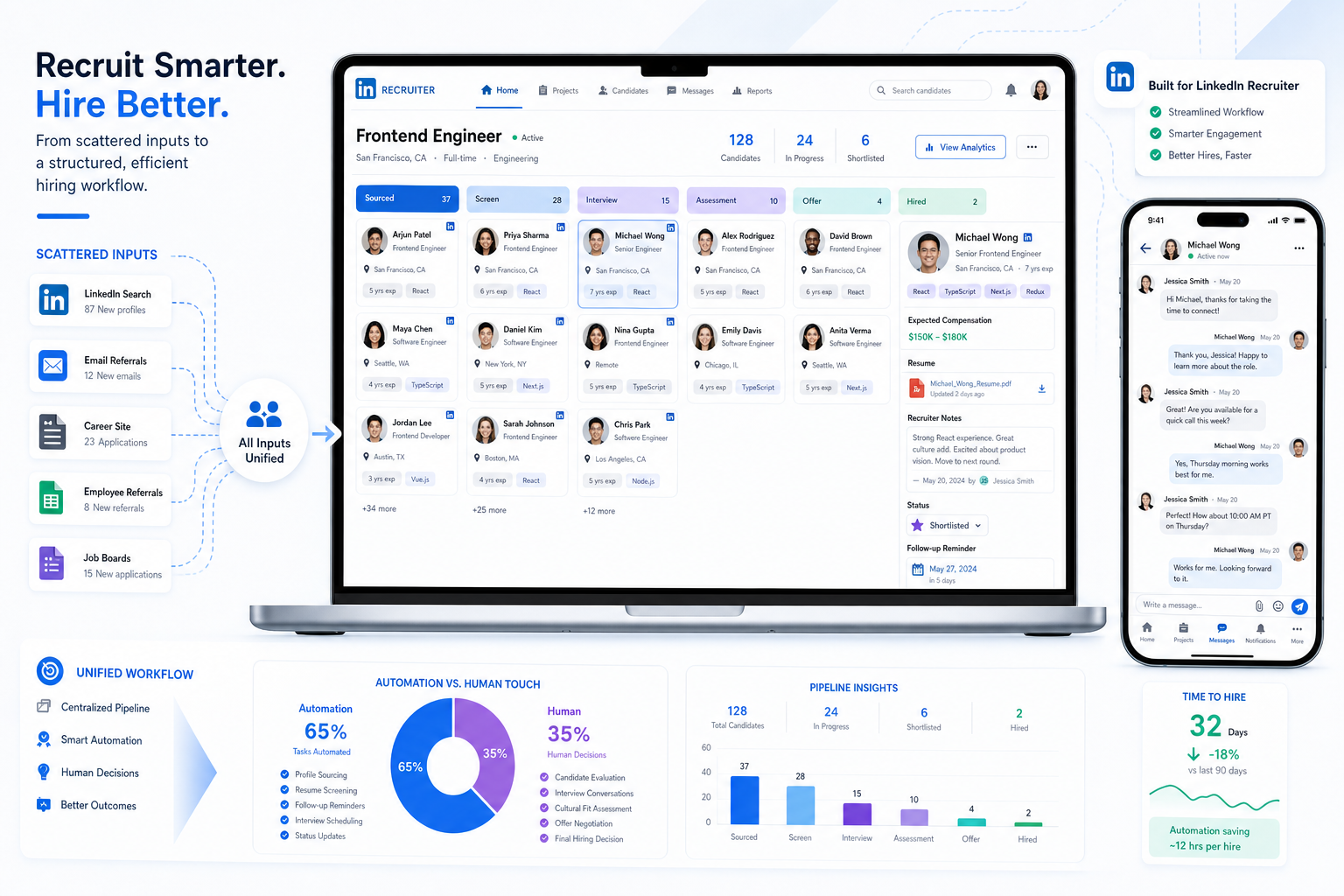
Scattered candidate signals cost recruiting leaders time and shortlist quality; this article helps evaluate recruiting and applicant tracking software to avoid that.
That matters more than many teams admit. When motivation, compensation expectations, location limits, and willingness to move are scattered across inboxes, call notes, LinkedIn messages, and spreadsheets, recruiters lose time, hiring managers lose confidence, and candidates get a process that feels inconsistent. For solo headhunters, small agency owners, and in-house talent teams, the damage is not just administrative. It shows up in missed follow-ups, weak shortlist quality, unnecessary interviews, counteroffer surprises, and preventable drop-off late in the process.
One practical way to reduce that friction is to use automation where the work is repetitive but keep recruiter judgment where the decision is nuanced. I have found that StrategyBrain AI Recruiter is most useful at the front end of outreach and response handling, especially when recruiters need timely LinkedIn conversations, after-hours follow-up, and quick collection of resumes or contact details from interested prospects. In my own workflow, tools like this helped keep candidate communication moving while I still handled the final resume review, fit assessment, and next-step decision with the hiring manager.
Think about the candidate side of the process for a moment. Someone in accounting or finance decides the market is no longer giving them the right opportunities, so they finally engage a recruiter. The first useful conversation is rarely about a job title alone. It is about why they want to leave, whether compensation is really the issue, whether they would stay if their manager fixed the role, what work-life constraints are non-negotiable, and how specific they can be about industry, level, and role scope. A recruiter starts taking notes, checks prior applications, opens a requisition list, and tries to match those answers to active searches.
If those details live only in memory or scattered notes, the recruiter has to repeat questions, re-check messages, and guess at fit later when urgency rises. That is exactly where strong process design matters. The opening candidate conversation exposes the bigger system question: how does ATS work when motivation, compensation, role preferences, and process status all need to stay visible across sourcing, screening, manager alignment, and offer decisions? It also explains why the most important applicant tracking system features are not just posting tools, but searchable records, structured stage movement, communication history, and automation that supports better recruiter judgment.
- An ATS works best when it captures not only applications but also the decision context behind a candidate move.
- Recruitment automation tools are most valuable on repetitive tasks such as outreach follow-up, reminders, scheduling, and status communication.
- Early candidate signals like motivation, compensation needs, flexibility, and lifestyle constraints should be visible inside the workflow, not trapped in side notes.
- The strongest applicant tracking system features improve process visibility, recruiter consistency, manager participation, and data integrity.
- Compliance, privacy, audit trails, and integrations matter as much as convenience when evaluating software.
Table of Contents
- Why Candidate Context Matters in Hiring Software
- How Does ATS Work in Real Recruiting?
- Applicant Tracking System Features That Matter Most
- Where Recruitment Automation Tools Help Most
- ATS vs Recruiting CRM
- How to Evaluate Recruiting and Applicant Tracking Software
- Common Buying and Implementation Mistakes
- FAQ
Why Candidate Context Matters in Hiring Software
Most discussions of recruiting and applicant tracking software start with requisitions, resumes, and interview stages. In practice, recruiters know the process starts earlier. A serious hiring conversation often begins with candidate intent: why this person is open, what they actually want next, what they will not compromise on, and whether they are truly prepared to move.
That is the lasting value in the recruiter-candidate logic behind the reference scenario above. Before a recruiter can place someone well, they need clarity on motivation, specificity around target roles, honesty about counteroffer risk, realistic compensation expectations, and any non-work constraints that affect fit. Those are not soft details. They are operating data. If your system cannot capture and reuse them cleanly, the team ends up rediscovering the same information at every stage.
For recruiters, that means duplicate screening work. For hiring managers, it means weaker calibration and more avoidable interviews. For candidates, it means a process that feels generic instead of consultative.
Practical takeaway: Before comparing tools, map the information your recruiters learn in the first serious candidate conversation. If that information cannot be stored, searched, and acted on later, your workflow will leak quality no matter how many automations you add.
How Does ATS Work in Real Recruiting?
The clearest answer to how does ATS work is that it moves candidate, job, and decision data through a structured hiring workflow. It is the system of record for who applied, who was sourced, what stage they are in, what happened next, and why decisions were made.
- Open the requisition. The recruiter or HR partner creates the role, assigns owners, defines location, compensation range where applicable, and sets approval steps.
- Publish or source. The team posts the role to relevant channels or begins proactive sourcing through databases, LinkedIn, referrals, and past applicants.
- Capture interest and applications. Candidates apply directly or enter the process from outreach, referrals, or recruiter-led conversations.
- Create a structured candidate record. The system stores resume data, contact information, communication history, screening responses, and internal notes.
- Screen with context. Recruiters review must-have qualifications, but also motivation, compensation alignment, timing, location, and flexibility.
- Move candidates through stages. The ATS tracks progress from applied or sourced to screened, interviewed, shortlisted, offered, hired, declined, or retained for future roles.
- Trigger tasks and communication. Automation can send confirmations, prompt interview feedback, route approvals, and remind stakeholders when action is overdue.
- Report on outcomes. The team can review pipeline health, bottlenecks, source effectiveness, and reasons for attrition or decline.
The important point is that an ATS is not just a resume filing cabinet. A good one helps recruiters preserve the reasoning around a candidacy. If a finance candidate says they want a new role because growth has stalled, but would stay if leadership changed or scope increased, that information should not disappear after the first call. It should travel with the candidate record.
What an ATS should make easier
- Keeping motivation and must-have criteria attached to the candidate profile
- Seeing whether compensation expectations are aligned before interviews multiply
- Tracking communication history across recruiter, manager, and candidate touchpoints
- Preventing repeated questions when multiple stakeholders join the process
- Recording why a candidate advanced, paused, declined, or accepted
Those are some of the most practical applicant tracking system benefits because they improve hiring quality, not just speed.
Applicant Tracking System Features That Matter Most
Not every feature deserves the same weight. The most useful applicant tracking system features are the ones that support recruiter judgment, preserve context, and keep the process moving without forcing the team into side spreadsheets.
| Feature group | Why it matters | Best fit | Priority |
|---|---|---|---|
| Resume parsing | Creates searchable records from inbound resumes | Recruiters, sourcers, agencies | Essential |
| Candidate search and database | Helps teams revisit prior applicants and passive talent | Recruiters, headhunters | Essential |
| Custom fields and notes | Stores motivation, compensation, constraints, and role preferences | All hiring teams | Essential |
| Workflow automation | Reduces repetitive admin around stage changes, reminders, and messages | TA teams, recruiting ops | Essential |
| Interview scheduling | Improves coordination and candidate experience | Recruiters, coordinators, managers | Essential |
| Collaboration tools | Keeps feedback and decisions tied to one record | Hiring teams | Essential |
| Reporting and analytics | Shows bottlenecks, source quality, and stage conversion | TA leaders, HR leaders | Essential |
| Permissions and audit controls | Supports privacy, retention, and accountability | HR, legal, ops | Essential |
| Integrations | Connects email, calendars, HRIS, job boards, and onboarding | Operations, IT, TA | Essential |
| CRM-style talent pooling | Supports nurture and proactive sourcing over time | Search firms, growth teams | Advanced |
| AI-assisted matching or messaging | Helps surface candidates and maintain high-volume outreach | High-volume recruiters | Advanced |
The feature many teams underrate is structured recruiter note capture. If your recruiters cannot cleanly record what a candidate actually wants and why they may or may not move, the process becomes less reliable the moment another stakeholder joins.
Essential vs advanced in plain language
If your team is still struggling with visibility, manager responsiveness, or fragmented records, do not let an evaluation jump too quickly to advanced matching or flashy automation. Start with whether the software can hold the truth of the process: who this candidate is, what they want, where they are in the funnel, and what needs to happen next.
Where Recruitment Automation Tools Help Most
The best recruitment automation tools remove repetitive coordination work while leaving nuanced decisions with the recruiter. That distinction matters. A recruiter can automate a confirmation email or a reminder to complete scorecards. They should not outsource final fit judgment to a rule.
In my own experience, the most useful automation sits at the top and middle of the funnel. When I used AI Recruiter in workflows tied to LinkedIn sourcing, the immediate value was not in replacing assessment. It was in keeping early candidate communication active when response timing usually slips. The tool could continue outreach, answer basic role questions, confirm whether someone was open to a conversation, and collect resumes or contact details from interested prospects. That was especially helpful after hours and across time zones. I still reviewed the resume myself, judged relevance, and decided whether the person should enter the shortlist.
That kind of support fits a common recruiting problem exposed by the candidate-transparency scenario: important details arrive in fragments. A candidate mentions compensation in one message, timing in another, and flexibility only after a later follow-up. Automation helps keep those exchanges moving so the recruiter is not stuck manually chasing every response.
Where automation usually pays off first
- Posting jobs across selected channels
- Sending application confirmations and status messages
- Routing candidates to the right recruiter or workflow
- Prompting hiring managers for overdue feedback
- Scheduling interviews and reminders
- Following up with sourced candidates who reply outside working hours
- Collecting resumes and contact details from interested prospects
Key insight: Automation is most useful when it protects recruiter time without hiding recruiter accountability.
ATS vs Recruiting CRM
This distinction matters because many teams buying recruiting and applicant tracking software are really trying to solve two different problems at once.
An ATS is built to manage active applicants and requisitions. A recruiting CRM is built to manage relationships with people who may not have applied yet, or who may be relevant again later. The opening candidate-transparency case touches both worlds. A recruiter needs ATS discipline to manage active processes, but often needs CRM-style visibility to remember motivations, constraints, and prior conversations before the next role opens.
| Area | ATS focus | Recruiting CRM focus |
|---|---|---|
| Primary purpose | Run active hiring processes | Build long-term candidate relationships |
| Main record | Application tied to a job | Candidate or prospect profile |
| Best for | Screening, interviews, offers, decisions | Outreach, nurture, re-engagement, pooling |
| Typical pain solved | Process control and visibility | Pipeline creation and follow-up consistency |
If most of your hiring is reactive and inbound, ATS quality should lead your decision. If your team relies heavily on sourcing and repeat relationship building, CRM capability becomes much more important.
How to Evaluate Recruiting and Applicant Tracking Software
The right software depends on your operating model. For a small search firm, the pressure may be fast outreach and reusable candidate knowledge. For an in-house TA team, it may be approvals, manager collaboration, compliance, and reporting. Either way, evaluate against the real workflow, not the demo script.
Start with the first serious candidate conversation
A useful evaluation lens, borrowed from the recruiter-candidate scenario in the reference material, is to ask whether the system can hold the five things recruiters actually need to know early:
- Motivation: Why is the candidate considering a move?
- Specificity: What industries, role types, or scope are they targeting?
- Commitment to moving: Are they likely to stay if their employer changes the offer?
- Lifestyle constraints: What schedule, travel, or family factors matter?
- Total compensation: What are the real expectations beyond base salary?
If your software cannot capture, search, and act on those details, your recruiters will keep rebuilding context by hand.
Questions to use in demos
| Evaluation area | Question to ask | Why it matters |
|---|---|---|
| Workflow fit | Can we mirror our actual stages, approvals, and ownership rules? | Prevents workarounds |
| Candidate context | Where do motivation, compensation, and constraints live in the record? | Preserves recruiter knowledge |
| Searchability | Can we easily find prior candidates by role fit and notes? | Supports reuse of talent pools |
| Automation | Which repetitive tasks can be automated without hiding decisions? | Determines practical efficiency gain |
| Collaboration | How are manager feedback and recruiter notes kept together? | Improves accountability |
| Reporting | Can we track drop-off, bottlenecks, and source quality? | Supports process improvement |
| Compliance | What permissions, retention, and audit controls are available? | Protects data integrity |
| Integrations | How well does it connect with email, calendars, HRIS, and sourcing workflows? | Reduces duplicate work |
Practical advice: Ask the vendor to show one realistic process from outreach or application through offer decision. Include recruiter notes, candidate messaging, hiring manager feedback, and reporting. That is where weak systems usually show themselves.
Common Buying and Implementation Mistakes
Mistake 1: Treating candidate context as optional
Teams often configure stages and forms but never decide how to capture motivation, flexibility, compensation detail, or counteroffer risk. The result is a process that looks organized but still loses the most important information.
Mistake 2: Automating a vague workflow
If the handoffs are unclear, automation only moves confusion faster. Define who owns outreach, screening, manager review, and offer approval before turning on automation rules.
Mistake 3: Ignoring manager usability
A system can work well for recruiting ops and still fail if hiring managers find feedback entry or candidate review clumsy. Simplicity matters.
Mistake 4: Buying around edge cases
Do not let one unusual search dictate the full purchase. Optimize first for the majority of your hiring volume and repeated tasks.
Mistake 5: Leaving compliance and privacy until later
Permissions, retention rules, and audit logs should be part of selection, not an afterthought after rollout.
FAQ
What is recruiting and applicant tracking software?
It is software used to manage the hiring workflow from requisition creation through applications, screening, interviews, offers, and hiring outcomes. In stronger setups, it also helps teams store candidate context, communication history, and reporting data in one place.
How does ATS work for recruiters?
An ATS works by organizing candidate and job data into a structured workflow. Recruiters can track applicants by stage, search past candidates, record notes, coordinate interviews, trigger routine communication, and report on outcomes without relying on disconnected tools.
Which applicant tracking system features matter most?
The most important applicant tracking system features usually include resume parsing, candidate search, structured notes, stage management, workflow automation, interview scheduling, reporting, permissions, and integrations.
Can recruitment automation tools replace recruiter judgment?
No. They are best used to handle repetitive tasks such as outreach follow-up, reminders, scheduling, and status communication. Recruiters should still own fit assessment, resume evaluation, and final next-step decisions.
What is the difference between an ATS and a recruiting CRM?
An ATS manages active applications and hiring stages. A recruiting CRM supports longer-term relationship building with prospects and past candidates, especially for sourcing and nurture workflows.
Why should recruiters capture motivation and compensation early?
Because those details shape fit, speed, and offer risk. If they are not documented early, teams repeat work, interview the wrong people, and discover misalignment too late.
Conclusion
The real value of recruiting and applicant tracking software is not just that it stores applicants. It gives recruiters a usable system for preserving context, coordinating decisions, and reducing repetitive work without losing human judgment.
If you are evaluating recruitment automation tools, start with the reality of the recruiter-candidate conversation: motivation, specificity, willingness to move, lifestyle constraints, and compensation. Then test whether the software can carry that information through sourcing, screening, interviews, and offers. That is the practical way to understand how does ATS work in your environment and which applicant tracking system features will genuinely improve hiring quality.














