


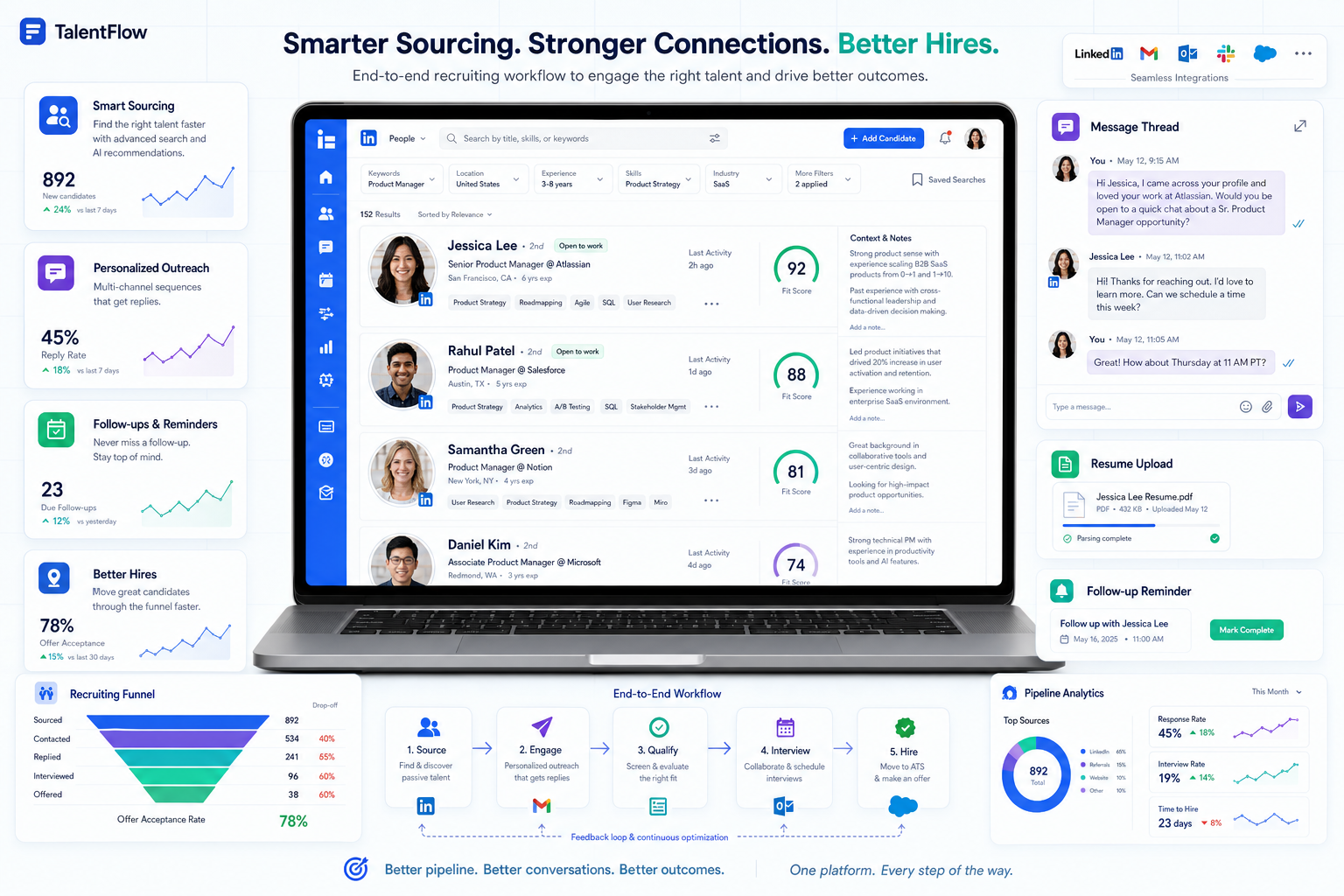
When LinkedIn sourcing breaks your workflow, this article helps recruiters judge recruiting tools by context tracking, faster follow-up, and less funnel leakage.
That matters because many recruiting teams do not actually lose time at the interview stage first. They lose it earlier, when recruiter outreach lives in inboxes, candidate replies arrive after hours, resumes are shared in different places, and nobody has a clean record of who showed interest, what they asked, or which next step was promised. For a solo recruiter, that means missed momentum. For a small agency owner, it means lower consultant capacity and inconsistent delivery. For an employer, it means slower hiring manager updates, weaker candidate experience, and avoidable leakage in the funnel.
In that specific part of the workflow, I have found that AI Recruiter is useful not because it replaces recruiter judgment, but because it can keep initial LinkedIn outreach moving, respond to candidate questions around the clock, and collect resumes or contact details from interested people before momentum dies. The recruiter still has to review the resume, decide whether the profile truly fits the role, and own the next conversation, but the admin-heavy first layer becomes much easier to control.
You can see the underlying problem clearly in a familiar LinkedIn scenario. A candidate who wants to attract recruiter attention does not simply create a profile and wait. They think about keywords recruiters search for, they update role descriptions to emphasize accomplishments rather than duties, they add recommendations that reinforce the right strengths, they use a professional photo, and they build connections that make them easier to discover through shared groups or second-degree networks. In other words, the candidate is already optimizing for recruiter search behavior before a conversation even starts.
From the recruiter side, that creates a different software question than most buying guides admit. If candidates are being found through keyword search, judged quickly from profile signals, and engaged through ongoing LinkedIn messaging, then the best recruiting software is not just an ATS with a nice dashboard. The strongest recruiting tools also need to support searchable sourcing logic, track relationship activity, preserve communication context, and help both efficient recruitment tools for recruiters and recruiting tools for employers turn early interest into a structured hiring process.
Table of Contents
- Why LinkedIn changes what good recruiting software looks like
- From recruiter search behavior to system design
- Features that matter most in the best recruiting software
- Where AI-supported LinkedIn workflows actually help
- Recruiting software comparison table
- Best fit by team and hiring model
- How to choose the right platform
- Common mistakes buyers make
- FAQ
Why LinkedIn Changes What Good Recruiting Software Looks Like
Most articles about the best recruiting software start too late in the process. They begin with applicants already inside a pipeline. But a large share of recruiter effort, especially in agency search, in-house sourcing, and specialist hiring, starts before an application exists. It starts with search terms, profile review, outreach, reply handling, and repeated follow-up.
That is why the old distinction between sourcing tools, CRM tools, and applicant tracking systems still matters. A recruiter using LinkedIn is not only processing inbound candidates. They are searching by keywords, interpreting profile signals, checking recommendations or social proof, deciding whether a person looks active or passive, and trying to move that person from a platform conversation into a manageable hiring workflow.
The reference scenario above makes this clear. Candidates improve discoverability by using the right phrases, highlighting relevant skills, staying visible in groups, and keeping their profile current. Recruiters respond by searching with those same terms. The software layer sitting behind that work should help capture, organize, and continue the conversation. If it does not, the recruiter ends up recreating context manually.
Key insight: When your sourcing engine is LinkedIn, the best recruiting software is the system that preserves context from first search to final shortlist.
From Recruiter Search Behavior to System Design
Experienced recruiters tend to evaluate software differently once they recognize how early-stage hiring really works. Instead of asking only whether a platform can move candidates between stages, they ask whether it supports the way talent is actually found and engaged.
1. Searchability Matters on Both Sides
LinkedIn recruiting begins with search behavior. Recruiters type in role terms, tools, certifications, industries, and related synonyms. Candidates who understand this become easier to find. Software should support this reality by making it easy to tag talent pools, store structured skills, and search communication history without friction.
Practical takeaway: If your team sources proactively, evaluate search and rediscovery features with the same seriousness you give pipeline stages.
2. Credibility Signals Influence Response Rates
Recommendations, profile quality, activity, and network overlap all affect how candidates are perceived. Recruiters use these signals to decide whether to contact someone, and candidates use recruiter credibility to decide whether to reply. Good recruiting tools should help recruiters keep outreach personalized and anchored in what actually made that profile worth contacting.
Practical takeaway: Look for systems that preserve why a candidate was sourced, not just that they were sourced.
3. Network Effects Are Operational, Not Cosmetic
Shared groups, mutual connections, and prior interaction often improve outreach traction. In practice, that means sourcing is relational, not just transactional. Recruiting software should help recruiters manage warm paths and previous contact history instead of treating each outreach attempt as brand new.
Practical takeaway: If your recruiters rely on relationship-building, prioritize CRM-style visibility, not just ATS mechanics.
Features That Matter Most in the Best Recruiting Software
Once you map the sourcing reality correctly, the feature list becomes more practical. The best recruiting software usually does not win because it has the most modules. It wins because it reduces friction in the work recruiters repeat every day.
Unified Candidate Records
Every recruiter has seen what happens when profile links, resumes, notes, and message history sit in different places. Candidate quality gets re-evaluated from scratch, duplicate outreach happens, and handoffs become messy. Unified records are one of the most important applicant tracking system benefits because they create continuity from outreach to interview.
Pipeline Visibility
Once a LinkedIn conversation turns into interest, the next risk is drift. Candidates wait for feedback, recruiters wait for hiring managers, and status changes go unrecorded. Strong recruiting tools show where the process stalls and who needs to act.
Outreach and Nurture Support
For many teams, especially agencies and sourcing-heavy employers, a recruiting CRM layer is as important as the ATS. That is where efficient recruitment tools for recruiters distinguish themselves. They support long-cycle relationship building, not just applicant processing.
Communication Capture
If LinkedIn is part of your sourcing engine, message history matters. Candidate questions about role scope, team context, compensation, location, or timing often determine whether they move forward. Systems that capture this context reduce repeated explanation and give hiring teams cleaner handoffs.
Resume and Contact Collection
Interest alone is not operational progress. The workflow only becomes useful once resumes and contact details are captured in a structured way. This is especially important when outreach happens at scale or outside normal working hours.
Automation With Human Review
Automation is helpful when it removes repetitive coordination work, but it should not make final hiring decisions. The most reliable setup automates first-touch messaging, reminders, and document collection while leaving suitability assessment to the recruiter.
Compliance and Data Handling
Candidate information is sensitive. Any software handling resumes, contact details, and conversation records should support secure storage, permissions, and clear data practices. This matters for both recruiting tools for employers and for agencies handling multi-client searches.
Where AI-Supported LinkedIn Workflows Actually Help
There is a lot of noise around AI in recruiting, so it helps to stay specific. The most useful role of AI in LinkedIn-heavy recruiting is not to replace sourcing strategy or resume judgment. It is to keep the top of funnel from collapsing under its own admin load.
In my own workflow, the value of StrategyBrain AI Recruiter was clearest in three situations. First, when candidates replied after hours and I did not want momentum to disappear until the next business day. Second, when people had common early questions about the role, employer, or compensation range and needed timely answers before deciding whether to engage. Third, when I needed interested candidates to send resumes and contact details without turning that exchange into a manual chase.
That is where AI Recruiter felt practical. It could continue LinkedIn communication, introduce the opportunity, confirm interest, and collect basic materials, while I stayed responsible for actual fit assessment and shortlist decisions. For recruiters running multiple roles, that division of labor is sensible: let automation handle repetition, let the recruiter handle judgment.
I would still be careful about one point. Automated conversation should support a real recruiting process, not hide a weak one. If the role brief is vague, the target profile is poorly defined, or the next-step workflow is unclear, no tool will fix that. But when the search strategy is solid, AI-supported messaging can make the front end of LinkedIn recruiting much more manageable.
Recruiting Software Comparison Table
Use this framework to compare recruiting tools based on the actual work being done, not just on feature density.
| Category | Primary Purpose | Best For | Main Strength | Watch-Out |
|---|---|---|---|---|
| Applicant tracking system | Track candidates through hiring stages | Employers, TA teams, growing agencies | Process visibility and structured workflow | Can feel limited for proactive sourcing if used alone |
| Recruiting CRM | Manage talent relationships and outreach | Sourcers, agency recruiters, repeat hiring teams | Better nurture and rediscovery of talent | Needs strong alignment with the ATS |
| LinkedIn outreach automation with AI support | Handle repetitive first-touch messaging and follow-up | LinkedIn-heavy sourcing teams | Faster response handling and material collection | Should not replace recruiter fit evaluation |
| Talent acquisition suite | Connect sourcing, ATS, reporting, and hiring ops | Mid-sized and enterprise employers | Broader lifecycle coverage | More change management and setup |
| Specialized screening tools | Support reference, assessment, or vetting steps | Teams with complex evaluation workflows | Depth in a specific stage | Integration quality often decides usefulness |
The table also explains why many teams eventually combine tools. An ATS remains the process backbone, a CRM supports relationship continuity, and a LinkedIn-first automation layer can reduce repetitive sourcing work at the top of funnel.
Best Fit by Team and Hiring Model
For Agency Recruiters and Headhunters
Agency recruiters usually need strong search discipline, candidate relationship tracking, outreach continuity, and a structured handoff into shortlist management. In that environment, efficient recruitment tools for recruiters often mean a CRM-plus-ATS model, with optional AI support for high-volume LinkedIn outreach.
For In-House Talent Acquisition Teams
Internal teams usually care more about visibility, stakeholder alignment, approvals, and reporting. But if they fill specialist roles through LinkedIn, they still need software that preserves sourcing context instead of dropping candidates straight into a stage-based system with no history attached.
For Small Employers
Recruiting tools for employers in smaller companies should stay simple. Fast posting, applicant visibility, clear notes, and manageable communication matter more than enterprise complexity. If LinkedIn sourcing is occasional, choose flexibility over heavy configuration.
For High-Volume or Distributed Hiring
Teams hiring across time zones or languages often struggle with delayed replies and inconsistent follow-up. In those cases, AI-supported front-end communication can help maintain continuity, especially before a recruiter is ready to review each response personally.
How to Choose the Right Platform
- Map the real start of your hiring process. If your work starts on LinkedIn, do not evaluate software as though every candidate begins with an application.
- List your repeat admin tasks. Outreach logging, follow-up, resume chasing, and status updates usually reveal where automation can help.
- Separate workflow needs from demo appeal. A polished interface is less important than whether your recruiters can search, capture context, and move candidates cleanly.
- Test the sourcing-to-ATS handoff. This is where many platforms fail in practice.
- Review candidate communication handling. Ask how replies, questions, resumes, and contact details are stored and surfaced.
- Check recruiter control points. Make sure humans still review fit, shortlist quality, and next-step decisions.
- Validate reporting and compliance basics. You should be able to understand funnel movement without building everything manually.
If you run this exercise honestly, the best recruiting software often becomes easier to identify. The core question is not which system looks most advanced. It is which one supports your actual hiring behavior with the least process leakage.
Common Mistakes Buyers Make
Buying for Applicants When the Team Actually Sources
Many employers buy software built mainly for inbound applicants even though their critical roles are filled through proactive outreach. That mismatch creates blind spots immediately.
Ignoring Early-Stage Context
If the software cannot preserve why a candidate was contacted, what they asked, and how interest developed, recruiters waste time rebuilding the story.
Over-Automating Judgment
Automation should handle repetitive communication and admin. Final resume review and suitability decisions still require recruiter judgment.
Forgetting Candidate Search Behavior
The reference LinkedIn scenario is a useful reminder: candidates are trying to become discoverable through keywords, recommendations, profile quality, and network visibility. Recruiters need systems that match that reality.
Neglecting Hiring Manager Adoption
Even with strong sourcing, the process breaks if managers cannot review profiles, leave feedback, or move decisions forward efficiently.
FAQ
What is the best recruiting software for LinkedIn-heavy hiring?
The best recruiting software for LinkedIn-heavy hiring usually combines an ATS for process control with CRM or communication support for sourcing continuity. If your team depends on outreach, relationship history and message tracking matter as much as applicant stages.
Are recruiting tools the same as an ATS?
No. An ATS is one type of recruiting tool, focused mainly on candidate progression through a hiring workflow. Broader recruiting tools can also include CRM functions, automation, sourcing support, analytics, and communication capture.
What makes efficient recruitment tools for recruiters?
The most efficient recruitment tools for recruiters reduce repeated admin, centralize candidate context, support proactive sourcing, and make handoffs cleaner. They help recruiters spend more time on assessment and less on tracking scattered conversations.
What should recruiting tools for employers prioritize?
Recruiting tools for employers should prioritize ease of use, applicant visibility, hiring manager collaboration, and reporting clarity. For smaller employers, simplicity and fast adoption usually matter more than deep customization.
How does AI help in LinkedIn recruiting?
AI can help with repetitive outreach, after-hours response handling, early candidate Q&A, and collecting resumes or contact details from interested people. The best use of AI is operational support, not final candidate judgment.
Why does candidate profile quality matter when choosing recruiting software?
Because LinkedIn sourcing starts with discoverability and quick profile interpretation. Candidates optimize for search keywords, recommendations, and network visibility, so recruiters need software that can capture and carry that context into the formal hiring process.
Conclusion
The best recruiting software is not just the one with the most features. It is the one that supports how recruiters actually find, engage, and move talent forward. In LinkedIn-heavy hiring, that means connecting keyword search, profile signals, outreach, reply handling, resume collection, and final evaluation into one workable system.
If your team relies on proactive sourcing, judge recruiting tools by whether they preserve context from first contact to shortlist. That is where the real operational difference appears. And if repetitive LinkedIn admin is slowing you down, a tool such as AI Recruiter can help keep the top of funnel active while the recruiter stays in charge of judgment, qualification, and hiring decisions.














